
Detail Sander Sheets: Sand Tight Corners with a Mouse
The first time I rescued an old maple dresser, the corners told the story: paint packed like frosting into the seams, varnish hardened in the fillets, and decades of nicks rounding over what were once crisp lines. A random orbital couldn’t reach. A hand block took forever. But a small triangular pad on a mouse sander, paired with the right detail sander sheets, slipped into the geometry like it was designed for the job—because it was. That’s the magic. Tight corners stop being dead ends and start becoming checkpoints you can actually conquer.
I like to set the scene the way it’ll happen for you: lights on in the garage, coffee cooling on the bench, the smell of pine dust kicked up from a quick test pass. Your project might be a paneled door, a window sash, or a cabinet face frame; each has small cavities and inside corners that collect finish and grime. The mouse sander’s delta-shaped pad lets you aim pressure precisely. You don’t lean on it—you guide it. And with a couple of careful passes, the corner starts to sharpen up visually, edges reappear, and you feel like you’re subtracting years without gouging away history.
If you’re just getting started, I’ll walk you through a method that’s saved me hours: reading the surface, choosing a smart grit progression, controlling speed and approach angles, and managing dust so you see what you’re doing. If you’re already a pro, there’s nuance here you’ll appreciate—how to prevent “pillowing” around joints, how to avoid clogging when you hit gummy paint, and how to blend hand-sanded profiles into machine-sanded fields without a telltale halo. We’ll keep it real, shop-floor practical, and focused on precision. Corners should be crisp, not chewed. Profiles should be clean, not flattened. And your detail sheets should last long enough to be worth their cost.
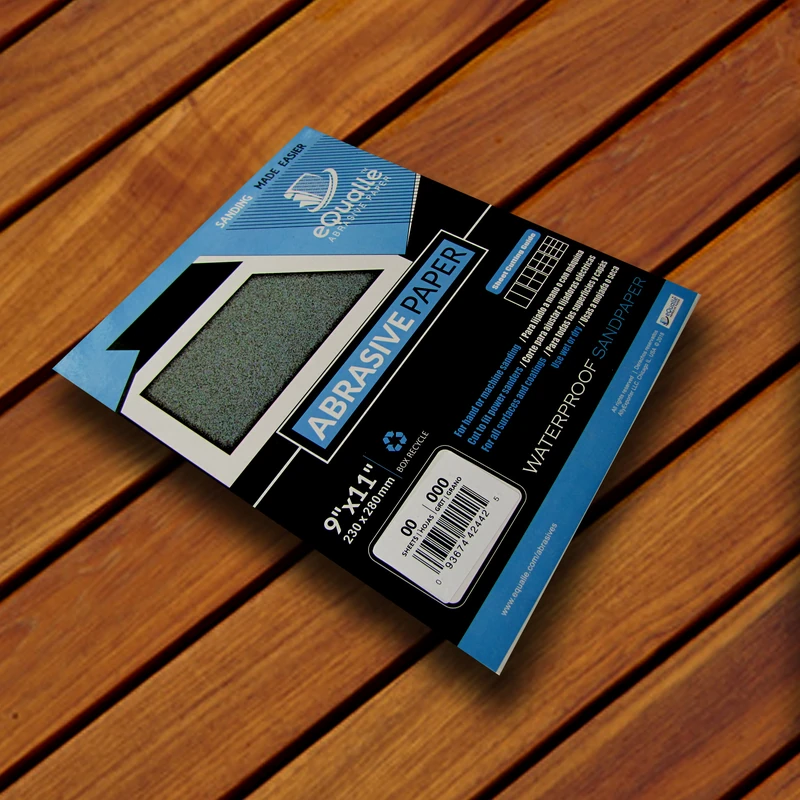
Quick Summary: With a mouse sander, the right detail sander sheets, and a corner-first workflow, you can cleanly sand tight spaces without rounding edges or leaving swirls.
Get to know your mouse sander
Before we talk technique, learn how your mouse sander behaves. Most “mouse” or “detail” sanders use a small triangular (delta) pad with hook-and-loop backing, moving in a high-frequency oscillation. That means the tool refines surfaces by quick micro-movements, not by spinning. It’s forgiving, but it can still distort corners if you treat it like a scrub brush.
Body and balance: A low-profile sander with a comfortable palm grip lets you steer with fingertips, not fists. Keep wrists neutral. When you press, think of placing the tool rather than pushing it.
Pressure control: Let the speed do the work. Excess pressure kills sheets, heats finishes (hello, gum), and rounds edges. Aim for contact pressure just strong enough to keep the pad stable.
Tip targeting: The leading “nose” of the delta pad is the star in corners. Use it like a chisel: place, align, and touch. Don’t jam the tip; you’ll crush the foam and wear the abrasive unevenly.
Dust management: Hook up a vac if your sander allows it, and match the sheet’s holes to the pad. Better dust collection equals clearer sightlines—and clearer sightlines are everything in corners.
Speed selection: On variable-speed models, use higher speed (but light pressure) for paint and varnish removal. Drop speed on veneer or fragile profiles. A slower, controlled oscillation helps prevent the bitty chatter that shows up as micro-scratches in softwoods.
Grip and stance
Anchor your forearm on the workpiece or bench to stabilize. Keep the pad flat unless you intentionally lift the rear for “tip-only” work. When addressing a corner, approach from both sides of the joint with the pad flush to each plane. Your hands shouldn’t white-knuckle—relax and feel the tool’s vibration; you’ll sense when the abrasive is cutting versus skating.
Speed and dwell
Count your seconds. Two to three passes of two seconds each is often better than one long, hot dwell. Pull off the surface to check progress often. When the scratch pattern is uniform and the old finish is dull rather than glossy, it’s time to step to the next grit.
Choose the right detail sander sheets
Sanding success in tight corners is mostly about abrasive choice. The geometry is fixed; your sheet does the real work. Choosing quality detail sander sheets—correct grit, durable grain, and compatible backing—prevents loading, keeps edges crisp, and preserves the pad.
Grit game plan
Heavy removal: Start at 60–80 grit for thick paint or varnish in corners. In hardwood with stubborn finish, 60 grit saves time but requires careful follow-up grits to erase scratches.
Shaping and cleanup: 100–120 grit refines the surface and removes the deep cuts from coarse grits. It’s the first step where you’ll see edges “sharpen” visually.
Pre-finish: Finish at 150–180 for paint, 180–220 for clear coats on hardwood. In softwoods, don’t overshoot to 220 everywhere; you risk closing the grain and causing blotchy stain.
Always step through each grade; don’t jump from 80 to 220 expecting miracles. Corners show skipped grits faster than flats.
Grain and backing
Aluminum oxide is the workhorse: resilient and cost-effective for wood and old finishes. Ceramic and zirconia last longer when you’re removing heavy coatings but can cut aggressively; control pressure. Make sure your sheets are true to the pad shape, with cleanly punched dust holes. Poorly aligned holes choke dust extraction, and that invites clogging.
Custom-cutting sheets
Can’t find your brand’s exact shape? Make your own:
Lay a hook-and-loop sheet (or a 5" disk) abrasive-side down. Trace your sander’s pad.
Cut with sharp shears; radius the corners slightly to prevent lifting.
Punch dust holes with a leather punch or snap-set in the vicinity of your pad’s ports.
For longer life at the tip, double up: stick a small triangle cutout on top of the tip area like a “cap.” It concentrates fresh grit where you need it most.
Store sheets flat, away from heat. Heat warps the backing, and warped sheets don’t stay seated in corners. Keep a small file or crepe block nearby to clean loaded abrasive; one quick rub restores bite without wasting a sheet.
Master the corner-by-corner workflow
You’ll get pro results by following a deliberate sequence. Corners demand patience and a system so you don’t overwork any one spot. Think of it like mapping a project: inside corners first, then edges, then flats.
Step-by-step method
Mark defects: Pencil a light X in each corner you’ll address. You’ll erase it with the first pass and won’t forget where you started.
Coarse pass in corners: Using the sander’s tip, make short, overlapping strokes into the corner from each side. Keep the pad flat to each face; don’t hook the tip into the seam.
Edge follow-through: After the corner dulls (finish removed), walk the same grit along the adjoining edges for 3–4 inches to blend.
Intermediate grit repeat: Switch to the next grit. Repeat corner first, then edge. Your goal is to erase the previous scratch pattern fully before moving on.
Flat field last: Address the larger fields with a larger sander (random orbital) or a flat block. Blend toward the corner without bearing down on the inside seam.
According to a article.
Angles and profiles
On mouldings and beaded edges, keep the pad flush to the small flats, not across radii. Where the pad can’t conform, finish by hand with a folded sheet backed by a foam pad or eraser. When two profiles meet at 90 degrees, break the edge very slightly (a micro-chamfer) before your final grit to reduce paint chipping later.
Five actionable tips
Feather, don’t dig: End each stroke by easing off pressure before the corner; this prevents “divots” right at the seam.
Swap early at the tip: When the sheet’s point dulls, rotate or replace. One fresh tip saves more time than grinding with a dead one.
Use a guide light: Angle a bright task light across the surface. Scratches and residues show up fast at low raking light.
Keep it clean: Vacuum between grits. Trapped dust acts like rogue coarse grit and re-scratches your progress.
Support small parts: Clamp thin workpieces against a backer to keep them from flexing under pad pressure—flex adds wobble, wobble adds swirls.
Troubleshoot scratches and swirls
Even with perfect technique, small surfaces can reveal a lot. If you see swirl marks or cloudy patches after priming, don’t panic—diagnose.
Symptom: Circular haze or micro-swirls in softwood. Cause: Loaded sheet or too high speed with heavy pressure. Fix: Clean the sheet, reduce speed, and do a light pass with the next grit, tracking with long strokes parallel to the grain.
Symptom: Rounded (pillowed) corners where panels meet rails. Cause: Leaning on the pad’s center, soft foam giving way. Fix: Work off the edges with minimal pressure; add a firmer interface pad if your sander supports it, and let the tip do the cornering.
Symptom: “Ghost” lines reappearing after finish. Cause: Skipped grits or uneven scratch removal. Fix: Back up one grit, sand until a uniform scratch field is visible, then step forward again. Use a pencil scribble to verify you’ve covered the area evenly.
Symptom: Gumming and streaks. Cause: Heat melting latex paint or shellac. Fix: Lower speed, lighter pressure, and clean the sheet with a crepe block. Where film is thick, score paint edges with a utility knife first, or use a heat gun and scraper before sanding.
Raise the grain intentionally
Before final sanding on bare softwood, wipe with a damp cloth to raise the grain. Let it dry fully, then hit it lightly with your finishing grit. This “pre-raises” fibers so your first coat doesn’t surprise you with fuzz—especially noticeable in corners.
Blend hand and machine work
Corners and profiles sometimes need hand sanding. When you switch to hand, mirror the same grit sequence you used on the machine and keep your strokes consistent with the machine’s scratch direction. This avoids a visible halo where machine and hand work meet.
Finish smart: dust and edges
Your prep dictates your finish. Tight corners collect dust, and dust ruins finishes. A few clean habits make the difference between factory-clean and “shop-dust-in-amber.”
Vacuum, then wipe: Use a brush attachment to pull dust from corners and grain pores. Follow with a microfiber cloth. Tack cloths work, but don’t grind them into the surface; they can leave residue in corners.
Edge discipline: Break sharp edges slightly with your finishing grit. A barely-there chamfer helps paint and clear coats flow, reducing chip-prone knife edges. Don’t round; think one or two passes.
Prime for success: For paint, a penetrating bonding primer grabs even in corners and reveals leftover scratches. For stain on blotch-prone woods, use a conditioner; it levels absorption in tricky end-grain corners.
Keep coats thin: Heavy coats sag in corners. Brush or spray light passes, letting each level before returning. If you’re brushing, unload the brush before you hit a corner, then feather in.
Timing and touch-ups: After the first finish coat, examine corners in raking light. If you find a flaw, let the coat cure, scuff with 220–320 in the corner only, and recoat. Don’t chase it wet; that’s how you dig trenches.
Safety and setup
Wear a particulate respirator (N95 or better) when sanding old finishes, especially in tight spaces where dust concentrates. Eye and hearing protection matter too; mouse sanders are small, but their high-frequency buzz adds up over time. Keep your cord and hose managed; anything tugging at your hand ruins finesse in the corner.
JELLAS Compact Mouse — Video Guide
There’s a helpful demo of a compact mouse detail sander that packs a 2-amp motor spinning at around 13,000 RPM. The video walks through how the small, triangular pad accesses tight spaces and how quick sheet swaps keep you moving. You’ll see the sander tackle edges and box corners, and it underscores why dust extraction and correct pressure matter.
Video source: JELLAS Compact Mouse Detail Sander
120 Grit Sandpaper Sheets (10-pack) — 9x11 in Silicon Carbide Abrasive for Wet or Dry Use — High-cut abrasive for refining rough wood grain, removing scratches, and preparing bare surfaces for priming or staining. (Professional Grade).
Frequently Asked Questions (FAQ)
Q: What grit should I start with in tight, painted corners?
A: Start at 60–80 grit to break through paint, then move to 120 and finish at 150–180 for paint or 180–220 for clear finishes. Don’t skip grits—corners show it.
Q: How much pressure should I use with a mouse sander in corners?
A: Very light. Enough to keep the pad steady without bogging the motor. Let the abrasive cut; pressing hard rounds edges and clogs sheets.
Q: Can I cut my own detail sander sheets?
A: Yes. Trace the pad onto a hook-and-loop sheet or disk, cut cleanly, and punch dust holes. Add a small “cap” triangle over the tip to extend life where you need it most.
Q: How do I avoid swirl marks on softwoods like pine?
A: Reduce speed, clean the sheet often, and step through grits. Finish with light passes aligned to the grain and vacuum between grits to remove rogue particles.
Q: Is dust extraction worth it on a small sander?
A: Absolutely. Better extraction keeps sheets cutting cooler and longer, improves visibility in corners, and reduces the fine dust that ruins finishes.