
Mastering the sander interface pad to erase swirls
It always shows up under raking light. You sweep your flashlight across a freshly primed cabinet door or a leveled epoxy table top, and there it is—faint haloing, tight hook-shaped pigtails, and a dull gray cast that just shouldn’t be there. You did the steps. You stepped up the grits. You vacuumed between passes. But the surface still whispers “machine marks.” The moment feels familiar to anyone chasing a clean finish on wood, primer, or clear coat. The fix isn’t more pressure, more passes, or a magic abrasive. It’s control—control of contact pressure, compliance, and cut geometry. And that’s exactly what a sander interface pad delivers when paired correctly with grit and machine settings.
A sander interface pad changes how your disc contacts the surface. It adds a calibrated layer of cushioning between the backing pad and the abrasive, evening out local force peaks that cause gouging and swirls, especially on edges, profiles, and thin coatings. Used correctly, it also improves dust extraction across multi-hole patterns, reduces loading, and extends disc life. Used incorrectly, it can blur edges, slow stock removal, and even worsen scratch uniformity.
This article focuses on how to reduce swirls by pairing pad and grit correctly—not by throwing more time or money at a problem that is fundamentally about mechanics. We’ll analyze how swirls form in random-orbit sanding, when and why an interface pad helps, and how to tune thickness, durometer, grit progression, speed, and pressure for a predictable, swirl-free finish. You’ll learn practical workflows that translate to repeatable results whether you’re leveling a filled grain panel at P180 or refining a cured top coat at P3000. The goal is not just fewer defects under harsh light, but faster, more confident sanding that respects the substrate and the finish system you’re building.
Quick Summary: Match interface pad thickness and hardness to the surface, keep grit jumps tight at the critical transitions, and control pressure, OPM, and dust to eliminate swirls.
Why swirls happen in random orbit sanding
Swirl marks are the visual footprint of non-uniform contact stress and debris interaction during random-orbit motion. Even with a nominally “random” scratch pattern, three mechanisms drive visible swirls and pigtails:
- Local force spikes: Rigid pads concentrate pressure over micro-highs (dust nibs, filler crowns, earlywood ridges), causing deeper grooves that telegraph after finishing. Excess hand pressure amplifies this.
- Debris recutting: Spent grain, resin smears, and dust trapped between disc and workpiece act like roller bearings that are intermittently captured and released. These particles carve tight arcs (pigtails) synchronized with orbit frequency.
- Dynamic rebound: On curved or thinly coated surfaces, a hard backing pad rebounds, briefly unloading and reloading the abrasive. This oscillatory effect slightly increases scratch amplitude in repeating arcs.
Other contributors include mismatched orbit diameter (e.g., a 5 mm orbit making deeper, more visible scratches than a 3 mm on finish grits), inadequate dust extraction (reducing swarf evacuation), and heat-induced resin softening (which smears rather than cuts). Closed-coat papers can load faster on soft coatings, while open-coat helps maintain a cutting edge longer but may require tighter grit steps to refine scratches.
From a process standpoint, swirls multiply at transition points: jumping from a coarse leveling grit to a finishing grit without an intermediate step; switching to a new disc without clearing the surface; or sanding edges and fields with identical pressure and dwell time. If you’re chasing perfection, assume every grit is only as good as the scratch it’s asked to remove—and that removal requires uniform contact and consistent chip evacuation.
Interface pads influence all three mechanisms. By adding controlled compliance, they reduce peak contact stress, stabilize chip formation, and improve seal integrity for multi-hole extraction. The result is a more uniform scratch profile—and fewer swirls—when the rest of the process is tuned to match.
When a sander interface pad changes the cut
A sander interface pad acts as a compliant layer between your hook-and-loop backing pad and the abrasive disc, modulating how force is distributed across surface peaks and valleys. On flat panels, a thin, medium-durometer interface pad reduces pigtails by suppressing contact spikes from dust nibs and from slight pad tilt. On profiles, it allows the abrasive to conform without digging into earlywood or soft coatings.
Mechanically, the interface pad increases the effective contact time of each abrasive grain by micro-damping the impact and rebound of the backing pad. This slightly reduces instantaneous cutting aggressiveness while increasing cut uniformity. That tradeoff is beneficial at refining grits (P240–P3000) and whenever you’re sanding delicate materials: primed MDF edges, veneer, filled pores, and cured clear coats.
The pad also influences the airflow pattern under multi-hole discs. With a properly matched hole layout, the interface helps maintain a uniform vacuum draw across the disc, stabilizing swarf evacuation and reducing re-cutting. This is especially noticeable on compact rectangular (3x4) sanders where concentrated edge loading commonly produces swirls; a thin interface pad helps distribute stress toward the center, softening edge aggressiveness without losing control.
Use caution, though: too soft or too thick, and you’ll round edges, slow removal rates, and risk pattern blur—especially with low grits. As a rule, deploy an interface pad for P180 and finer on flat work, and earlier (P120–P150) on contours. Keep it off at coarse stock-removal stages unless the substrate demands compliance (e.g., thin veneers or delicate fillets).
Thickness and durometer selection
- 2–3 mm, medium durometer (Shore A ~25–35): General refining on flat panels, primers, and between coats; balances uniformity and control.
- 3–5 mm, soft (Shore A ~15–25): Profiles, edge break-in, and soft coatings; highest swirl suppression but slower cut—use P180 and up.
- 8–10 mm, very soft: Specialty contour work only; expect edge rounding and slower, cooler cutting; ideal for microfinishing P800–P3000.
Match pad stiffness to orbit diameter: with a 5 mm orbit, err slightly firmer to avoid pattern smearing; with a 2.5–3 mm orbit, a softer pad remains controllable at finishing grits.
Pairing grit progression to substrate
Grit progression determines how efficiently you erase the previous scratch set without introducing new artifacts. The right sander interface pad allows you to tighten grit steps and lower pressure, which together minimize swirls. The wrong combination forces you to “chase” scratches and overwork the surface.
For raw wood:
- Start P80–P120 only as needed to flatten. If you can start at P120, do.
- Refine P120 → P150/180 → P220. On diffuse-porous hardwoods or veneer, stop at P180 before stain to retain even color uptake.
- For waterborne finishes, consider a pre-seal scuff at P220 on a thin interface.
For primed MDF or catalyzed primer:
- Level at P150/180 directly on the backing pad if flat; move to a 2–3 mm interface pad at P220 to reduce telegraphing.
- Refine P220 → P320; finish P400 for high-gloss systems.
- Keep pressure low; primers cut fast and load. Clearing dust between passes prevents pigtails.
For clear coats and solid-surface repair:
- Flatten nibs with P600–P800 on a thin interface pad, light pressure, slow OPM.
- Refine P1000 → P1500 → P2000/3000 before buffing; thin, soft interface pads provide uniformity without haze.
Sequencing rules of thumb:
- Aim for 1.4–1.6× grit jumps once you enter finish territory (e.g., 220 → 320 → 400).
- Do not skip a bridging grit when changing pad compliance or orbit diameter.
- Replace discs sooner at fine grits; dull grains smear resin and generate swirl-prone debris.
According to a article, using an interface pad with ultra-fine finishing discs (e.g., P3000 on DA sanders) is standard practice because it stabilizes cut and improves refinishing consistency prior to polishing.
Pressure, OPM, and dwell time
- Pressure: 1.0–2.0 kg (2–4 lb) of applied force is sufficient for refining grits. More than that compresses the interface pad, negating its benefit and increasing swirl risk.
- OPM: Run 8,000–10,000 OPM for P150–P220; drop slightly (6,000–8,000 OPM) at P400 and finer to reduce thermal softening and smear on coatings.
- Travel speed: 25–35 cm/s with a 50% overlap, crosshatch pattern. Slower on profiles; keep the pad moving before contacting edges.
- Dwell: Avoid pausing under power. If you must stop, lift the sander first; stationary orbiting creates visible arcs.
Edge control, holes, and dust management
Edges manufacture swirls: the geometry forces the pad to pivot, loading the outer disc quadrant and amplifying scratch depth. A thin sander interface pad reduces this edge aggressiveness by distributing force more evenly, but you still need deliberate technique.
Edge strategy:
- Approach edges in motion, reduce pressure by half, and bias the machine 5–10 mm back from the edge so the pad doesn’t overhang with full load.
- For sharp edges you intend to keep, do edges separately with a worn disc on a firmer pad; then do fields with a soft interface pad. This decouples two incompatible demands: protection vs uniformity.
- Micro-bevel fragile edges (0.2–0.4 mm) before priming; it’s easier to keep a bevel crisp than a razor edge intact.
Hole patterns matter. Align the disc holes to the backing pad and interface pad precisely. Misalignment reduces extraction and allows debris to skate under the disc, seeding pigtails. On multi-hole systems, an interface pad with matching perforations maintains airflow and helps the disc seal against the surface, improving dust capture at lower pressure.
Dust dynamics:
- Loaded abrasives plow and smear. Clear discs frequently—three quick taps on the extractor hose or a dedicated rubber cleaning stick for stearated papers.
- Vacuum performance matters more with an interface pad because you’re relying on controlled compliance rather than pressure to cut. Keep filters clear; a clogged vacuum equals swirl city.
- Static management helps on plastics and winter projects; a quick anti-static wipe keeps fines from re-entering the cut zone.
Actionable field tips:
- Use a pencil crosshatch on the surface; sand until marks just disappear—no more. This prevents over-dwell that creates subtle arcs.
- Step to a fresh disc when you see the first hint of gray smear rather than particulate dust; that’s resin load, not wood.
- On high-gloss prep, wipe with a damp microfiber between grits and inspect under raking light; don’t rely on overhead lighting.
- Mark interface pads by thickness and durometer so you can grab the right one blind; consistency beats guesswork.
MUST Have for — Video Guide
This short Tool Talk segment demonstrates why an interface pad is essential on compact rectangular sanders—particularly 3x4 models—when you need control near edges and over profiles. The presenter shows how a compliant layer dramatically reduces edge gouging, improves contact on slight irregularities, and allows lighter pressure without sacrificing refinement.
Video source: MUST Have for Sanders. Interface Pads
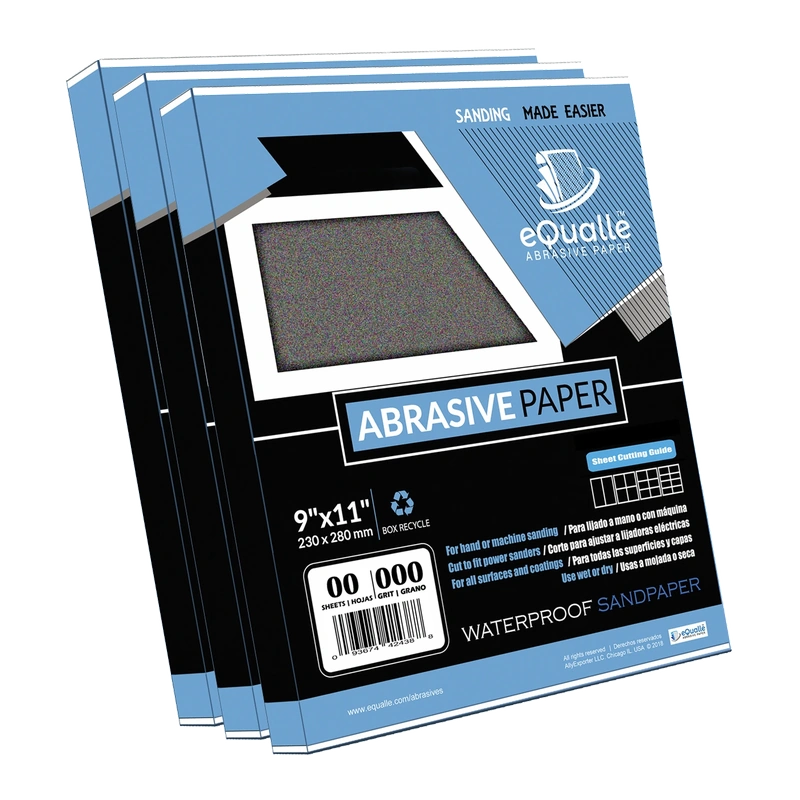
1500 Grit Sandpaper Sheets (10-pack) — 9x11 in Silicon Carbide Abrasive for Wet or Dry Use — Refining grit that bridges polishing and buffing—perfect for restoring a subtle satin or semi-gloss look on painted finishes. (Professional Grade).
Frequently Asked Questions (FAQ)
Q: When should I avoid using an interface pad?
A: Skip it for heavy stock removal (P60–P100) on flat, robust substrates where you need maximum cut and crisp geometry. A rigid backing pad transmits force efficiently; a soft layer would slow you down and risk rounding.
Q: How thick should the sander interface pad be for primer sanding?
A: A 2–3 mm medium-durometer pad is ideal at P220–P400. It evens contact on slight waviness, reduces telegraphing, and maintains control near edges without blurring.
Q: Why do I still get pigtails at fine grits with an interface pad?
A: Typically debris recutting or a dull, loaded disc. Align holes, improve extraction, lower pressure, and replace the disc sooner. Also reduce OPM slightly to limit thermal smear on coatings.
Q: Can I use the same interface pad for wood and clear coats?
A: Yes, but expect different behavior. On raw wood, you may prefer a firmer 2–3 mm pad to preserve flatness at P180–P220. On clear coats, a softer 3–5 mm pad at P800–P3000 helps suppress micro-marring before polishing.
Q: Does orbit diameter change my pad choice?
A: With a 5 mm orbit, go a bit firmer to avoid pattern blur at fine grits. With a 2.5–3 mm orbit, you can use softer pads without sacrificing scratch definition. Always validate on a test panel before committing.