
Dustless sanding: multi-hole discs that cut faster
On a Saturday morning in the shop, the light comes in as a hazy beam. You flip on the sander, nudge it onto an oak tabletop, and within seconds the air looks like a snow globe gone rogue. Your safety glasses fog, your shirt turns gray, and the shop vac whines like it’s doing something—but the dust still settles on every flat surface you own. I’ve been there. I’ve also watched the other version of this scene: the pad spins, dust disappears, the workpiece stays cool, and the abrasive keeps biting for pass after pass. The difference isn’t magic—it’s airflow. Specifically, the way a multi-hole disc and a properly set vacuum system handle air and debris to deliver real dustless sanding without killing your cut rate.
When airflow is right, sanding stops being a chore and becomes a tuning process: control heat, manage swarf, and let the grain or filler tell you what it needs next. Multi-hole discs improve airflow and cut by spreading suction across the working face, not just at a few ports in the pad. That means fewer clogs, sharper grains exposed longer, and a flatter finish because the pad isn’t riding on a pillow of packed dust. Whether you’re leveling primer, flushing joinery, or knocking down joint compound, the pattern under your disc matters more than most people realize.
I’m Lucas Moreno, workshop and DIY specialist. Let’s turn that beam of dust into clean, fast, precision sanding—no haze, no guesswork, just craft.

Quick Summary: Multi-hole discs, matched with the right pad, interface, and vacuum setup, move more air through the cut zone, reducing clogging and heat so you sand faster, flatter, and cleaner.
Why multi‑hole patterns change everything
Every sanding disc fights two enemies: heat and loading. Heat softens resins in wood and paint, smears plastics and fillers, and accelerates abrasive wear. Loading—dust and swarf packing between grains—turns sharp grit into a glazed hockey puck. Multi-hole discs attack both by improving airflow at the exact place you need it: the contact patch.
Here’s what’s happening under the pad:
- Distributed suction: Instead of a few large ports pulling from the center, modern multi-hole layouts scatter dozens of small inlets across the disc. This equalizes pressure, so the vacuum draws dust from every sector of the orbit. You don’t get those “clean rings” around a few holes while the rest clogs.
- Continuous evacuation: With dust constantly removed, grains fracture cleanly and keep cutting. That means you can stay in the same grit longer before stepping up, and your scratch pattern stays consistent across the surface.
- Cooler cut: Air moving through the pad acts like a heat sink. Cooler surfaces mean less resin transfer on pine, less glazing on lacquer, and less heat-checking on auto primers.
Pattern matters. Cyclonic, spiral, and “any-fit” designs (like the universal perforations you see from several top brands) reduce the need to perfectly align to the pad—huge when you’re swapping discs quickly. Even if you’re a “close enough” aligner, you’ll still get efficient extraction because there’s always a hole where the vacuum needs one.
Don’t underestimate pad and interface influence. A soft interface pad on curved work spreads pressure and, when matched with a multi-hole disc, lets air reach low spots where dust likes to hide. On flats, a medium or hard pad keeps the abrasive honest and the holes open, which translates to a faster, flatter cut with none of that skittering feeling you get when dust builds up.
Bottom line: airflow is your third hand. Manage it and the abrasive handles the rest.
Dialing in dustless sanding airflow
If you want true dustless sanding—where you can see your scribe lines and not taste the job later—you need to tune the whole system: disc, pad, interface, sander, hose, and extractor. Think of it as plumbing for air and dust.
Start with the path: holes in the disc align to pad perforations, which align to pad channels, which lead to the sander shroud, which feeds your hose. Any mismatch reduces capture and starves the cut.
Here’s how I set mine up:
- Match pattern to pad: If your pad has a 5-hole or 8-hole traditional pattern, choose a multi-hole disc with universal (“multifit”) punching so at least 70–80% of disc holes land over pad ports. This maintains broad suction without obsessing over alignment.
- Right interface, right task: Use a 3–5 mm soft, multi-hole interface for contours and edge breaks. On flat panels, go pad-only or a thin 2 mm interface to keep the surface true. Always align interface holes to the pad and the disc—misalignment can cut airflow by half.
- Hose and extractor: A 1-1/4 in (32 mm) hose is a sweet spot for 5–6 in sanders. Keep hoses as short as practical and avoid tight bends. Use an extractor with auto-filter cleaning; fine sanding dust cakes filters fast and silently kills airflow.
- Bleed control: Many extractors or sander handles have an airflow “bleed” or bypass. Start closed for maximum capture, then crack it open until the pad feels planted without excessive stick. Too much suction can choke pad rotation.
Actionable setup tips:
- If the pad stalls, crack the bleed a quarter turn or drop suction to 70–80%—you’ll gain orbit speed and still keep dust capture high.
- For high-loading materials like joint compound or body filler, knock the surface once with the vac brush before sanding; it prevents an instant crust on the disc.
- Use antistatic hoses on plastics and dry compounds; it reduces dust cling in the hose and keeps extraction consistent over a long run.
- Empty the extractor before it’s full; a packed canister is a silent airflow killer on fine dust jobs.
Get the plumbing right and your multi-hole disc will do what it was designed to do: move air through the cut, not around it.
Abrasives, pads, and vacs that play nice
You can’t talk airflow without talking grains and binders. Ceramic alumina discs with open-coat and a non-loading topcoat thrive in a high-extraction environment; they fracture sharp and shed swarf fast. On the other hand, cheap closed-coat aluminum oxide with weak resin will glaze no matter how much suction you feed it.
Choose your stack thoughtfully:
- Abrasive: For aggressive stock removal on tough substrates (hardwoods, epoxy, primer-surfacer), ceramic or ceramic blend discs excel. For finishing passes, premium aluminum oxide or silicon carbide offer a tighter scratch and respond well to good extraction.
- Pad hardness: Hard pads for flat panels and rapid leveling, medium for general work, soft for curves and edges. Whatever you pick, make sure the pad has a modern channel design to partner with multi-hole discs.
- Interface pads: A soft, multi-hole interface decouples the disc on curved work and keeps more hole area “breathing.” If you’re seeing pigtails, try removing the interface or dropping to a thinner one.
- Extractor: HEPA or high-efficiency units keep air clean and maintain airflow longer. Auto-filter cleaning helps, but a quick tap-out mid-job is cheap insurance.
You’ll also find self-generating vacuum (SGV) sanders that create suction with an impeller. They’re great for mobile or quick jobs; just understand they won’t match a dedicated extractor’s capture on heavy dust. Still, paired with a good multi-hole disc, they deliver impressive cleanliness for their size.
According to a article
Why that matters: modern multi-hole layouts aren’t random. They channel air in patterns that reduce local clogging and keep the pad evenly supported by moving air, not dust. When you choose discs, look for language like “universal hole pattern,” “cyclonic extraction,” or “multifit perforation.” Pair that with an interface or soft pad that has matching perforations, and you’ve got a system—one that keeps cutting long after a traditional 8-hole disc has glazed over.
Pro selection tip: If you only stock one disc pattern for multiple sanders, pick a high-count universal multi-hole disc. It’ll align well enough with almost any pad and still deliver strong capture and a consistent scratch.
Field‑tested workflows and pro tips
Let’s talk real work. Here are three workflows I use weekly, tuned for speed, flatness, and cleanliness.
Wood tabletop flattening and finish prep
- Start at 80 or 100 grit ceramic on a hard pad. Keep the sander moving in overlapping lanes; watch for uniform scratch as your “flatness indicator.”
- Step to 120, then 150 on a medium pad. Dustless sanding shines here: clear air helps you see glue lines and errant scratches before you blow through veneer.
- For final passes (180–220), switch to a finishing-grade disc with a stearate layer to prevent resin loading in spruce or pine. Use a thin interface only on light edge breaks to avoid softening flats.
Automotive primer and filler leveling
- Knock down filler high spots with 80 grit ceramic on a hard or medium pad, light pressure, let the disc cut. Keep extraction high; warm filler smears fast without airflow.
- Block by machine: Use a 5 mm orbit for leveling, then switch to 2.5–3 mm orbit with 180–220 to refine. Keep the panel cool—your extractor is your friend.
- Inspect under raking light. Dust-free air lets you see the low moonscape that demands another pass rather than guessing through haze.
Drywall and joint compound
- Use 150–180 grit open-coat on a soft interface. Multi-hole discs plow through compound without clouding the room when the vac is tuned correctly.
- Feather edges with light pressure and a slow feed. If you see pigtails, either your pad is too soft or your orbit is too aggressive; adjust and keep moving.
Actionable pro tips:
- Mark it: Lightly pencil crosshatch problem areas. In a dustless shop, those marks stay visible, guiding you to stop as soon as they disappear.
- Test the scratch: Before stepping grits, wipe with a dry microfiber while the vac is running; if you still see deep scratches, don’t rush the grit change.
- Keep discs cool: If a disc feels hot to the touch, you’re starving airflow or bearing down. Reduce pressure, open the bleed slightly, or swap a fresh disc to keep grains sharp.
- Pad saver: Use a thin, perforated pad saver to protect your hook-and-loop face; it also maintains hole integrity so suction stays consistent.
When your airflow is dialed, each pass is predictable. You’re not fighting dust; you’re shaping surfaces.
Testing DUSTLESS Sanding — Video Guide
Curious how these principles play out on camera? In a popular shop test, a creator runs a so-called dustless sanding setup through its paces, comparing cleanup, visibility, and cut rate. They cover how well the sander holds rotation under suction, how universal multi-hole discs align on different pads, and whether the extractor keeps pace as the job progresses.
Video source: Testing DUSTLESS Sanding Tool - BUY or BUST?
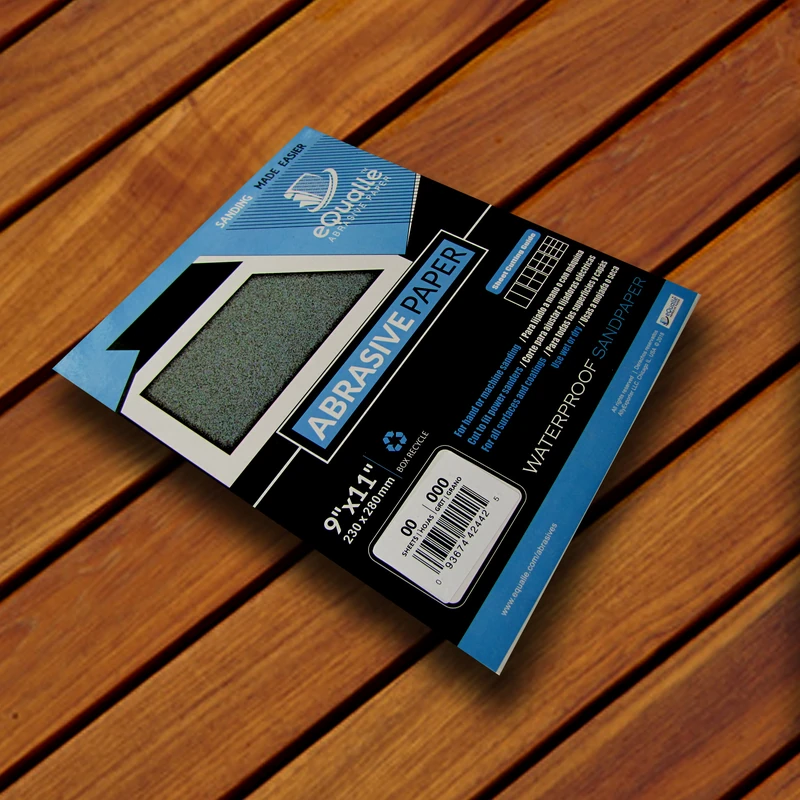
180 Grit Sandpaper Sheets (25-pack) — 9x11 in Silicon Carbide Abrasive for Wet or Dry Use — Reliable grit for producing a uniform texture on wood, metal, or filler layers—often used before varnishing or applying topcoats. (Professional Grade).
Frequently Asked Questions (FAQ)
Q: Do multi-hole discs really cut faster, or just collect more dust?
A: Both. By evacuating dust at the grain tips, multi-hole discs prevent loading and heat, so sharp edges stay exposed longer. That translates to a higher sustained cut rate and a more consistent scratch, while also keeping the surface and air clean.
Q: How important is hole alignment between disc, interface, and pad?
A: Very. Misaligned layers choke airflow. Use universal multi-hole discs and make sure the interface pad has matching perforations. Even with universal patterns, take two seconds to center the disc—it pays off in capture and cut.
Q: What extractor size and hose should I use for a 5–6 inch random orbital sander?
A: A compact dust extractor with strong fine-dust filtration and a 1–1/4 in (32 mm) antistatic hose works well for most setups. Keep hoses short, avoid sharp bends, and use auto-filter cleaning if possible. Fine sanding dust loads filters quickly.
Q: My pad stalls when connected to strong suction—what should I adjust first?
A: Open the sander’s bleed/bypass slightly or reduce suction to around 70–80%. Check that the disc isn’t over-gripping (a fresh, non-gummed disc helps) and ensure the pad and interface holes are aligned so air flows without pinning the pad.
Q: When should I add a soft interface pad?
A: Use a soft interface on contours, edge breaks, or when you need a more forgiving scratch on curved work. For flat panels and leveling, skip the interface or use a thin one; too much cushion can dish surfaces and reduce cut speed.