
Hard Pads for Flat Panels: Sander Interface Pad Guide
There’s a certain hush that falls over the shop when a panel finally reads flat. The lights reflect in a clean, uninterrupted glide across the grain, and you can feel the promise of that finish under your fingertips. I remember a maple tabletop that fought me for three late nights. I had a soft pad on my sander, a foam disc, and the hope that “gentle” would keep me safe. Instead, the board smiled back at me with a washboard of highs and lows. Swirls near the edges, dipped corners, and a telegraphed glue line that wouldn’t die. The fix wasn’t more time; it was the right pad. I swapped to a hard backing pad, parked a sander interface pad for the profiles and inside corners, and the surface transformed—crisp, even, and ready to finish. That day, I stopped thinking of pads as accessories and started treating them like cutting tools.
If you build cabinets, doors, tables, or flat panels of any kind, you know the game: flat begets flat. Your abrasives can only do clean work if your backing pad holds them true. A soft pad feels forgiving, but it will mirror every tiny undulation and round over edges you meant to keep sharp. A hard pad doesn’t care about the low spots; it spans across them and levels with authority. Keep the sander interface pad nearby—it shines on profiles, contours, and delicate veneers—but for dead-flat work, hard pads are the unsung heroes. This guide breaks down how to choose the right pad, dial in your technique, and know exactly when to bring that interface into play without risking waves or burn-through.
Quick Summary: Use a hard backing pad for flat panels to keep surfaces true, deploy a sander interface pad for profiles and delicate work, and control pressure, passes, and grit to avoid waves and swirls.
Flat panels demand a hard pad
For flat panels, the hard backing pad is the straightedge your abrasive rides on. Think of it like a jointer bed for your sander: the harder the pad, the less it telegraphs the highs and lows in the workpiece. Soft pads compress, which feels smooth in the hand but produces waves, dished edges, and inconsistent scratch depth. With a hard pad, the abrasive levels rather than follows.
On a random-orbit or 3x4 finish sander, the recipe is simple: hard pad, consistent pressure, and an intentional pass pattern. Start by marking the surface with a light pencil crosshatch. That map will show you exactly where you’re cutting and where you’re skating. Run the sander flat—no heel, no toe—and let the disc do the work. If you lean, you’ll tilt the pad and create a dish faster than you can say “re-sand.”
A smart workflow for most hardwood panels goes like this:
- Level at 80 or 100 grit with a hard pad; vacuum between grits.
- Step to 120, then 150 or 180 depending on finish and species.
- For film finishes, stop at 180–220. For oil, 180 is often the sweet spot.
Keep edges crisp by treating them like crown molding—precious. Don’t overhang the pad more than a third off the edge. Instead, ride the pad fully supported near edges and make light, parallel passes. Dust extraction is critical; a loaded disc scratches unpredictably and heats the pad. Hook up to a vac with a clean bag and proper airflow, and you’ll not only protect the pad hooks but also reduce swirl formation by keeping abrasives cutting cleanly.
Pro tip: feel the panel with your palm sideways, like you’re checking a door for heat. Your skin is the best flatness gauge in the shop, and a hard pad makes what you feel match what you see.
Choose pad hardness by material
Not all flats are equal. Maple resists, pine compresses, veneer panics under heat, and MDF can pill. Your pad needs to match both the material and the sanding goal.
- Hard pad (leveling and flattening): The go-to for tabletops, slab glue-ups, face frames, and any panel that needs to stay dead flat. Great for medium grits (80–150) where you’re shaping the surface, not just refining it.
- Medium pad (refining): Useful once flatness is locked in. Ideal for stepping up to 180–220 on solid wood and for intermediate grits on paint prep, where you want a touch of forgiveness without losing geometry.
- Soft pad (contour and blend): Save it for roundovers, radiused edges, and light scuff sanding. On flats, a soft pad invites waves and rounded corners—even when everything else is perfect.
The abrasive carrier matters too. Film-backed discs cut uniformly and resist tearing, making them excellent for hard pads and flat work. Mesh (net) abrasives extract dust beautifully, but a very soft backing can behave like a built-in interface; combine with a hard pad to keep control. Paper-backed discs feel more compliant; they’re fine, just inspect for consistent hook engagement and replace at the first sign of loading.
If you’re working on veneer, be tactical. Lock in flatness with a hard pad at a conservative grit—say 120 or 150—and switch to a medium pad as you approach final. Veneer doesn’t offer second chances. For MDF or primer, a hard pad helps you true the surface without compressing it, but keep your speed moderate to avoid heat.
Bottom line: pad hardness isn’t a preference; it’s a geometry decision. Pick the hardest pad that achieves the shape you need without risking damage, then soften only as the job demands.
When a sander interface pad earns its keep
A sander interface pad is a foam intermediary that changes the way your abrasive contacts the surface. It adds conformability and cushions the scratch, which is perfect for sanding profiles, easing edges, and blending inside corners—exactly where a hard backing pad feels too aggressive. On flat panels, though, it’s a double-edged sword: the foam can introduce waves and soften edges if you’re not deliberate.
Use an interface pad when:
- You’re sanding moldings, bevels, or profiled rails and stiles.
- You need to suppress pigtails at high grits on delicate finishes.
- You’re scuffing painted surfaces where a softer scratch is desirable.
- You’re working with thin veneer and want insurance against a momentary heel.
Avoid it when leveling a glue-up or keeping a door panel flat; the interface can flatten locally but will follow dips globally. If you must use one on a flat—say, to reduce swirl at 220–320—choose a thin (2–3 mm) interface, keep the sander dead flat, and lighten your pressure to barely more than the tool’s own weight.
Technique matters. Align holes carefully to maintain dust extraction, especially with mesh abrasives. If your sander relies on a hook-and-loop “J-hook” style backup pad, make sure the interface has compatible loops for a secure hold. And always check hook condition—contaminated hooks cause discs to flutter, which is how you get mysterious swirls.
According to a article, many pros pair a hard pad with a thin interface only when transitioning to profiles or final blending, reserving the hard pad alone for the heavy lifting. That division of labor keeps flats flat and details clean. Think of the interface as the last 10% finisher, not the workhorse.
Technique: pressure, passes, patterns
Good sanding looks boring. That’s your goal. The panel stays still, the sander stays flat, and you move in a controlled, repeatable pattern. Here’s a reliable approach that delivers day in and day out.
Step-by-step for dead-flat panels:
- Prep the pad: Install a hard backing pad. If you plan to blend later, keep a thin interface nearby but off the tool.
- Select the grit: Start with the lightest grit that still cuts. If the panel is machine-flat, 120 may be enough. For glue ridges or planer tracks, 80–100 is safer.
- Map the surface: Lightly pencil a crosshatch over the panel. You’ll sand until the marks disappear uniformly.
- Set the tool: Mid-speed to start; too fast builds heat and dust, too slow can stall cutting. Attach dust extraction with a clean filter and bag.
- Make passes: Overlap by one-third, moving slow enough that you could read a book title as you cross it. Keep the sander fully supported—no tipping.
- Clean between grits: Vacuum and wipe with a clean rag; don’t force dust into the grain.
- Refine: Step through grits without skipping more than one in the early stages (80–120–150–180). At the top end, single-step transitions are safer (180–220).
Actionable tips that change results immediately:
- Use the pencil test for every grit change. If the marks erase uniformly within three passes, your grit choice is right.
- Reduce pressure as you go finer. At 180 and above, let the sander float; extra pressure creates new scratches and heat.
- Chase the light: position raking light across the panel to reveal highs, lows, and swirls before they become finish problems.
- Keep pad faces clean. A quick brush or blast of air between discs preserves the hook field and calms scratch anomalies.
- Edge discipline: Make a dedicated edge pass with a half-overhang, then stay off the edge during broad strokes.
If you’re tempted to add a sander interface pad at fine grits to tame micro-swirls, do a test panel first. Often, a fresh film disc on a hard pad with a slower speed and lighter touch resolves the issue without introducing softness.
Troubleshoot scratches and waves
Even with a hard pad, issues happen. The trick is to diagnose the mark and respond with the right fix before you chase your tail.
- Swirls (pigtails): Usually from a contaminated disc or pad wobble. Replace the disc, clean the pad face with a nylon brush, and check that the interface (if used) is centered and not cupped. Reduce speed one notch and lighten pressure. If swirls persist at high grits, a very thin interface can help cushion the scratch—but confirm flatness first.
- Washboarding (rhythmic waves): Classic soft-pad-on-flat result, or excessive pressure with any pad. Swap to a hard pad, mark the surface, and re-level at a coarser grit. Keep the sander flat and slow your stroke. Don’t try to “blend out” waves with fine grits; they must be re-leveled.
- Dished edges: Caused by overhanging the pad off the work or toeing-in near edges. Re-establish flatness with a hard pad and keep the pad supported. Consider clamping a sacrificial fence so the pad can ride past the edge without falling off.
- Random deep scratches: Grit contamination. One speck of metal or sand stuck to your disc can carve tracks. Toss the disc, vacuum everything—the work, the pad, your bench—and continue. If the scratch is deep, drop back one grit and re-level.
- Burn-through on veneer: Heat and pressure are the enemies. Use a hard pad to keep the scratch controlled and distribute contact. Step up grits sooner, lower the speed, and take breaks. If you must cushion, use the thinnest interface and check thickness constantly.
Pad life matters. If your hard pad’s hook field looks fuzzy or won’t hold discs, it’s time for a pad saver or a replacement. A weak hook lets discs flutter—guaranteed swirl machine. And if your pad is cupped from heat, it will never run flat again.
Fast checks before you blame the wood
- Spin the sander to feel for imbalance—a torn hook or stuck debris can throw it off.
- Lay a straightedge on the panel under raking light. Are the lows and highs from milling or your sanding?
- Test on scrap with the same setup. If marks repeat, it’s a setup issue; if not, it’s the workpiece.
MUST Have for — Video Guide
This short Tool Talk segment breaks down why a foam interface is a must on compact 3x4 sanders when you’re dealing with moldings, trim, and delicate surfaces. Instead of pushing a hard pad into curves and risking flats and chatter, the host shows how a thin interface absorbs the highs, distributes pressure, and keeps your scratch consistent—especially at higher grits.
Video source: MUST Have for Sanders. Interface Pads
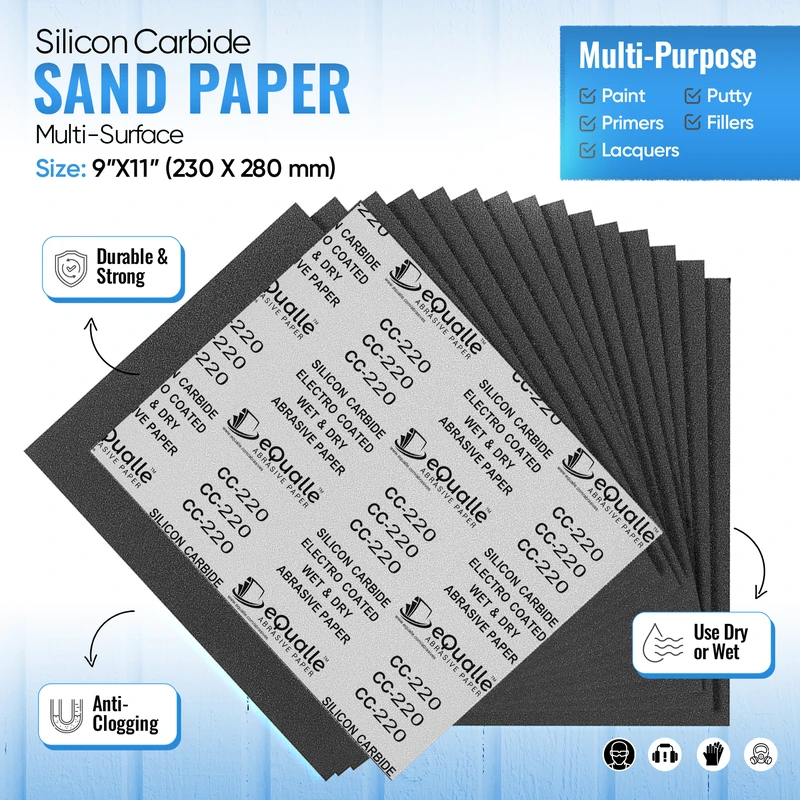
360 Grit Sandpaper Sheets (10-pack) — 9x11 in Silicon Carbide Abrasive for Wet or Dry Use — Ultra-controlled abrasive for gentle refinement and removing faint imperfections before clear coating or buffing. (Professional Grade).
Frequently Asked Questions (FAQ)
Q: For a large tabletop, should I ever use an interface pad?
A: Not for leveling. Use a hard backing pad through your leveling grits (80–150/180). If you want to soften the scratch at 220–320, you can try a very thin interface with feather-light pressure, but confirm the panel is already flat and protect the edges.
Q: Does pad hardness affect the scratch pattern?
A: Yes. A hard pad produces a more defined, shallow scratch that’s easier to track and level. A softer pad rounds the scratch edges and can mute swirls, but it also increases the chance of waves and edge rounding on flat work.
Q: What thickness interface pad should I buy first?
A: Start with a thin pad, around 2–3 mm. It offers better control on flats and light profiles. Thicker pads (5–10 mm) are great for pronounced moldings and contour sanding but are riskier for keeping panels true.
Q: How do I keep edges crisp while sanding flat?
A: Keep the pad fully supported, limit overhang to a third of the pad, and make a dedicated, light edge pass. Avoid lingering at edges. A hard pad helps maintain geometry; save any interface pad work for bevels and profiles only.
Q: My hard pad leaves micro-swirls at 220. What now?
A: First, try a fresh film disc, drop the sander speed one step, lighten pressure, and clean the work thoroughly. If swirls persist, use a very thin sander interface pad for the final pass, keeping the tool dead flat and moving slowly under raking light.