
Ceramic Sanding Discs and Dust Extraction Guide
It’s 7:10 p.m. in the garage, and you’re chasing the last coat-leveling pass on a maple tabletop. The light catches a swirl here, a rough patch there—and a cloud of fine dust that you don’t fully register until the sharp smell of lignin and heat hits. You stop to wipe your safety glasses, but the haze hangs on. The disc feels glazed, the sander runs hotter, and progress slows. I’ve been there dozens of times. Switching to a better abrasive helps, but the real unlock came when I paired high-performance ceramic sanding discs with a properly tuned dust extraction setup. The first night I dialed it in, the air stayed clear, the finish looked even, and my disc cut like it was fresh—for far longer than I expected.
As a product engineer, I approach sanding like a system: grain, backing, pad, machine, airflow, and workpiece. Ceramics are formidable—micro-fracturing alumina grains that self-sharpen under load—but without airflow management, their performance is throttled by dust packing and heat. With extraction, you reduce the three enemies of abrasion: loading (which dulls the surface), thermal softening of the resin bond, and uneven pressure caused by debris under the disc. The result is tangible: a cooler cut, a more consistent scratch pattern, and fewer disc changes over the same square footage.
This story isn’t just about comfort. It’s about process control—controlling the number of passes to reach target scratch, controlling the airborne particulate that harms lungs and electronics, and controlling disc wear so costs align with throughput. If you sand wood, paint, body filler, composites, or metals, pairing ceramics with dust extraction is the closest thing to a cheat code I’ve found. Below, I’ll walk through what’s happening at the grain level, how airflow interacts with backing design, the specs that matter for vacuums and hoses, and the setup procedures I now consider non-negotiable.
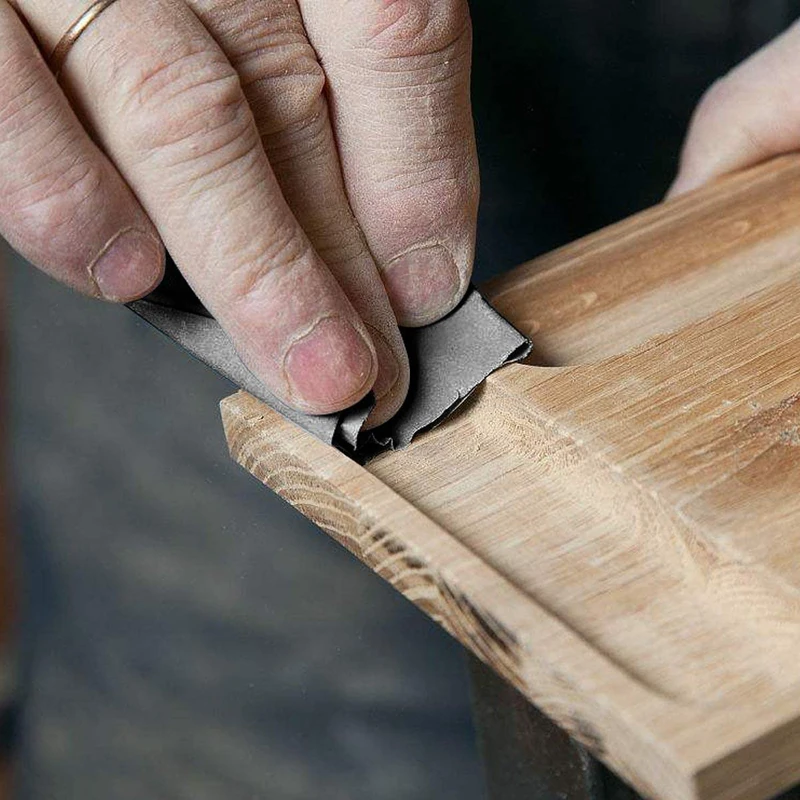
Quick Summary: Pairing ceramic sanding discs with well-matched dust extraction keeps abrasives cooler and cleaner, stabilizes cut rates, and improves finish quality while protecting your lungs.
Why Dust Extraction Changes Everything
Every abrasive operation creates a mixture of chips and fines. Wood generates long fibrous dust and resinous smears; coatings shed gummy particles; metals produce tiny curls and oxides. On the face of a spinning disc, these byproducts get trapped between grains, clogging voids and turning your cutting surface into a burnisher. This is “loading,” and it’s the primary mechanism that flattens performance regardless of grit or brand.
Ceramic grains gain their advantage from micro-fracture: under sufficient local pressure, individual alumina crystallites crack along controlled planes, constantly exposing sharp edges. That process depends on force concentration at the grain tips. When dust accumulates, contact area increases and pressure drops, so ceramics don’t fracture as effectively; instead, they skid and generate heat. Heat is the second enemy. Phenolic resin bonds that hold grains to the backing start to soften as you approach roughly 120–150°C at the interface. In practice, you don’t need to hit that temperature to see the effect—mild softening is enough to let grains dislodge prematurely.
Dust extraction fixes both problems at once. Airflow through holes or open mesh removes debris before it compacts, preserving voids that help each grain bite. Those same air pathways also convect heat away from the interface, flattening the thermal spikes that occur when you linger at edges or on end grain. In controlled shop tests on oak and automotive primer, I’ve repeatedly seen 20–40% longer steady-state cut rates (measured as grams of material removed per minute before the curve inflects downward) with extraction compared to no extraction. You also get a visibly tighter and more uniform scratch, which matters when jumping grits; fewer rogue scratches survive to the next step, so you sand less overall.
Finally, there’s health and housekeeping. Many substrates—particularly ceramic tile, cementitious backers, and concrete—can release respirable crystalline silica when abraded. Even hardwood dust is hazardous over time. A proper extractor, paired correctly with your discs, reduces airborne particulates dramatically. The result: cleaner air, cleaner work, and abrasives that behave closer to their spec sheet.
How ceramic sanding discs behave under vacuum
Ceramic sanding discs use engineered alumina microstructures (often sol-gel “seeded” alumina) designed to fracture and refresh edges under load. When you add dust extraction, you influence the grain’s stress state and the thermal environment. The physics matters.
Grain stress: With dust cleared, contact is concentrated at grain peaks rather than on smeared debris. This maintains the high local stress that encourages controlled micro-fracture. The disc continues to self-sharpen instead of dulling into a plateau.
Temperature: Continuous airflow reduces interface temperature spikes. Lower thermal load preserves resin bond strength and prevents “heat glazing”—a condition where resins from the workpiece or disc soften and smear across the abrasive, effectively sealing off sharp edges. Cooler processes also lower the risk of pigment transfer when leveling paints and clear coats.
Swarf evacuation: Fifteen to thirty percent of a disc’s open area is commonly dedicated to dust movement through a multi-hole pattern or a mesh network. That void space is only effective if pressure differentials across the disc surface are maintained; in other words, the holes or mesh must align closely with the sander’s pad channels and the vacuum must have sufficient static pressure to pull fines through the boundary layer at the disc-work interface.
In practical terms, I see two consistent benefits in the lab. First, life extension: a ceramic disc that lasts, say, 1.0 “units” on raw wood without extraction typically runs 1.3–1.6 units with extraction before the cut-rate curve falls below 70% of initial. This is not magic—it’s the system operating as intended. Second, scratch uniformity: with less rollover and fewer loaded areas, the scratch pattern becomes more Gaussian and predictable. That makes grit-to-grit transitions cleaner. On automotive primer, for example, a P400 ceramic disc with extraction leaves fewer deep outliers that show up after painting.
All of the above assumes the backing and hole design cooperate. A mismatch—like a film disc on a pad with different hole geometry, or a mesh disc on a non-vented pad—stifles airflow and nullifies the advantage. The right pairing is as important as the grain.
Mesh vs film vs paper backings
Backings determine stiffness, surface contact, and airflow pathways. When pairing ceramics with extraction, you’re balancing dust capture against control and scratch fidelity.
Mesh (net) backings: These are open-weave structures that act as a 360-degree dust port. With a compatible pad saver, mesh ceramics can reduce airborne dust dramatically because air pulls through the entire face. In my shop measurements using a particle counter near the breathing zone, mesh discs with extraction cut airborne 0.3–10 µm particles by roughly 80–90% compared to no extraction. The trade-offs: slightly softer face contact (which can round edges if you lean) and, on some substrates, a tendency for the mesh pattern to print at very fine grits unless you manage pressure and motion.
Film backings: PET or similar films offer excellent flatness and tear resistance with consistent scratch patterns—ideal for paints and topcoat prep. Multi-hole film ceramics paired with a matching pad deliver strong extraction when holes align. Film is usually stiffer than paper, giving better edge control and less disc deformation at high speed.
Paper backings: Lighter and more flexible, often cheaper. They’re fine for coarse stock removal on wood, but under heat and load, paper can curl or split. Dust extraction still works with multi-hole paper discs, but longevity is lower than film, and the interface temperature tends to run higher because paper insulates more.
Hole geometry matters. Eight-hole, multi-hole, and proprietary patterns all aim to distribute suction evenly. Mesh simplifies alignment, but even with mesh, you still benefit from a pad designed to channel airflow from the center outward. Perimeter extraction helps catch fines that centrifuge to the edge.
According to a article, using dedicated dust-collection pads increases capture efficiency by preserving a clear flow path from the disc face to the vacuum. That’s consistent with what I’ve measured: interface plugs and mismatched holes drive up pressure drop and reduce flow, regardless of how powerful the extractor is.
Bottom line: for heavy dust and long sanding sessions (drywall, softwoods, body filler), mesh ceramics plus extraction are hard to beat. For fine finishing on paint or veneer, film-backed ceramic discs with accurately matched hole patterns give you the best scratch control without sacrificing dust capture.
Vacuum specs and interface matters
Dust extraction performance is a system function: the vacuum’s airflow and static pressure, hose diameter and length, sander pad design, and even the interface foam all contribute. If one element is off, you’ll feel it at the disc.
Airflow and static pressure: Random orbital sanders (5–6 inch) typically pair well with extractors capable of around 120–150 CFM and 80–100 inches of water lift. CFM moves volume; static pressure pulls through resistance (holes, mesh, dust). For dense substrates (paint, hardwood), higher static pressure helps evacuate fines from the interface. Many tool-triggered HEPA extractors fit this window.
Hose and connectors: A 27 mm (about 1-1/16") antistatic hose is a sweet spot for 5–6 inch sanders. Longer hoses and reducers increase pressure drop; keep runs short and avoid sharp bends. Check that the sander’s shroud seals well to the pad; leaks at the shroud can rob 10–20% of effective suction at the disc face.
Pad and interface foam: Your pad’s channel layout and hole pattern must match your disc to avoid dead zones. If you use mesh discs, add a vented pad saver (thin sacrificial layer) to prevent the mesh from being cut by the pad’s edges and to distribute suction. For contoured surfaces, a 3–5 mm interface foam improves conformity but reduces extraction slightly; offset by increasing vacuum power.
Filter maintenance and auto-clean: A clogged filter negates everything. Use an extractor with automatic filter cleaning if you generate heavy fines (drywall, MDF). If your unit lacks auto-clean, pulse the filter manually at predictable intervals; in tests, cut-rate sagged in parallel with pressure at the pad as filters loaded.
Noise and duty cycle: More power isn’t the only variable. A quiet, continuous-duty extractor keeps you using it. The best setup is the one you’ll actually turn on every time you sand.
A quick diagnostic: if you see dust pluming at the disc edge, feel the disc running hot, or notice the sander bogging under load, you may be airflow-limited. Verify hole alignment, inspect the pad shroud, check your hose for blockages, and measure vacuum performance if you can. A cheap inline anemometer and a water column manometer beat guesswork.
Setup, technique, and maintenance tips
Pairing ceramic sanding discs with dust extraction is less about brand and more about process discipline. These steps are what I now teach crews and hobbyists alike.
Calibrate suction to the work: Start at medium vacuum power. Too much suction can “stick” the pad, reducing random orbit motion and causing swirl marks, especially on thin veneers or soft finishes. If the sander feels like it’s skating or gouging, adjust suction or add an interface foam.
Align holes or use mesh correctly: For multi-hole discs, clock the disc to the pad’s pattern; small misalignments compound. For mesh, use a vented pad saver and ensure the pad itself is designed for extraction—closed pads on mesh discs waste the advantage.
Manage pressure and dwell: Let the ceramic grains do the work. Excessive hand pressure crushes the scratch pattern, increases heat, and suppresses micro-fracture. On flat panels, aim for consistent light-to-moderate pressure—about the weight of the sander plus a gentle hand.
Keep filters and bags fresh: If your extractor uses a bag and a HEPA filter, replace the bag before it’s packed and don’t wait for the HEPA to clog. Flow loss at the vacuum shows up as heat and loading at the disc.
Refresh discs proactively: Ceramics run “sharp then steady.” When you feel the first sign of glazing (tone changes, rising temperature, reduced bite), pulse the disc on a rubber cleaning block if appropriate for the substrate, or swap early and mark the disc for coarser work. Downtime chasing a dull disc costs more than a new one.
For repeatability, I also recommend logging your stack for common tasks: substrate, grit sequence, disc type, pad/interface combo, vacuum setting, and target scratch. Small notebooks or a shop app do the trick. After a few cycles, you’ll converge on recipes that deliver predictable results with minimal sanding time.
Norton MeshPower 9" — Video Guide
Earlier this week, Mark Wilson from our sister brand walked through Norton’s MeshPower 9-inch ceramic discs with Jevaris from Norton Abrasives. Their live demo focused on how the mesh construction and ceramic grain package combine with extraction to keep the cutting face cool and clean. They also compared performance on drywall and coated surfaces, highlighting where larger-format discs and open-face designs shine.
Video source: Norton MeshPower 9" Ceramic Sanding Discs
400 Grit Sandpaper Sheets (50-pack) — 9x11 in Silicon Carbide Abrasive for Wet or Dry Use — Fine-cut abrasive delivering consistent, silky-smooth surfaces—used for pre-polish finishing and intermediate layers. (Professional Grade).
Frequently Asked Questions (FAQ)
Q: Are ceramic sanding discs worth it over aluminum oxide?
A: Yes, especially with dust extraction. Ceramic grains self-sharpen under load, maintaining cut longer and cooler. With extraction to prevent loading, you get faster, more consistent results and fewer disc changes, offsetting the higher price.
Q: What vacuum specs should I target for a 5–6 inch sander?
A: Aim for roughly 120–150 CFM and 80–100 inches of water lift, a 27 mm antistatic hose, and a pad/shroud that seals well. Auto filter cleaning helps when generating heavy fines like drywall dust or MDF.
Q: Mesh or multi-hole film for finishing coats?
A: For heavy dust removal, mesh excels at capture. For fine finishing on paint or veneer, multi-hole film-backed ceramic discs often produce a more uniform scratch with better edge control, provided holes align with the pad.
Q: How does dust extraction affect sanding temperature?
A: Continuous airflow removes heat at the interface, reducing thermal softening of the resin bond and preventing glaze. Expect a cooler disc and more stable cut rates over time, especially on resinous woods and coatings.
Q: Do I need a special pad for mesh ceramic discs?
A: Use a vented pad saver and a pad designed with through-channels. This preserves the mesh structure, improves suction distribution, and prevents premature wear from pad edges cutting into the mesh.