
Best Sandpaper Brand and Backing Pad Compatibility
You know the moment I mean: the shop is quiet except for the hum of your sander, the piece is clamped and ready, and you’re thinking about finish, not failure. Then the disc starts to lift at the edge, or the sander chatters, leaving tiny half-moons where there should be a smooth, steady haze. In that split second, your focus moves from the project to the pad. If you’ve ever searched for the best sandpaper brand to “fix it,” you’ve probably noticed that the real story is compatibility—how your backing pad and abrasive actually work together.
I’ve sat in on enough pro shops and home garages to see a pattern: people blame the disc or the tool, but the weak link is often the interface between them. Backing pads age. Hooks clog. Hole patterns don’t line up. Mesh discs breathe differently than paper. Some brands cut faster but run hotter; others last longer if the hooks on your pad are the right “bite.” And when something is even a little off—diameter mismatch, worn Velcro, a pad that’s too soft for the job—your surface tells the truth.
The stakes are higher than it seems. Small compatibility issues create big downstream problems: more swirls to sand out, clogged discs, sticky interface pads, and wasted time. It’s not just about performance, either. Better dust extraction relies on tight alignment; your lungs and shop air benefit when the pad-disc system functions as designed. That’s why, when we talk about the best sandpaper brand, we’re really talking about the best match for your backing pad, your tool, and your material.
This guide walks you through real-world ways to diagnose and correct compatibility issues: how to match hook-and-loop styles, hole patterns, and pad hardness; when to use an interface pad; and how to troubleshoot discs that won’t stick. Whether you use a 5-inch DIY sander or a 6-inch workhorse in a pro setting, the principles are the same—and the fixes are straightforward when you know what to look for.
Quick Summary: Backing pad compatibility—not just brand—determines how well your discs stick, cut, and control dust; match pad type, hole pattern, and hardness for clean results.
When pads and discs stop playing nice
Most sanding problems trace back to a few simple mismatches. Start with the attachment system. Hook-and-loop (H&L) is the norm for random-orbit sanders, but not all hooks are created equal. “Low-profile” pads use shorter, stiffer hooks for crisp disc engagement; “standard” pads have taller hooks that feel grippier but can fuzz over time. If your disc’s loop fabric is too thin for the pad’s hooks, it may peel at the edges under heat or lateral pressure. If it’s too thick, you get a soft, bouncy feel that blurs detail and invites swirls.
Hole patterns matter just as much. Dust extraction is a system: air must move through the disc, across the pad, and into the sander’s channels. If the holes don’t align—or if a mesh disc overlaps a pad with too few or mismatched ports—the airflow weakens, heat rises, and abrasive loads prematurely. That’s when adhesive resins soften and discs slide, especially on finishes like paint or resinous woods.
The pad itself ages. Heat and fine dust abrade the nylon hooks, rounding them off. Oils from your hands or finishes can smear across the face, reducing grip. Even a clean-looking pad can lose bite after months of heavy use. At that point, you’ll see recurring edge lift or discs that rotate on the pad.
Finally, think about diameter and orbit. Running a 5-inch disc on a 125 mm pad or vice versa leaves a standing edge that snags and tears. An aggressive 3/16" (5 mm) orbit amplifies any mismatch; micro-scratches and chatter become more visible. When these variables compound—mismatched loops, poor dust flow, worn hooks, wrong size—the sander turns unpredictable. The fix is systematic: confirm size and pattern, check pad condition, then match disc construction to pad style.
Actionable checks:
- Press-and-peel test: attach a fresh disc, press firmly, then peel. If it releases with almost no resistance, your pad hooks are likely worn or contaminated.
- Turn on dust extraction and run the sander in the air: you should feel strong suction through the disc; weak pull suggests a pattern mismatch.
- Edge inspection: if discs always lift at the same clock position, check for pad warping or a damaged sector of hooks.
Hole patterns, hooks, size, and fit
Abrasives are only as effective as the airflow beneath them. Most 5-inch pads use 5-, 8-, or multi-hole patterns; 6-inch pads often include 6-, 8-, 15-, or multi-hole layouts. Multi-hole pads and discs (think “multi-air” or “universal” patterns) are designed to catch at least some holes in common. Even then, perfection matters. Close enough is not ideal: full alignment gives consistent dust extraction across the surface, which keeps temperatures down and prevents resin transfer that weakens the hook-and-loop bond.
Mesh discs are flexible and often branded as “no-hole” solutions, but they still benefit from a compatible pad. When placed on a pad with a dense multi-hole layout, mesh can evacuate dust effectively—if the disc isn’t overhanging the pad edge. Overhang creates a loose skirt that grabs on corners and causes edge tearing. Always check that the disc diameter matches the pad, and center the disc carefully.
Hook-and-loop quality is a hidden variable. A premium H&L disc uses a dense loop fabric that mates crisply with modern low-profile hooks. Budget loops can “pill,” shedding fibers that clog hooks. Once hooks are fouled, even high-end discs struggle. Periodically clean your pad with a stiff nylon brush and compressed air. Avoid solvents; they can deform the hooks.
Pad thickness and interface layers change the game. Thin pads transmit vibration and keep the disc flat, ideal for stock removal. Thicker pads and foam interfaces contour to curves, but each added layer softens the feel and reduces hook engagement. If you’re stacking an interface pad plus mesh plus a disc protector, you may have too much cushion. The result is “smear and skate” rather than bite, which leads to swirls and premature disc failure.
Quick-fitting tips:
- Match diameter exactly: 125 mm vs 5 in and 150 mm vs 6 in are not interchangeable.
- Use disc alignment aids or draw a light center dot on the pad to speed centering.
- For mesh discs, pair with a multi-hole pad or a perforated interface to maintain airflow.
Choosing the best sandpaper brand for your pad
This is where brand meets compatibility. The best sandpaper brand for your setup is the one whose backing, resin system, and hole patterns complement your pad and sander—not just the one with the flashiest grit technology. Some brands engineer stiffer backings for aggressive cuts; others build flexible films for finesse. Your pad’s hook height and firmness decide which feels “right.”
Resin and grain type affect heat. Ceramic grains cut cool and fast but can be unforgiving if dust extraction lags; paper backings may curl if things run hot. Film-backed discs resist tearing and hold shape on flat pads, but can skate on overly soft pads. Mesh abrasives clear dust well with the right airflow and excel on resinous woods and paint; however, they rely on a pad that seals against vacuum leakage.
Multi-hole universals are convenient, yet brand-specific patterns can amplify extraction on matching pads. For example, some pads are optimized for dense, radial hole arrays that pair with brand-matched discs for maximum airflow. Cross-brand use often works fine—just verify overlap and suction in a quick test.
If discs won’t stick, don’t assume the disc is at fault. Worn pad hooks are common. It might be smarter to replace the pad than to keep sampling abrasives. According to a article.
Practical selection rules:
- Start with your pad: identify diameter, hole pattern, hook type (low-profile vs standard), and pad hardness. Then choose discs that match those specifics.
- For heavy stock removal on a firm pad, try ceramic or precision-shaped grains on a film or heavy paper backing.
- For finishing and curves with a soft pad or interface, choose flexible film or stearated paper to reduce loading and swirls.
- If you swap brands, test one grit across several discs; run 2–3 minutes on the same material and compare heat, dust evacuation, and grab on the pad.
The “best” brand is the one that lets your pad keep its grip, your sander breathe, and your surface finish improve with each grit step. Favor consistency over hype—especially if your workflow relies on repeatable results.
Troubleshooting adhesion and swirl marks
When discs peel or chatter, think in layers: surface, disc, pad, and airflow.
Surface contamination can foul the disc quickly. If you’re sanding paint with a soft, gummy layer, the resin on your disc heats up and smears into the loops, reducing hold. Clear the surface first: scrape or strip thick coatings, then sand. Vacuum between grits to remove fines that become “ball bearings” under the pad.
Disc contamination matters too. Disc protectors or pad savers help extend pad life, but a dirty protector transfers grime to new discs. If a new disc won’t stick, try it directly on the pad to isolate the issue; if it grabs well, your protector is the problem. Replace protectors after heavy resin exposure.
Pad wear is the silent culprit. Rounded hooks don’t bite. Press-and-peel will tell you immediately: if the disc lifts with little force, consider a new pad. Also check the pad edge. A scalloped or nicked perimeter constantly lifts the disc at that spot, which becomes a swirl generator.
Airflow is your insurance policy against heat and chatter. If you’re using an adapter hose or vac, confirm that suction isn’t choking. A too-strong vacuum can stall the pad on mesh discs; reduce suction or add a bypass to keep the pad spinning freely. For paper discs, poor alignment starves airflow and escalates heat; recenter the disc and verify hole overlap.
Actionable fixes:
- Clean hooks: brush the pad face with a stiff nylon brush, blast with compressed air, then wipe lightly with a dry microfiber. Avoid solvents.
- Reset your stack: remove interface pads and protectors, test disc-to-pad direct contact, then reintroduce layers one at a time to find the offender.
- Tune vacuum: with mesh discs, reduce suction until you get smooth rotation with light pressure; with paper discs, keep suction strong for cooler cuts.
- Replace at the right time: if three fresh discs in a row lift early, it’s the pad—not the disc—telling you it’s done.
For swirl control, slow down your passes, overlap by one-third, and let the abrasive cut; excess pressure flexes the pad and prints swirls.
Pro setup: pad hardness, interfaces, dust
Pad hardness is as crucial as grit choice. A hard pad keeps discs flat for leveling and crisp edges but transmits vibration. A soft pad conforms to contours and reduces risk of edging through veneers but blurs on flats if you press too hard. Many pros keep at least two pads handy—hard and soft—and add a 3–5 mm foam interface for curves or between coats of finish.
Interfaces change the feel dramatically. Use a thin interface (2 mm) with film discs to polish curves without losing control. Use a thicker interface with mesh when sanding profiles or handrail-like shapes. Remember: every layer weakens hook engagement slightly—compensate by keeping everything clean and aligned.
Dust extraction completes the system. Multi-hole discs on a matching pad with a good vac run cooler, cut faster, and clog less. Mesh excels when paired with a pad and vac that keep airflow from the edges toward the center; otherwise, dust can recirculate and load the mesh. Adjusting suction to maintain pad rotation is a small change with big impact on finish quality.
Grit progression interacts with all of this. Stepping 80 → 120 → 150 → 180 → 220 is typical for hardwoods; skipping too many steps makes users press harder, which flexes the pad and invites swirls. On resinous species or painted surfaces, use stearated or ceramic abrasives to resist loading and keep temperatures down.
Pro tips:
- Label pads by hardness and task (e.g., “H leveling,” “S finish”) to avoid mix-ups mid-project.
- Keep a spare pad saver for sticky or paint-heavy jobs; discard it before fine finishing so hooks remain clean.
- If a disc edge always lifts, rotate the pad 90 degrees relative to the sander body; some tools develop minor imbalances that a pad rotation can counter.
Ultimately, the system wins: the right pad hardness, a clean hook surface, a compatible disc, and tuned suction beat any single “miracle” abrasive. That system-first mindset is the most reliable path to consistent, swirl-free results.
Best "Sandpaper" Brand? — Video Guide
If you like learning by seeing, there’s a helpful side-by-side comparison that pits major brands—3M, Diablo, Mirka, Norton, Makita, DeWalt, Bosch, and more—against each other. The host focuses on how different discs cut, how long they last, and how well they clear dust, which directly reflects pad compatibility and airflow.
Video source: Best "Sandpaper" Brand? 3M Cubitron, Diablo, Mirka, Norton, Makita, DeWalt, Bosch Sand Paper
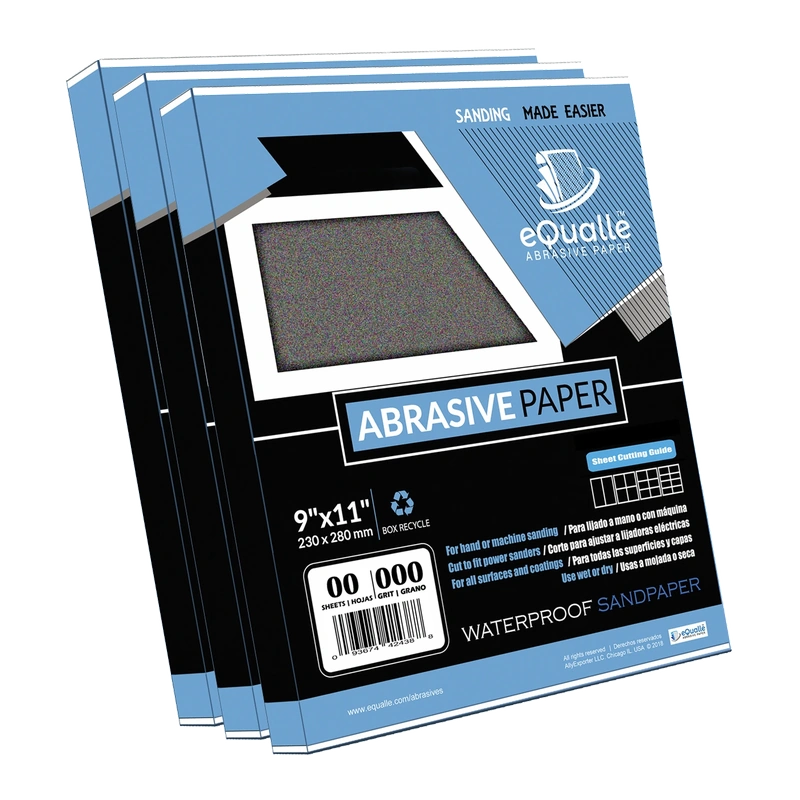
220 Grit Sandpaper Sheets (100-pack) — 9x11 in Silicon Carbide Abrasive for Wet or Dry Use — Refined medium-fine abrasive for final surface leveling on primed or sealed materials. Great for smooth touch-ups before finishing. (Professional Grade).
Frequently Asked Questions (FAQ)
Q: How do I know if my backing pad is worn out?
A: Perform the press-and-peel test with a fresh disc. If it releases with minimal resistance or lifts in one sector, your hooks are likely rounded or contaminated. Visible fuzzing of the hooks, a glazed appearance, or recurring disc spin/slip are also signs. Most pads need replacement after heavy use or visible damage at the edge.
Q: Can I use mesh discs on any pad?
A: Usually, yes—but they work best with multi-hole pads and good dust extraction. Ensure the disc diameter matches the pad and tune suction so the pad still rotates smoothly. If airflow feels weak or the disc loads fast, switch to a perforated interface or a disc/pad pattern with more aligned holes.
Q: What’s the quickest fix for discs that won’t stick?
A: Clean the pad (nylon brush plus compressed air), remove any contaminated pad saver, and test a fresh disc directly on the pad. If it still lifts easily, replace the pad. Also verify that the disc size and hole pattern match your pad to restore proper airflow and cooling.
Q: Does the best sandpaper brand matter more than pad type?
A: Brand matters, but pad compatibility matters more. A mid-tier disc on a well-matched, clean pad with aligned holes and tuned suction will outperform a premium disc on a worn or mismatched pad. Choose abrasive features that complement your pad hardness and hole layout.
Q: Should I use a hard or soft pad for finishing?
A: For flat panels and veneers, a soft pad with a thin interface can reduce edge-through and swirls, especially with higher grits. For leveling or between-coat flattening where flatness is priority, a hard pad with film-backed discs keeps the surface true. Many woodworkers switch pads based on the task rather than sticking to one.