
Multi-Density Sander Interface Pad Stacks for Curves
The first time you chase a graceful curve with a flat sanding disc, you feel it: that tiny chatter, the scratch that won’t blend out, the edge that suddenly burns through. It’s a lesson every builder learns, whether you’re shaping a guitar heel, blending autobody filler into a wheel arch, or easing a bullnose on oak treads. In my shop, those moments used to slow projects to a crawl—especially when my random orbital insisted on flattening what I needed to caress. Then I started stacking foam like a chef layers flavors: soft for drape, medium for control, thin for crispness. That stack, centered on a sander interface pad, turned my sander into a shape-following tool instead of a shape-fighting one.
A sander interface pad is simply the foam and hook-and-loop stage between your backing pad and the abrasive. But the magic happens when you combine densities. Put a soft layer to absorb the bumps, a medium layer to keep the edges honest, and a thin, firm topper to translate pressure cleanly. Suddenly your orbit sander skates over beadboard valleys without cutting the peaks, rounds an inside cove without scalping the center, and feathers clearcoat without digging craters. The right stack also tames heat, quiets vibration, and eats fewer discs.
I’ve built and tested dozens of pad sandwiches for wood, composites, and paint. When I say stacks change the game on tricky shapes, I mean it in the most practical sense: less rework, cleaner lines, and far fewer “oops” moments. Whether you’re a weekend finisher or a daily pro, this approach isn’t fancy—it’s workmanlike. By the end of this guide, you’ll know how to assemble and tune a multi-density pad stack that tracks your curves like a well-set plane tracks a joint. Grab your sander, a few foams, and let’s go from flat to fluid.
Quick Summary: Build multi-density interface pad stacks to control pressure, follow complex curves, reduce scratches, and sand faster with fewer mistakes.
Why multi-density stacks matter
If a sander is a brush, the foam is the bristle. Change the foam and you change how the tool touches the surface. A single-density interface pad can be a good start, but blending densities lets you tune compliance and control. On curved and compound surfaces—think cabriole legs, carved handles, motorcycle tanks, or boat coamings—you want the abrasive to kiss the surface evenly, not pivot on high spots or collapse into hollows.
Here’s what multi-density stacks do differently:
- Load distribution: Soft foam spreads pressure across a larger area; medium foam keeps the disc from “hinging” over an edge; firm foam maintains crisp lines on flats bordering a curve.
- Scratch control: Softer foam lets abrasive grains roll slightly, creating a shallower scratch pattern that is easier to blend. Firm layers keep the scratch pattern consistent on flat transitions.
- Heat management: Stacked foam acts like a thermal spacer. It reduces the heat that melts glue lines or softens body filler, and lowers the chance of pigtails from gummed discs.
- Vibration damping: The right combination reduces chatter on hard woods and gelcoat, which means the sander leaves more uniform marks that sand out predictably.
Actionable tips:
- Match foam to task: For soft pine profiles, go medium-over-medium; for hard maple edges, try soft under a thin firm topper.
- Control the edge: Let the foam, not your wrist, roll the disc. If you find yourself tipping the sander, your stack is too stiff—add a softer layer.
- Keep the disc cool: On paint or resin, use a softer base and a slower speed. The stack is your heat sink.
- Protect the backing pad: Always put an inexpensive sacrificial pad closest to the sander to absorb wear from the hook-and-loop interface.
When you need to sand a concave cutout or blend a fillet, multi-density isn’t a luxury—it’s the difference between sanding and sculpting.
Stacking a sander interface pad, step by step
Let’s build a reliable, versatile stack you can adapt to most curved work. This setup assumes a 5" or 6" random orbital sander and standard hook-and-loop discs.
Materials:
- 1 thin (3–5 mm) firm interface pad (EVA or firm foam)
- 1 medium (5–10 mm) pad (medium-density foam)
- 1 soft (10–12 mm) pad (soft-density foam), optional
- 1 sacrificial hook-and-loop backup pad protector
- Abrasive discs: mesh or film, multi-hole for dust extraction
Step-by-step:
- Start with a clean sander pad. Wipe off dust so the hook-and-loop grabs fully.
- Attach the sacrificial pad protector to the sander. This is your wear layer.
- Place the soft pad (optional, for deep curves) onto the protector. Center it carefully.
- Add the medium-density pad on top. Think of this as your “control” layer.
- Cap with the thin, firm pad. This transmits your pressure evenly to the abrasive.
- Align vacuum holes across all layers; misaligned holes reduce dust pickup and increase heat.
- Stick on your abrasive disc. Mesh discs are forgiving with hole patterns and run cooler.
- Test on scrap. Use light pressure at low speed, switch directions, and check scratch uniformity.
- Adjust: If the disc collapses into hollows, remove the soft layer. If it bridges and skips, add the soft layer or switch the top pad to slightly softer foam.
- Mark your stack: A Sharpie dot on each foam layer helps you reassemble the same “recipe” later.
Pro tips:
- Trim for smarts: If your foam slightly overhangs the sander pad (1–2 mm), it helps avoid hard pad edges digging in on paint. Don’t exceed that—too much overhang causes floppy control.
- Stagger holes on purpose: If your dust holes don’t perfectly line up, try mesh discs; they bypass hole alignment stress altogether.
- Swap top layers by grit: Keep a dedicated firm top pad for 80–120 grit and a slightly softer top for 180–320. It keeps scratch patterns predictable across projects.
- Time your stack: High-build primer or filler blending? Use soft+medium+firm. Hardwood edge easing? Medium+firm only. Clearcoat denibbing? Soft + ultra-thin firm cap at low speed.
This layered sander interface pad approach lets you tailor the sander to the shape, not the other way around.
Tune foam, grit, and pressure for shapes
The same stack can behave dramatically differently with small changes to grit and technique. To dial in your results, think about shape, material, and desired finish.
Concave profiles (inside curves, coves):
- Foam: Add the soft base under medium to let the abrasive conform without folding.
- Grits: Start one grit finer than usual (e.g., 150 instead of 120) to avoid scallops.
- Technique: Move in overlapping arcs that follow the curve, never pivoting on a single point.
Convex profiles (rounded edges, bullnoses):
- Foam: Medium base topped with thin firm. Avoid thick soft foam here; it can round past your layout.
- Grits: Use film-backed discs; they distribute pressure cleanly across the crown.
- Technique: Keep the platen parallel to the tangent of the curve, not the flat. Light pressure only.
Flats adjacent to curves:
- Foam: Thin firm top is non-negotiable. It preserves the flat while the medium base softens the transition.
- Grits: Step through grits meticulously to hide the hand-off from flat to curve (e.g., 120/150/180/220).
- Technique: Sand the flat first, then feather the curve with the same grit before stepping up.
Work smarter with the stack:
- Lower the sander’s speed one notch as soon as the foam gets thicker. The stack stores momentum; slower speed prevents “bouncing.”
- Keep your hand centered over the disk. Off-center pressure exaggerates the foam’s flex and creates wavy scratches.
- Clean discs frequently. Foam stacks run cooler but can still load. A quick wipe on crepe rubber or a brush every minute keeps cuts crisp.
According to a article. Soft interface pads help distribute pressure and adapt to minor contours, but pairing them with firmer layers is what keeps details crisp. If you find your bead profiles going muddy, your top layer is too soft or too thick.
Diagnose by feel:
- Chatter you can hear: Firm up the top layer or slow the sander.
- “Ghost” low spots after finish: Add a soft base and reduce pressure; you’re bridging the curve.
- Burn-through on edges: Downshift to a thinner disc, reduce speed, and keep the soft layer in play.
Workflows and fixes from real benches
I’ll share exact stacks from my own projects—and where they saved the day.
Auto body feathering (primer and clear around a dent repair):
- Stack: Soft base + medium + thin firm top.
- Grits: 400–800 for primer, 1000–2000 for clear.
- Why: The soft base prevents “ringing” the edge of the repair; the firm top avoids digging into the surrounding clear.
- Tip: Mist the surface with guide coat; if the foam is right, the guide disappears evenly without halos.
Hardwood stair bullnose refresh (oak treads, worn finish):
- Stack: Medium + thin firm. No soft layer needed.
- Grits: 120, 150, 180, 220.
- Why: You need enough compliance to ride the round but enough firmness to leave the flats around the nose untouched.
- Fix: If you see a flat facet on the nose, you’re tipping the sander. Let the foam do the rounding; keep the tool level and lighten your hands.
Guitar neck heel blending (maple with tinted lacquer):
- Stack: Soft + medium + ultra-thin firm cap.
- Grits: 320–600.
- Why: Deep curves and sensitive finish. The thin cap keeps pressure even, the soft base guards against burn-through.
- Tip: Work with the grain direction where possible; foam follows curves, but cross-grain scratches still show under dye.
Boat hatch gutters (gelcoat, narrow concaves):
- Stack: Soft only with a small-diameter pad if you have one; otherwise, soft + medium and reduce speed.
- Grits: 240–400.
- Why: The hollow demands compliance. The medium layer prevents the disc from folding and chattering on the lip.
- Fix: If pigtails appear, the stack is getting warm or loaded. Clean the disc and drop the speed; consider mesh abrasives.
Cabinet ogees and bead profiles (hard maple):
- Stack: Medium + thin firm.
- Grits: 150–220.
- Why: Enough drape to touch the full profile, enough discipline to preserve the sharp landings.
- Tip: Wrap the disc’s edge with painter’s tape for the first pass to tame bite on delicate beads. Remove it once the shape is blended.
Common mistakes—and quick corrections:
- Stack too tall: You’ll feel bounce and see washboard marks. Remove a layer or use thinner foam.
- Holes misaligned: Dust clogs and heat spiral up. Switch to mesh discs or re-align every layer.
- Over-pressing: Foam collapses, curve distorts, and you sand flat spots. Let the orbit do the work; think “glide,” not “grind.”
Once you start matching foam to shape deliberately, your rework bin shrinks—and your edges stay crisp.
How to make — Video Guide
If you’re building out your kit on a tight budget, check out a DIY approach to making a dual-action interface pad for pocket change. The video walks through crafting a simple foam spacer that sits between your backing pad and the abrasive, using inexpensive materials you can source at any hardware store. You’ll see how thickness and softness change the way the sander rides over curves, plus a quick method to keep dust extraction functional.
Video source: How to make your own da sander interface pad CHEAP!!!!!
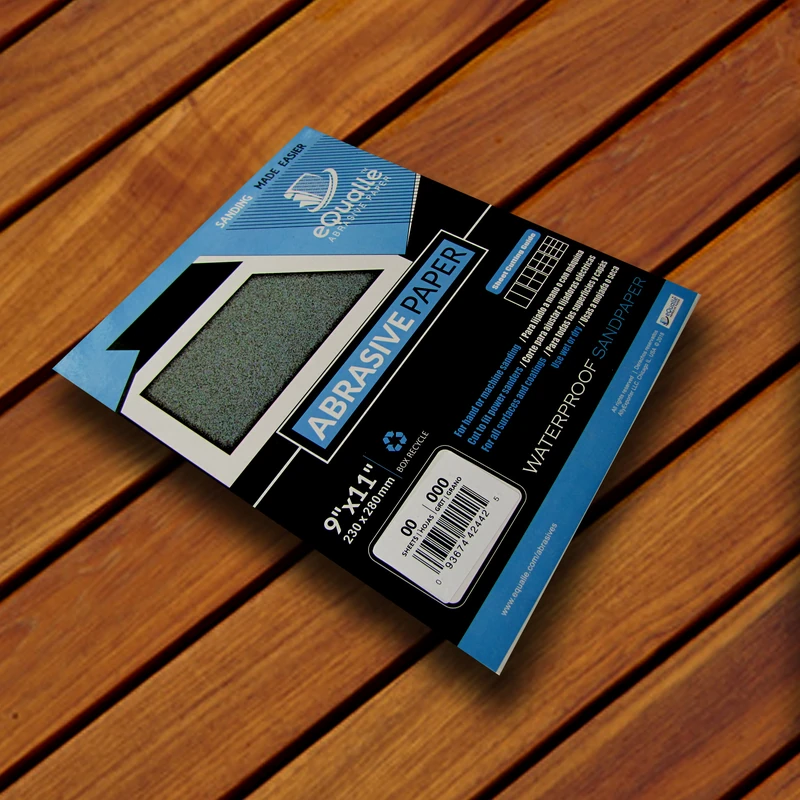
150 Grit Sandpaper Sheets (10-pack) — 9x11 in Silicon Carbide Abrasive for Wet or Dry Use — Balanced medium grit for surface preparation and between-coat sanding. Smooths minor imperfections in wood, paint, or primer. Works equally well for wet or dry applications in both DIY and professional projects. (Professional Grade).
Frequently Asked Questions (FAQ)
Q: What exactly is a sander interface pad, and why stack them?
A: It’s a foam layer with hook-and-loop that sits between the sander’s backing pad and the abrasive. Stacking different densities lets you fine-tune how the abrasive contacts complex shapes—more control, fewer scratches, less heat, and better results on curves.
Q: How many layers should I use for most curved work?
A: Two layers cover most needs: a medium base with a thin firm top. Add a soft base as a third layer when you need deeper conformity (inside coves, sculpted transitions, or delicate finishes).
Q: Do thicker stacks always work better on tricky shapes?
A: No. Thicker stacks increase compliance but can introduce bounce and reduce precision. Use the thinnest stack that follows the shape without chatter—usually 8–15 mm total foam.
Q: Mesh discs or paper discs for stacked foam?
A: Mesh discs are forgiving about hole alignment and run cooler, which pairs well with thicker foam. Film-backed paper discs leave a cleaner scratch on firm tops. Choose based on heat and finish requirements.
Q: How do I prevent edge burn-through on paint or veneer?
A: Use a soft base under a thin firm cap, lower sander speed, and reduce pressure. Keep the pad level; don’t tip onto edges. If you’re still at risk, reduce grit aggressiveness and approach edges with overlapping passes, not direct pressure.
Q: Can I use a multi-density stack on flats without rounding them?
A: Yes—keep the top layer thin and firm. The firm cap maintains planar fidelity while the base layer reduces vibration and heat. It’s especially helpful on large, flat panels where you want uniform scratch patterns.