
Random Orbital Sanding: Pressure and Speed Mastery
Saturday morning, shop lights humming, a fresh cup of coffee cooling beside a maple tabletop you’ve been saving for months. You click on the extractor, roll the hose into your elbow, and set the 5" sander on the surface. The pad spins up with that familiar soft whir. You start at the far corner, let the tool’s own weight settle, and begin to track across the grain. Two passes in, you see it: faint pigtails reflecting in the raking light. You aren’t new to sanding; you’re careful with grits, dust removal, and vacuum airflow. But random orbital sanding still has a way of punishing rushed technique. You realize your grip has tightened and your forearm is leaning into the head—too much pressure. The speed dial is still at max from the last adhesive removal task. Heat builds, the abrasive dulls, and the swirl gremlins come to life.
It’s a tiny moment, but it’s the difference between a finish that glows under oil and one that telegraphs scratches through the final coat. Proper hand pressure and speed control aren’t abstract ideals; they govern the physics of cut rate, heat generation, and the randomness of the scratch pattern. The machine’s orbit diameter and rotation produce the “random,” but your hand pressure and speed selection determine whether that randomness remains decoupled enough to avoid repeating arcs. With the right calibration, random orbital sanding becomes predictable: discs cut cleanly, dust clears efficiently, and the pad floats without skidding. Your workflow accelerates—not because you push harder or spin faster, but because you’ve aligned pressure, speed, abrasive, and dust extraction to the needs of the surface. You ease off the grip, dial the sander down, and watch the pigtails disappear as the abrasive starts cutting instead of burnishing. The difference is small to the eye, big to the finish, and reflects the quiet discipline that separates mediocre prep from professional-grade results.
Quick Summary: Balanced hand pressure plus dialed-in speed unlocks clean cutting, cool running, and swirl-free random orbital sanding across woods, coatings, and composites.
Why Pressure and Speed Matter
A random orbital sander combines two motions: a small circular orbit (typically 2.5–5 mm) and a free-spinning rotation. The randomness comes from the interaction of these motions—until you override it with excessive force or mismatched speed. Understanding the mechanics makes better decisions obvious.
Pressure influences three variables simultaneously: friction, pad compliance, and rotational freedom. Add too much force and you increase frictional drag. The pad keeps orbiting (driven by the motor), but rotation slows or stalls because the disc is forced into the surface. Once rotation diminishes, the path of the grit becomes more repeating, and those repeating paths manifest as pigtails. With rotation compromised, the abrasive tends to rub rather than shear fibers, generating heat that prematurely dulls grains, melts resin binders, and loads discs with dust.
Speed (OPM and pad RPM) sets the energy delivered to each grain. High speed at coarse grits increases cut rate—until you cross into heat and fracture. Hardwoods at 80–120 grit can micro-fracture brittle aluminum oxide grains under high speed and pressure, leaving sharp but shallow gouges that are hard to erase at the next grit. Conversely, if the speed is too low for fine grits (180–320), the abrasive can fail to clear dust, smearing rather than cleanly abrading the surface.
The goal is equilibrium: enough speed to maintain clean shearing and dust evacuation, with just enough hand pressure to keep full-face contact without stalling rotation. When balanced, the sander rides on an air-cushioned film of extracted dust, the pad maintains random motion, and the scratch field is uniform, shallow, and easy to refine. In practical terms, a light guiding hand and mid-range speed handle most hardwood finishing passes, while low-to-mid speed and restrained pressure excel at coarse stock removal without heat.
Tuning random orbital sanding speeds
Speed selection should respond to grit size, material, and pad interface. Most variable-speed sanders range roughly from 4,000 to 12,000 OPM. Use the dial to match the energy per grain to your task rather than leaving it at max by default.
For coarse removal (60–100 grit) on hardwoods, mid dial settings (about 3–4 on a 1–6 scale) reduce heat and pigtails by preserving disc rotation under load. On softwoods, start slightly slower (2–3) to avoid raising fuzz and compressing earlywood. For leveling between coats or final sanding (180–240+ grit), move to 4–5 with very light pressure—let the abrasive do the cutting while airflow clears fines. Painted surfaces and thermoplastics demand conservative speed to minimize melt and smearing; add a soft interface pad to conform without digging edges.
According to a article.
Dial selection should also track orbit diameter: larger orbits (5 mm) require more restraint at coarse grits than 2.5–3 mm orbits. And remember the dust extractor; higher airflow increases cut stability at a given speed because it evacuates spent grains and reduces hydroplaning on dust.
Practical speed tips:
- Start mid and adjust in half-steps: decrease speed if the pad feels “skittery,” increase slightly if the scratch field looks undercut or smeared.
- Use a pencil-grid test: at a given speed, time how long it takes to clear a light pencil pattern. Choose the lowest speed that clears marks in reasonable time without heat gloss.
- Listen for rotation: a healthy sander has a soft chuffing sound. A glassy, high-pitched whine often indicates rotation loss or pad skating—reduce pressure or speed.
Applying the Right Hand Pressure
Most users push too hard. A 5" or 6" random orbital sander typically weighs 1–2 kg (2.2–4.4 lb). That’s enough to seat the pad. Add only a light guiding force—about 5–10 N (1–2 lb) at the head—to stabilize and maintain full-face contact. More than 20–25 N (4.5–5.5 lb) commonly stalls rotation on many machines, especially with fine grits or soft interfaces.
You can quantify this without a force gauge. Perform a stall threshold test on a scrap panel: start the sander at your intended speed with 120 grit, slowly increase hand pressure until the rotation visibly slows or stops. Back off until rotation returns. That’s your upper pressure bound. Repeat for each grit and interface pad—your margin shrinks with softer pads and finer grits.
Pressure influences pad compliance. With more force, foam compresses and the contact patch expands. While that can increase apparent cut rate, it also reduces air channels, retains heat, and accelerates loading. At edges or on convex profiles, high pressure concentrates on small pad areas, causing divots and halos. Smooth, finish-ready surfaces come from flat, even contact and a gliding motion rather than digging.
Actionable pressure controls:
- Use two hands with a floating grip: one on the body, one lightly on the head, elbows relaxed. Guide, don’t clamp.
- Let the sander climb uphill: when moving toward an edge, ease pressure so the pad doesn’t roll over and cut a dip.
- Watch the dust plume: if dust stalls or cakes behind the pad, you’re pushing too hard or starving airflow.
- Time your passes: 6–10 seconds per 12" travel at finishing grits is typical; if you feel the urge to push to go faster, increase grit aggressiveness or adjust speed instead.

Abrasive Selection and Pad Interface
Control of pressure and speed only pays off if the abrasive and pad stack are matched to the surface. Film-backed discs maintain a consistent cut and resist tearing, making them excellent for 80–240 grit work on hardwoods and solid-surface materials. Mesh abrasives offer outstanding dust extraction but require an interface pad to avoid imprinting the hook array as fine swirl marks, especially above 180 grit. Paper-backed discs cut fast but heat faster; a stearate coating helps resist loading in resinous woods and finishes.
The pad itself is a tuning device. Hard pads transfer energy efficiently and keep faces flat—ideal for initial leveling. Soft pads conform to contours and reduce edge-cutting aggression, but their compressibility lowers rotation under pressure and increases heat risk. Interface pads add compliance and clarity on curved panels, but each additional layer dampens rotation and air throughput; compensate with lighter pressure and slightly lower speed.
Dust extraction isn’t optional—it’s part of the cutting system. Progressive hole patterns, multi-hole discs, and open-mesh media all rely on adequate airflow (pushing 90+ CFM at the hose end for best results) to clear fines. Clear dust, and your discs cut cooler and longer; starve airflow, and you’ll grind dust into the surface, overheating grains and smearing.
Abrasive and pad tips:
- Align holes precisely. Misaligned discs reduce airflow and raise pad temperature, leading to pigtails and premature wear.
- Don’t skip more than one grit step. 80→120→150→180→220 is more efficient than 80→150→220; fewer passes, less heat, cleaner scratch transitions.
- Keep a dedicated soft interface only for mesh or 240+ grit. For flat panels at coarse grits, remove the interface to preserve rotation and flatness.
Workflow: From Stock Removal to Finish-Ready
A consistent sanding workflow locks in quality. Start by defining the objective: flattening, scratch removal, or finish prep. Then choose the initial grit by severity, not habit. If planed faces show scallops or tear-out, begin at 80 or 100; if they’re clean, jump in at 120. Mark the surface with a light pencil grid and work in overlapping lanes, 50% overlap, moderate pace, with the hose supported to avoid edge torque.
For coarse stages (80–120), set speed to mid-range, apply light guiding pressure, and keep the pad flat. Make two slow, full-coverage passes, vacuum the surface and the pad face, inspect under raking light, and repeat only if the pencil marks persist. Move to the next grit only when the previous scratch field is fully erased—mixing scratch patterns is the surest path to ghosts after finishing.
At intermediate stages (150–180), remove any interface pad on flat stock to preserve rotation and reduce compression. Increase speed one notch, keep pressure feather-light, and lengthen dwell slightly to refine the scratch baseline. For final passes (180–220 or 240, depending on finish), reduce pressure further—essentially the tool’s weight—and glide. On edges, kiss the surface: half-lap with minimal overhang and no extra downforce.
Between every grit:
- Vacuum the panel and pad thoroughly to prevent coarse grit carryover.
- Wipe with a dry microfiber; avoid solvents that can plasticize dust and smear.
- Re-mark with a faint pencil pattern to reveal remaining scratches.
For finish-sensitive woods (maple, cherry), avoid over-sanding above 220; burnishing closes pores and can cause stain blotchiness. For film finishes, 220 is a reliable stop; for oils and hardwax oils, 180 often yields optimal absorption and even sheen. If you see heat gloss, pigtails, or clogs at any stage, step back: reduce speed, lighten pressure, and consider fresh discs.
Diagnosing Defects and Fast Corrections
Even with good technique, defects surface. The key is quick identification and targeted correction that preserves your workflow momentum.
Pigtails: Short, repeating arcs visible in raking light. Causes include stalled pad rotation from excess pressure, clogged discs, or too high speed at coarse grits. Correction: drop one grit, install a fresh disc, reduce pressure to a guiding touch, and lower speed one notch until rotation is audible. Make two light passes and reevaluate.
Heat gloss or smear: Shiny patches or smeared resin (especially on softwoods and finishes). Causes: high speed, high pressure, starved airflow. Correction: slow the dial, lift pressure, check hose and pad holes for obstructions, and switch to a stearated or mesh abrasive.
Cross-grain shade bands: Uneven reflectance across boards. Causes: inconsistent dwell time or pad tipping at edges. Correction: flatten your stance, use two-hand control, and re-sand the area with the pad fully supported, checking under raking light between passes.
Edge divots: Localized low spots from rolling off edges. Causes: downward pressure near boundaries. Correction: approach edges with pad fully on the surface, reduce pressure, and make only light, partial passes.
Speed-pressure reset protocol:
- Pause and inspect under raking light with a bright LED at a shallow angle.
- Replace or rotate the disc if loading is visible; loaded abrasives never recover fully.
- Reestablish a baseline: mid speed, light pressure, flat pad, clean airflow. Only then tune speed up or down in small increments.
A disciplined, repeatable diagnostic loop avoids backtracking and keeps you inside the 1800–2100 grit-to-finish window efficiently.
10 Random Orbital — Video Guide
A concise video roundup, “10 Random Orbital Sander Tips,” compares sanding discs across top brands and demonstrates technique that affects cut rate and finish. It highlights how disc construction, backing type, and dust extraction patterns change performance under varying pressure and speed—useful context when dialing in your own workflow.
Video source: 10 Random Orbital Sander Tips
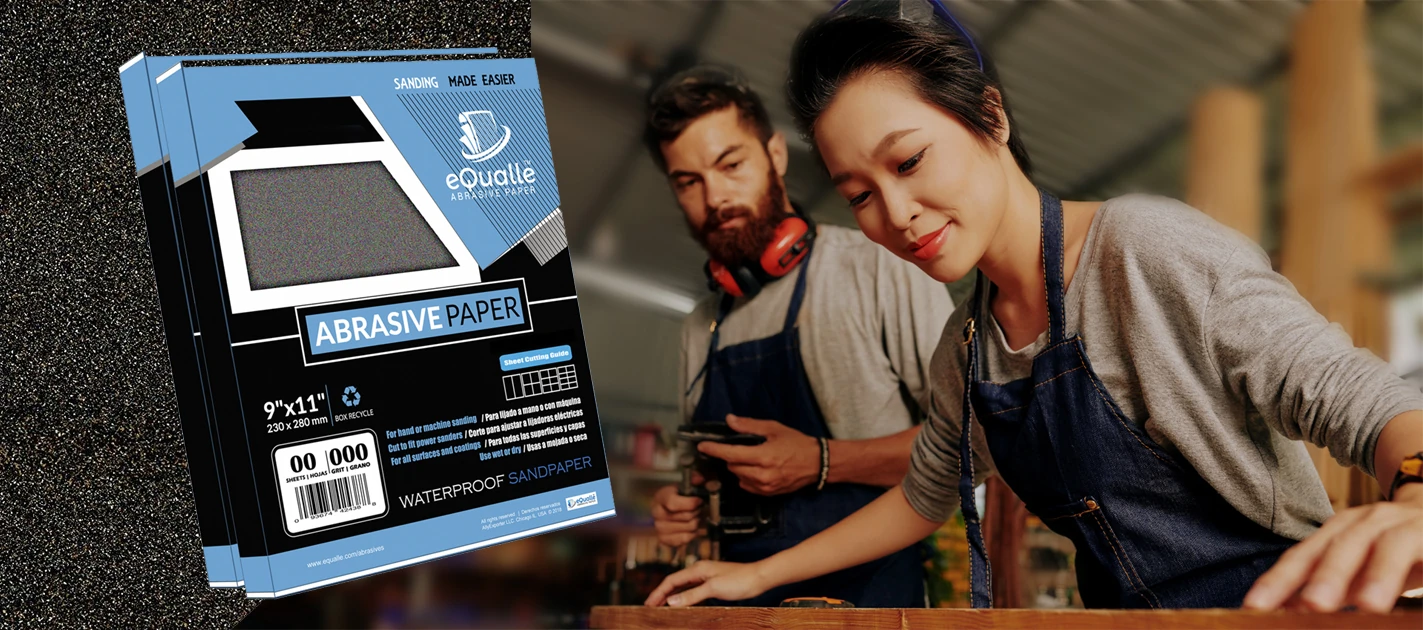
220 Grit Sandpaper Sheets (100-pack) — 9x11 in Silicon Carbide Abrasive for Wet or Dry Use — Refined medium-fine abrasive for final surface leveling on primed or sealed materials. Great for smooth touch-ups before finishing. (Professional Grade).
Frequently Asked Questions (FAQ)
Q: How much hand pressure is ideal on a random orbital sander?
A: Use the tool’s weight plus 5–10 N (about 1–2 lb) of guiding force. If rotation audibly slows or the pad feels sticky, you’re pushing too hard.
Q: What speed should I use for final sanding before finish?
A: Typically mid to mid-high (about 4–5 on a 1–6 dial) with very light pressure at 180–220 grit. Adjust down if you see heat gloss or dust smearing.
Q: Why do I get pigtails even with new discs?
A: Common causes are excessive pressure stalling rotation, speed too high for the grit/material, or poor dust extraction. Reduce pressure, lower speed one notch, and ensure airflow is unobstructed.
Q: Should I use a soft interface pad for flat panels?
A: Only for fine grits (240+) or mesh abrasives. On flat stock at coarse and mid grits, removing the interface preserves rotation, keeps the surface flatter, and reduces heat.
Q: Is it okay to skip grit steps to save time?
A: Skipping more than one step usually costs time. Residual deep scratches require prolonged refinement later, increasing heat and risk of swirls. Move in consistent increments (e.g., 80→120→150→180→220).