
Sander Interface Pad: Stop Edge Burn-Through
There’s a moment in every refinishing project when you hold your breath: that last pass along a fragile edge. Maybe it’s the rounded lip of a vintage table, the chamfer on a cabinet door, or the bead detail on a banister. You’re almost done, the dust looks light, and then—too late—you see it. A pale halo where the finish burned through to bare wood. It’s a small mistake with big consequences: extra patching, uneven stain absorption, and the sinking feeling that you’ve traded progress for rework. If you’ve been there, know this: control is possible, and a simple swap in your setup can save those edges. A sander interface pad gives your sander a softer touch, spreading pressure, hugging contours, and keeping your finish intact where it’s most vulnerable.
I learned the lesson watching a friend restore maple drawer fronts—beautiful grain, tight curves, and unforgiving hardness. After two burn-throughs on the same top edge, he added a 5 mm soft foam interface between the hook-and-loop pad and the disc. The difference was instant. The pad “floated” over the radius instead of digging in, and the swirl marks from coarser grits all but vanished. He didn’t slow to a crawl or change grits; he changed the pad. The right sander interface pad gives you a bigger margin for error without sacrificing precision, so you spend less time fixing and more time finishing.
Edge protection isn’t about babying your sander—it’s about engineering the contact patch to match the surface. Hard, flat, unyielding pads can be perfect on a wide, even panel. But on edges, softwoods, or profiles, that rigidity focuses force like a spotlight. Softer pads diffuse it like daylight. When the project changes, your pad should too. And if preventing edge burn-through is your goal, softer is often smarter.
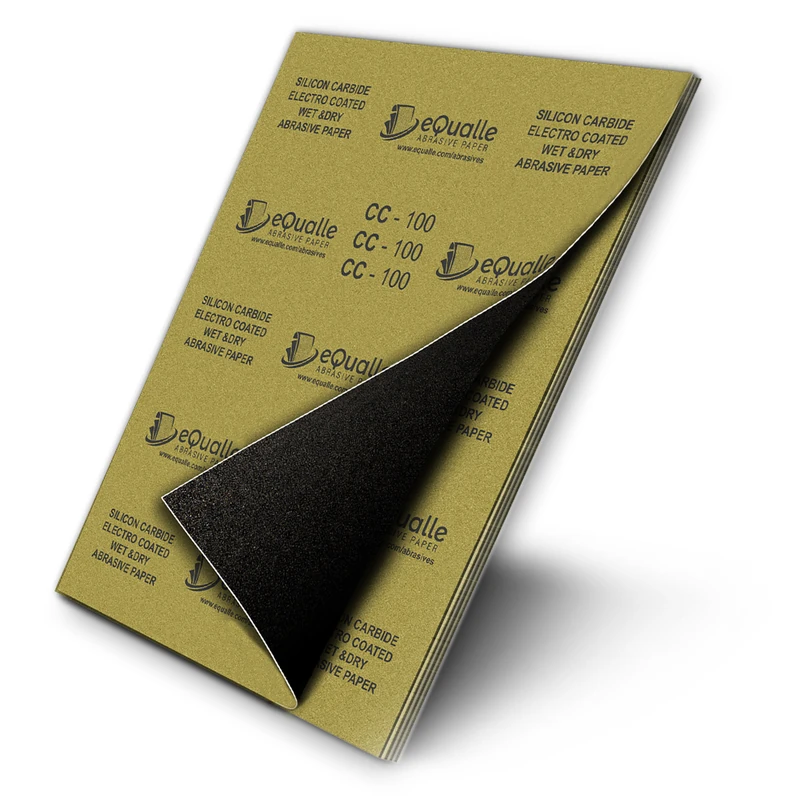
Quick Summary: A soft sander interface pad distributes pressure, follows curves, and reduces heat and cut rate at edges—preventing burn-through while improving finish quality.
Why Edges Burn Through
Edge burn-through happens when pressure and heat concentrate at a small contact area, removing finish disproportionately fast. On an orbital or random orbit sander, the pad’s flat face meets a curved edge at an angle, so only a narrow strip of abrasive actually touches. That small strip sees more pressure per square inch, more friction, and higher aggressiveness—especially with stiff backing pads or coarse grits.
Material choice matters too. Hard, closed-grain woods like maple or oak resist abrasion on flat fields but can still surrender quickly at thin edges. Veneer magnifies the risk; with only a fraction of a millimeter of wear layer, a brief moment of overcutting can expose the core. Finishes add complexity: cured lacquer and shellac can heat quickly, gumming discs and accelerating cut in unpredictable ways, while waterborne topcoats can act brittle at corners.
The sander itself plays a role. High speed with a hard pad and a heavy hand increases the chance of digging in. Even without extra pressure, gripping the front of the tool and tilting slightly puts more weight on the leading edge. Dust extraction can help by keeping the abrasive sharp, but on unsupported edges, a fresh disc can be too efficient.
The key is expanding the contact area and keeping the pad stable. When the abrasive makes a larger, gentler footprint, the edge isn’t singled out. That’s what a soft interface does—adds compliance between the machine and the surface—defusing the conditions that lead to burn-through.
How a sander interface pad saves edges
Think of a sander interface pad as a shock absorber between the machine’s rigid backing pad and the abrasive disc. The foam layer compresses slightly under load, letting the disc conform to curves and rounded profiles. Instead of a knife-edge of contact, you get a broader footprint with lower pressure at any single point. Less pressure means less heat and slower removal at delicate areas.
Compliance also steadies the tool. When the sander transitions onto an edge, a hard pad tends to teeter, pivoting on the edge and concentrating the cut. A soft interface resists this pivot, allowing you to keep the tool flatter, even as it wraps the profile. That stabilizing effect reduces chatter and helps the random orbit action do its job—refining scratch patterns without leaving telltale “cat’s eyes” near edges.
There’s a finishing upside too. Because the interface pad allows the abrasive to hug minor surface undulations, you can refine scratches without cutting new flats on gently curved parts. On veneered edges or molded details, that can be the difference between crisp design lines and a sanded-away profile.
Three practical advantages you’ll notice:
- Lower chance of strike-through on thin veneer and sharp corners
- Smoother transitions on roundovers and chamfers
- Reduced hand-sanding time by blending machine marks more cleanly
You’re not giving up control; you’re tailoring it. Use the interface for edges, curves, and finishing passes. When you’re back on a big, flat panel and need speed, remove it and go with a firmer pad.
Choosing pad density and thickness
Not all interface pads are the same. The two key variables are density (soft, medium, hard foam) and thickness (typically 3–10 mm). For preventing burn-through on edges, softer foams in the 5–10 mm range are the most forgiving. They compress enough to spread pressure and conform to curves, yet still keep the machine stable. A 3–5 mm soft pad is a versatile choice for furniture work; 8–10 mm shines on deep profiles and carved or turned parts where contour tracking is essential.
Medium-density foam is a good bridge when you want a gentler cut without losing too much flattening ability on semi-curved surfaces. Hard interface foams are rare but useful for delicate veneers when you still want a crisp plane; they dampen vibration and help avoid “edge eagerness” without overly rounding details.
Disc diameter matters. Smaller sanders concentrate pressure more than larger ones, so they often benefit from a slightly thicker interface. Hook-and-loop quality is important as well—weak loops can slip under heat. Match hole patterns for dust extraction; poor alignment reduces airflow, increasing heat and clogging, which in turn raises burn-through risk.
According to a article professionals often swap between pad hardnesses to balance flattening on flat fields with forgiveness on profiles, a practice that’s easy to adopt: keep one soft interface in your kit and clip it on whenever you approach edges.
Quick selectors:
- Veneer edges and fragile corners: soft, 5–8 mm
- Molded details and deep roundovers: soft, 8–10 mm
- Slightly curved faces and blend passes: medium, 3–5 mm
- Flat panels, leveling filler/finish: no interface or hard backing pad
Techniques for curves, corners, and profiles
Even with the right foam, technique seals the deal. Your grip, speed, and path determine how well the pad can do its job. Keep the sander flat to the surface, letting the interface handle the contour. Tilting or rolling the sander invites the edge to become a pivot point, spiking local pressure. Use a light touch—guide the tool, don’t press. The foam will compress as needed.
For roundovers, start on the field and move onto the edge instead of starting at the edge. This “sneak up” approach ensures you never land directly on the most vulnerable point. On chamfers, track along the bevel with the sander aligned to the chamfer plane; don’t “fish” across the corner. With profiles like ogees or coves, let the edge of the disc do minimal work—gentle, overlapping passes with a soft interface maintain shape without flattening.
Match orbit speed and grit to the task. Lower speeds generate less heat and give the interface time to conform. Work through grits methodically; jumping too far increases the urge to push. Keep discs clean; load-up increases friction and risk.
Five actionable tips:
- Use a pencil guide line on edges. Stop when the line just disappears to avoid overcutting.
- Step down orbit speed one notch when approaching edges to reduce heat buildup.
- Keep at least two-thirds of the pad supported by the field while easing onto an edge.
- Rotate or replace discs at the first sign of pilling; clogged abrasives cut unpredictably.
- Finish tricky profiles with a final pass one grit higher than the field to blend and reduce scratch contrast.
For fragile veneers, add painter’s tape over the edge as a sacrificial indicator; when it thins, you’ll feel it and stop before you breach the finish.
Troubleshooting swirl, dust, and adhesion
A softer interface changes dynamics, and with that can come new questions. If you notice swirls or “pigtails,” check disc condition first. Soft foam lets debris embed more easily; a single grit particle can carve a tight spiral. Improve dust extraction by aligning holes precisely, and consider net abrasives for better airflow through the foam. If swirls persist, slow the machine, lighten pressure, and refine your grit progression—don’t skip more than one grade at a time.
Poor adhesion between the sander pad, interface pad, and disc can cause slippage or chatter. Keep all hook-and-loop surfaces clean; a quick pass with a nylon brush lifts compacted dust. Replace aging interfaces whose loops have flattened; heat cycles can degrade them over time. If your sander’s backing pad is worn or deformed, it will transmit wobble through the interface; inspect and replace as needed.
Dust trails or hot spots mean airflow is restricted. Re-seat the disc to align holes, and avoid stacking multiple interfaces. On heavy curves, a thicker pad can trap more dust; mitigate by using open-coat abrasives and pausing to vacuum between passes. If your finish gums, switch to a fresh disc and reduce speed; consider wet-sanding by hand for final polishing steps on cured finishes.
Finally, if you’re rounding over edges more than intended even with a soft pad, adjust your technique: keep the sander flatter, reduce dwell time near the edge, and make more, lighter passes. The interface should protect, not reshape.
Quick Tip: Floor — Video Guide
This short demonstration shows an orbital sander used on a large floor, but the lessons apply to furniture edges and trim. You’ll see how steady movement, light pressure, and correct grit sequencing prevent heat buildup and uneven cutting, especially as the tool crosses thresholds and meets baseboards.
Video source: Quick Tip: Floor Sanding using an Orbital Sander.
180 Grit Sandpaper Sheets (50-pack) — 9x11 in Silicon Carbide Abrasive for Wet or Dry Use — Medium finishing grit that refines wood, metal, or drywall before painting. Provides even texture and cutting control. Excellent for wet or dry sanding where a uniform surface is needed. (Professional Grade).
Frequently Asked Questions (FAQ)
Q: Do I always need a soft interface pad for edges?
A: Not always, but it’s the safest default for veneer, sharp corners, and pronounced profiles. On solid wood with generous roundovers, a medium interface can suffice. For flat panels, remove the interface for better leveling.
Q: Will a soft interface pad reduce sanding speed too much?
A: It slightly lowers cut rate, especially with coarse grits, but you gain control and consistency. Most users make up the time by avoiding rework and hand-sanding corrections.
Q: How thick should my interface pad be to prevent burn-through?
A: For most furniture edges, 5–8 mm works well. Go 8–10 mm for deep profiles or turned parts, and 3–5 mm when you need a balance between contouring and flattening.
Q: Can I stack two interface pads for extra softness?
A: It’s not recommended. Stacking compromises dust extraction and tool stability. Choose a single, thicker soft pad instead and slow your speed when needed.
Q: Why am I still getting swirls with a soft pad?
A: Swirls often come from clogged or damaged discs, poor dust extraction, or rushing grit progression. Clean or replace the abrasive, align holes, slow the sander, and don’t skip more than one grit step.