
How to Clean and Reuse Detail Sander Sheets
There’s a particular kind of silence in the shop when a good surface reveals itself. The sander throttles down, the dust settles, and that old cabinet door you promised to rehab shows a calm, even sheen—no swirl marks, no burn lines, no fuzzy edges. If you’re like me, you chase that feeling. But I also know the annoyance that breaks it: the triangular tip bogs down, the dust extraction falters, and your sheet is caked like a frosted brownie. You peel it off the pad, only to realize you’ve burned through three sheets in twenty minutes. That’s not a win for your time, your finish, or your budget.
I keep a stack of detail sander sheets within arm’s reach, but I don’t burn through them blindly. Whether you’re smoothing stair balusters, knocking back paint in a window sash, or easing cedar shingles, you can stretch the life of your consumables with routine care and a little know-how. Cleaning and reusing detail sander pads and the sheets they carry isn’t just thrift—it’s smart technique. Less clogging means cooler sanding. Cooler sanding means flatter, cleaner work. And a flat, clean surface is the start of every professional finish.
Today we’re going to dial in on two things: caring for the pad (that hook-and-loop or PSA base that drives your sheet) and restoring the sheet itself so it cuts like new. I’ll walk you through dry and wet cleaning, heat control, dust management, and when to call it quits and replace. I’ll also show you how to rotate a triangular sheet so you actually use all three corners and how to fix a glazed pad that won’t hold anymore. As someone who earns finishes the hard way, I’ll give you the practical moves that keep your detail sander honest and efficient.
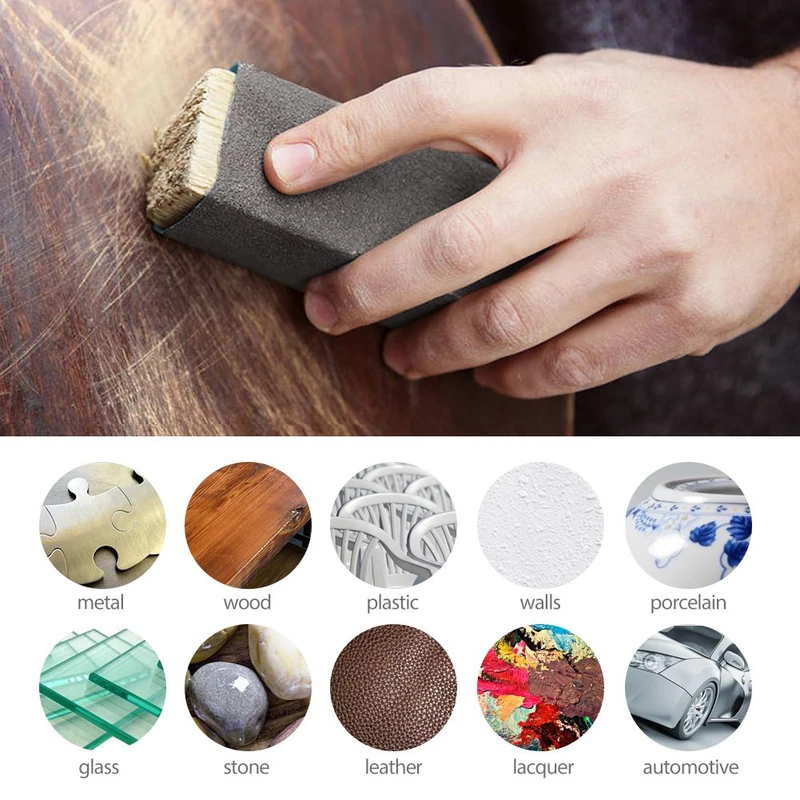
Quick Summary: Clean and reuse your detail sander pads and sheets with smart dust management, low-heat technique, and targeted cleaning methods so they cut fast and last longer.
Know Your Pad and Sheet Materials
Before you clean anything, know what you’re cleaning. Detail sanders generally use a triangular base with hook-and-loop (Velcro-style) or PSA (pressure sensitive adhesive) sheets. The pad is the foundation: if it’s glazed, torn, or heat-scorched, no amount of sheet cleaning will save your finish.
Hook-and-loop pads have tiny plastic hooks that mesh with the loops on the back of your sheet. These hooks hate heat—press too hard or run too fast, and the hooks soften, bend, and lose grip. PSA systems are less common on detail triangles, but if you use them, remember that heat breaks down the adhesive, leaving a gummy layer that needs solvent to remove.
On the sheet side, you’ve got three main flavors:
- Paper or film-backed aluminum oxide sheets: your everyday workhorses for wood.
- Ceramic/zirconia sheets: tougher, sharper, great for heavy stock removal; they resist wear but still clog if dust extraction is poor.
- Mesh sheets: these act like a sieve, moving dust through the entire surface. They’re the easiest to rinse and reuse, especially in fine grits.
Grit matters for cleaning expectations. Coarser grits (60–100) clog less with wood but can pack with paint or resin. Medium grits (120–180) are versatile and prone to glazing if you skip dust extraction. Fine grits (220–400+) do the final smoothing, but one pass over soft pine resin can seal them shut. If you’re sanding painted trim or resinous woods, a mesh sheet or a stearated (non-loading) abrasive will extend your cleaning intervals by shedding dust and paint better.
Pro move: invest in an interface pad (a thin foam layer) for curved profiles and delicate edges. It reduces heat transfer to the main pad and gives you a sacrificial layer you can replace cheaply if it gets gummed up.
Choose and Store detail sander sheets
Your sheet choice sets the stage for successful cleaning later. Pick a sheet that suits both the material and the dust you’ll generate. For bare wood, aluminum oxide or ceramic on paper/film is excellent. For painted, varnished, or resin-heavy surfaces, mesh sheets shine because you can tap, vacuum, or rinse them repeatedly without breaking down the backing.
- Match grit to the task. Don’t start too fine—if the surface needs flattening, start at 80–120 and step up; jumping straight to 220 will clog quickly and force more cleaning than sanding.
- Prefer stearated (non-loading) coatings for paint and softwoods. They resist clogging and extend time between cleanings.
- For tight areas like window muntins, consider trimming a triangular sheet to sharpen the point. You’ll get cleaner corners and can rotate the sheet to fresh edges, which extends life before you need to clean.
Storage is the sleeper variable. Moisture and dust contaminate abrasives. Keep your sheets flat in a sealable folder or bin, sorted by grit. Separate used from new. If you’re using mesh, slide them into labeled zip bags—mesh snags less when it’s contained, and you’ll avoid fuzzing the edges. Never toss hot sheets back into storage; residual heat can warp the backing or collapse the loops.
Three quick handling habits that save you money:
- Rotate the triangle. Use one corner, then peel and re-index to present a fresh edge. You effectively triple your usable cutting area before any clean-up.
- Align the dust holes every time. A misaligned sheet runs hotter and clogs faster.
- Keep a “dirties” pouch. If a sheet’s cutting slows, remove it and toss it in the pouch for cleaning later—don’t force it to “finish the job” and cook it beyond recovery.
Cleaning Methods That Actually Work
Cleaning isn’t one-size-fits-all. Use the least aggressive method that restores cutting power without damaging the abrasive or backing.
Dry clean first:
- Tap and vacuum: Remove the sheet, tap it lightly against the bench to break surface cakes, and vacuum both sides. If it’s mesh, vacuum through the sheet from the back to push debris out.
- Crepe rubber “belt cleaner”: With the sheet on the sander at low speed, gently press a rubber cleaning stick against the surface. It pulls paint and resin without scrubbing away grit. This works wonders on paper-backed abrasives.
- Compressed air: Blow from the back side through dust holes. Keep the nozzle at a shallow angle to avoid lifting loops.
Wet clean when appropriate:
- Mesh sheets: Rinse under lukewarm water with a drop of dish soap. Massage gently to release fines, then shake and air-dry flat. Don’t wring—twisting can crack the resin bond.
- Film-backed abrasives: Lightly damp wipe only if the manufacturer allows. Avoid soaking paper-backed sheets; they swell and lose grit adhesion.
- PSA residue: If you’re cleaning a pad or PSA sheet edge, isopropyl alcohol (not lacquer thinner) is safer for most foam pads. Test on a corner first.
Pad maintenance:
- Brush the pad: A stiff nylon brush lifts embedded dust from the hooks. Avoid metal brushes—one swipe can shear hooks.
- Heat reset (careful): If hooks are matted from heat, you can sometimes recover grip by very lightly warming the pad with a heat gun from a distance and brushing the hooks upright. Too much heat will finish them off, so keep it moving.
According to a article
When a sheet is beyond recovery:
- If the abrasive surface is polished smooth with no sharp grit, cleaning won’t revive it—retire it.
- If the backing tears at the dust holes or the tip loses shape, it won’t track cleanly—replace it.
- For mesh, if the weave is frayed or broken, it will snag and leave scratches—bin it.
Repair and Replace Smartly
Sometimes the fix is about the pad, not the sheet. If your detail sander pad won’t hold sheets, inspect the hooks. Glazed hooks look shiny and feel slick. A light brush, vacuum, and a blast of compressed air can restore bite. If the foam is torn or the hook layer is delaminating, it’s pad replacement time—don’t fight it. A new pad costs far less than the time lost to slipping sheets and marred finishes.
H3: Stretching life with rotation and trimming
- Three corners, one triangle: Mark the back of your sheet with 1, 2, 3 at each corner. After a few minutes, peel, rotate to the next number, and reattach. This balances wear and reduces heat at the tip.
- Trim for precision: If the very tip rounds over, snip 2–3 mm to create a crisp point again. You’ll regain access to tight corners and avoid pressing harder (which creates heat).
- Re-punch clogged holes: A small leather punch or nail set can reopen dust holes in paper-backed sheets. Clean holes keep the vacuum pathway alive.
H3: Pad savers and interfaces Interface pads act as sacrificial layers. If you’re working profiles or paint that likes to melt back, run an interface. When it gums up, replace the interface instead of the main pad. For aggressive removal with coarse grits, a thin, firm pad saver prevents hook wear.
H3: Replacement checklist
- If the pad foam is soft or wavy, you’ll telegraph irregularities into your work—replace it.
- If sheets release during use even after cleaning hooks, your hook field is spent—replace.
- If your sander leaves hot streaks at the triangle tip, suspect both sheet wear and pad flatness; swap both for a reset.
Remember, a fast replacement beats a slow repair when your finish is on the line. Keep one spare pad in the drawer so your project doesn’t stall.
Dust Control and Heat Management
Clogging is dust failing to escape. Heat is pressure and friction overriding design. Control those two, and your sheets will clean easier and last longer.
- Align extraction holes: Every sheet—mesh or paper—needs a clear path for dust. Double-check alignment by running your finger across the holes; you should feel them centered.
- Let the tool cut: Light pressure, steady passes. Pushing harder doesn’t remove stock faster; it just collapses the pad, seals the dust, and cooks the adhesive. Aim for the hum of a cutting abrasive, not the whine of a stalled motor.
- Manage speed: On resinous pine, painted trim, and thermoplastics, drop the speed one or two settings. Cooler sanding keeps binders from smearing into the grit.
- Keep the sander moving: Especially at the triangle tip. Pause too long, and heat spikes at that point. Work in short, overlapping strokes.
- Clean between grits: Before you step up to a finer grit, take ten seconds to vacuum the surface and your sheet. You’ll keep coarse particles from embedding in the next sheet and reduce immediate clogging.
Pro tips you can apply today:
- Chalk the surface. Rub sidewalk chalk on gummy paint; it powders and reduces smearing into your abrasive.
- Pre-score finishes. On thick, elastic paints, score with a carbide scraper first to thin the layer. Your sheet now cuts, not smears.
- Cool-down turns. After a long pass, lift the sander for 2–3 seconds to let airflow cool the pad before you lean into the next area.
- Keep a crepe block handy. One swipe every minute keeps cutting speed consistent—less time wasted, fewer sheets tossed.
- Vacuum from the back. For mesh, place the nozzle at the pad’s rear and draw air through the holes; this reverse-flush is more effective than surface vacuuming.
Choose and Store detail sander sheets
Picking good abrasives is only half the story; keeping them in top condition is the other. Here’s a focused routine to get more life out of each pack and make cleaning easier.
H3: Smart selection for reuse
- Mesh for paint and resin: If your project involves cured finishes or softwoods, go mesh from the start. You’ll rinse and reuse instead of fighting gluey clogs.
- Film-backed for fine grits: Film handles moisture better during light cleanings and resists tearing at dust holes.
- Ceramic for roughing: When you have material to remove, ceramic or zirconia in 80–120 grit cuts cooler and clogs less, which means easier dry cleaning later.
H3: Storage that protects the bond
- Flat and dry: Store in a binder or drawer with low humidity. Moisture weakens the resin that holds grit.
- Separate by “new,” “lightly used,” and “ready to clean”: A simple three-pocket system avoids grabbing a dead sheet mid-project.
- Label corners: A quick 1–2–3 on the back helps you rotate consistently, balancing wear and heat at the tip.
H3: Handling that avoids damage
- No fingernail prying: Peel sheets with a putty knife or lift tab to avoid tearing loops on the backer.
- Cool before removal: Wait 10–20 seconds after a pass to let adhesives relax; peeling hot can pull loops free.
- Keep the bench clean: One stray grit chunk can gouge your pad or contaminate a fine sheet.
Apply this flow on your next project, and you’ll notice the difference: fewer clogs, smoother passes, and sheets that clean up like they’re fresh out of the pack.
Orbital Sander Basics — Video Guide
If you’re new to sanding or just want a quick refresher, this short tutorial on orbital sander basics walks through the core choices—tool styles, pad types, and abrasive options—and how they affect cut, control, and finish. It explains why lighter pressure, correct grit sequencing, and proper dust extraction deliver faster results with less clogging.
Video source: Orbital Sander Basics | Beginner Tool
100 Grit Sandpaper Sheets (10-pack) — 9x11 in Silicon Carbide Abrasive for Wet or Dry Use — Balanced coarse grit combining power and control—perfect for blending rough sanding marks before progressing to finer grades like 150 or 180. (Professional Grade).
Frequently Asked Questions (FAQ)
Q: How many times can I reuse a detail sander sheet?
A: It depends on grit, backing, and material. Mesh sheets on painted surfaces can be rinsed and reused several times. Paper-backed sheets on bare wood typically clean well 1–3 times with vacuuming and a crepe block. When the abrasive looks polished smooth or the backing tears, retire it.
Q: Is water safe for cleaning all sheets?
A: No. Rinse only mesh and film-backed sheets, and use mild soap. Avoid soaking paper-backed sheets; they swell and shed grit. Always air-dry flat before reuse.
Q: My pad won’t hold sheets anymore—can I fix it?
A: Try brushing the hooks with a stiff nylon brush, vacuuming, and a gentle compressed-air blow. If hooks are melted or the foam is torn, replace the pad. A pad saver or interface pad can prevent future damage.
Q: What’s the fastest way to clear a clogged sheet mid-job?
A: With the sheet still on the sander, run at low speed and press it against a crepe rubber cleaning block. Follow with a quick vacuum. This restores cutting in seconds without removing the sheet.
Q: How do I prevent the triangle tip from wearing out first?
A: Rotate the sheet to a fresh corner regularly, lower speed on heat-prone materials, keep the tool moving, and ensure dust holes are aligned. Using an interface pad also spreads heat and reduces tip burn.