
PSA Sanding Discs: How to Avoid Tearing on Removal
The workshop is quiet except for the slow tick of a cooling motor. You’ve just eased the last pass across a maple tabletop—grain shimmering, edges crisp—and the surface looks ready for finish. Then comes the moment that always feels a little precarious: peeling off the sanding disc. You pinch the edge, pull, and hear that dreaded sound—a papery snap with a gummy sigh—followed by a ragged crescent of disc left clinging to the pad. The rhythm breaks, your heart sinks, and out comes the putty knife and solvent. It doesn’t have to be this way.
If you’ve ever fought with psa sanding discs, you’re not alone. Pressure-sensitive adhesives do a remarkable job holding a disc flat at full speed, but that same strength can ambush you when it’s time to remove the disc. Heat from sanding, the disc’s backing type, dust packed into the adhesive, and the angle you pull can turn a simple peel into a tear that ruins your flow—and sometimes your pad. The good news: with a few technique tweaks, the right disc choice, and a little prep, you can peel cleanly almost every time.
Think of removal as part of the sanding process, not an afterthought. The aim isn’t just to avoid tearing the disc; it’s to protect the pad, keep adhesive residue off your next disc, and preserve the uniformity of your finish. That mindset shifts how you work: you’ll let the pad cool before peeling, pull at a low angle so the disc peels without kinking, and keep a plastic edge handy to start stubborn corners. These are small habits that pay big dividends—less downtime, fewer damaged pads, and better surfaces.
In this guide, we’ll break down why discs tear, how to choose discs that release cleanly, and the step-by-step removal tactics that protect both disc and tool. We’ll also cover aftercare that keeps pads clean and sticky residue at bay, so each new disc sits dead flat and performs the way it should.
Quick Summary: Choose tear-resistant discs, reduce heat, and peel low-and-slow after brief cooling to remove PSA discs cleanly without tearing or leaving residue.
Why Discs Tear in the First Place
PSA discs fail during removal for predictable reasons: heat, adhesive chemistry, backing strength, and the angle of your pull. Understanding those factors makes clean peeling much easier.
Heat is the silent saboteur. During sanding, friction warms the adhesive layer. When hot, many pressure-sensitive adhesives flow more deeply into microtexture on the pad face. That stronger mechanical lock is great for cutting but risky for removal. As the disc cools, the adhesive sets in that microtexture. If you yank while the adhesive is still warm, it can elongate and separate from the backing. If you wait too long and the adhesive has “cold welded” into pores, it can tear the paper or delaminate the pad’s top film.
Backing matters, too. Paper-backed discs (C, D, E weights) vary in tear resistance; thinner papers hold a crisp profile but can split when pulled at a steep angle, especially if the disc edge has been nicked. Film-backed PSA discs distribute stress better and resist edge cracks, which often prevents those crescent tears during removal. If you routinely run finer grits or high temperatures, film backings are naturally safer to peel.
Contaminants change the bond. Dust trapped under the disc creates high spots. Those bumps overheat and bake adhesive, making “glassy” patches that rip or leave residue. Oils from hands can also affect peel behavior; handling discs by the edge is a small but meaningful habit.
Finally, technique: a high-angle, quick yank concentrates stress at a tiny edge area, translating to paper fracture. A low, 180-degree peel spreads stress along the edge, encourages cohesive release in the adhesive layer, and keeps the backing intact. Pair that with controlled, even tension and you’ve removed most reasons discs tear before they ever do.
Selecting psa sanding discs that release cleanly
Not all PSA discs behave the same. Choosing discs engineered for predictable release will spare you torn edges and sticky pads. Start with backing: film-backed PSA discs shine for tear resistance and uniform stress distribution. They’re especially helpful in high-heat scenarios (fine grits, resinous woods, or long sanding cycles) because the film doesn’t “crack-start” at the edge like light paper can.
If you prefer paper for cost or feel, look for D or E weights for better peel strength. Some manufacturers also use reinforced papers or latex-saturated papers that bend rather than crack, which helps during low-angle peels. A clean, robust edge radius on the disc (rather than a sharp die-cut) is another subtle plus—fewer micro-nicks mean fewer tear initiators.
Adhesive type matters. PSA adhesives are tuned for different peel strengths and temperature ranges. For multi-step workflows where you’ll swap discs frequently, choose a removable-grade PSA designed for clean release. When possible, check for spec clues like peel strength ratings, recommended pad materials, and service temperature. Users often overlook the pad face: a smooth, clean PSA pad (not hook-and-loop) that’s matched to the adhesive formulation makes release more predictable.
It also helps to pick discs that include features like a small release tab or a slightly less-aggressive adhesive band at the perimeter. Those details make it easier to start the peel without digging a tool under the edge. Some premium discs come on a reusable liner; save that liner to store partially used discs so the adhesive surface doesn’t collect dust.
Budget and availability are real constraints, and good value discs can still peel cleanly when you optimize technique. But when you’re battling torn discs weekly, upgrading backing and adhesive quality pays back quickly by preserving pad life and reducing rework. According to a article.
Preparation Before You Peel
Clean removal begins before your fingers touch the disc. The goal is to stabilize the adhesive and set the stage for a low-stress peel.
Let it cool. After a sanding pass, give the sander 60–90 seconds of idle time with the disc off the work and the motor off. That quick cooldown reduces adhesive flow and makes peel forces more predictable. If you’ve been sanding resinous woods or at high RPM, touch-test the pad; it should be warm at most, never hot.
Create a starter edge. If your discs don’t include a release tab, lightly lift an edge using a plastic putty knife or a dull, rounded scraper. Aim to slip under just the adhesive layer—not gouge the pad face. Keep the tool flat and parallel to the pad to avoid slicing the disc or pad.
Reduce surface contamination. A blast of clean compressed air along the disc edge knocks away fines that might otherwise drag into the adhesive during the peel. If you don’t have air, flick the edge lightly to shake loose dust. Avoid handling the sanding face; oils transfer easily.
Consider gentle heat or solvent only when necessary. A few seconds of low, indirect heat from a hair dryer can relax a stubborn adhesive enough to start the peel, especially in cold shops. If you’re dealing with heavy residue from a previous disc, moisten a cloth with a small amount of mineral spirits or citrus adhesive remover and quickly wipe the pad face before applying a new disc. Let it flash off completely so the next adhesive bonds to a dry surface.
Plan the path. Visualize a 180-degree peel—pulling the disc back flat against itself rather than up and away. That low angle spreads stress and makes cohesive failure in the adhesive more likely than a tear in the backing. Once you start thinking of removal as an easy mechanical routine, you’ll notice fewer surprises and cleaner pad faces.
Removal Techniques That Don’t Rip
When it’s time to peel, technique is everything. These moves limit stress, prevent edge fractures, and protect the pad.
Peel low and slow at 180 degrees: Grasp a lifted corner and pull it back flat against the disc’s face, keeping the angle as close to parallel with the pad as possible. Move steadily—too fast heats and stretches the adhesive; too slow can let it relock. Aim for a smooth, continuous motion.
“Walk” the peel: Don’t try to remove the disc in one diagonal pull. After lifting a 2–3 inch strip, shift your grip closer to the edge and continue peeling around the circumference. This keeps stress near the edge instead of dragging the center across the pad.
Use a backer card as a chaser: Slip a piece of thin plastic (an old loyalty card works) between the adhesive and pad right at the peel line. Advance the card as you pull. It shields the pad surface and prevents sudden snaps that tear paper.
If it catches, pause and pre-bend: When you feel resistance, stop. Bend the already-peeled section back against itself to slightly compress the adhesive line, then resume the low-angle pull. That micro-preload helps cohesive release in the adhesive instead of a paper tear.
Make a pull tab before you start: Before mounting a fresh disc, fold over a 1/4-inch section of the disc’s edge onto itself (without creasing the sanding face). This creates a small non-adhesive tab you can grab later. It won’t affect sanding if kept tiny and away from critical contact points.
H3: Troubleshooting stubborn discs If the disc still refuses to peel without tearing, revisit the environment and variables:
- Warm the adhesive gently with a hair dryer for 10–15 seconds, then attempt the 180-degree peel.
- Use dental floss as a “saw” at the edge to start a clean separation without tools scraping the pad.
- If residue remains on the pad after removal, let it cool, then roll it off with a thumb in short strokes; finish with a light wipe of citrus remover and a dry cloth. Confirm the pad is completely dry before applying the next disc.
These methods take seconds, not minutes, and they dramatically reduce the chance of ripped paper and gummy pads.
Aftercare: Pads, Adhesive, and Storage
Clean removal is half the battle. Aftercare protects the pad, preserves adhesive performance, and sets up your next disc for success.
Clean the pad face regularly. PSA pads accumulate thin films of adhesive over time, especially if a disc tore or left residue. Every few changes, inspect the pad in raking light. If you see shiny patches or feel tacky spots, remove them. Start by “rolling” with your thumb to lift pilled adhesive—a surprisingly effective method. For stubborn films, use a small amount of mineral spirits or a citrus-based remover on a lint-free cloth. Avoid soaking; solvents can swell or soften foam. Let the pad air dry completely.
Protect the pad’s edge. Tears often start where the pad’s edge is nicked. Sand on a flat plane when possible and avoid bumping corners. If the pad’s edge is damaged, dress it lightly with fine sandpaper to smooth frays. Replace pads with deeply gouged faces or edges; they create high spots that overheat discs and increase tear risk.
Store discs smarter. Heat and dust degrade adhesive and backing. Keep discs flat in their original sleeves or inside a resealable bag with a desiccant pack. If your discs ship on a liner, save it and press a partially used disc back onto the liner between sessions. Avoid leaving a disc mounted on the pad in a hot car or sunlit bench—this “bakes” adhesive into the pad and turns the next removal into a wrestling match.
Mind your workflow. Frequent grit changes are easier with a predictable routine: cool, lift, 180-degree peel, quick pad wipe, apply next disc with light center pressure then smooth outward to avoid trapped dust. If you alternate between aggressive and fine grits, consider a dedicated pad or a sacrificial PSA adapter plate for the coarser steps. That way, if residue builds up, you’re not risking your primary finishing pad.
A few minutes of aftercare buys you hours of uninterrupted sanding and fewer pad replacements—an easy investment in surface quality.
Stop Melting Your — Video Guide
This short video takes a microscope to the wear and tear that causes sanding discs to detach or fail. While it focuses on hook-and-loop pads, the underlying culprits—heat, debris, and uneven contact—mirror what happens with PSA systems when adhesives overheat or are contaminated.
Video source: Stop Melting Your Hooks (why sanding discs fly off your sander)
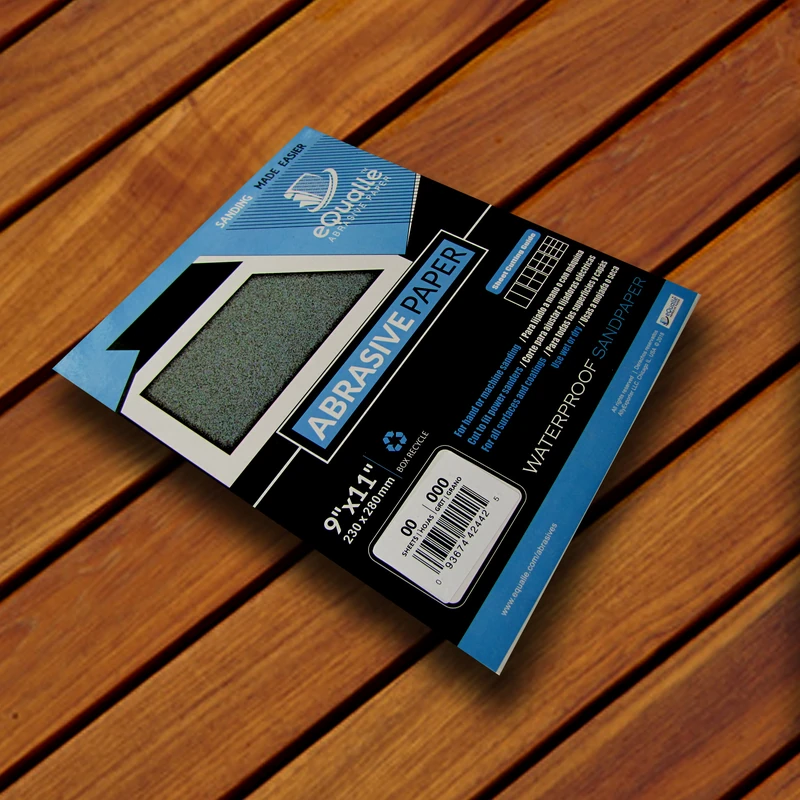
360 Grit Sandpaper Sheets (100-pack) — 9x11 in Silicon Carbide Abrasive for Wet or Dry Use — Precision grit for removing haze and small surface defects. Ensures scratch-free sanding on wood, plastic, or metal. Ideal for both wet and dry use before the polishing stage. (Professional Grade).
Frequently Asked Questions (FAQ)
Q: Why do my PSA discs keep tearing when I remove them?
A: Heat-softened adhesive, thin paper backings, dust contamination, and high-angle pulls are the typical causes. Let the pad cool 60–90 seconds, start a clean edge, and peel at a low, 180-degree angle to distribute stress and avoid tearing.
Q: What’s the safest way to start a peel without damaging the pad?
A: Use a plastic putty knife or an old plastic card to gently lift a corner, keeping the tool flat to the pad. Avoid metal scrapers, which can gouge the pad face and create hot spots under the next disc.
Q: Can I use solvent to help remove a stubborn disc?
A: Yes, sparingly. For residue on the pad, lightly wipe with mineral spirits or a citrus adhesive remover, then let it dry completely before applying a new disc. Avoid soaking the pad; too much solvent can soften foam or degrade adhesive performance.
Q: Are film-backed PSA discs better for clean removal?
A: Often, yes. Film backings resist edge cracking and distribute peel stresses more evenly than light paper backings, making them less likely to tear during removal—especially after heat cycles.
Q: Is it okay to leave a PSA disc on the sander between sessions?
A: It’s better to remove it. Leaving a disc in a warm environment can “bake” the adhesive into the pad, making the next removal difficult and increasing residue. Store discs flat, clean the pad if needed, and mount fresh before you sand again.