
Optimize Dust Extraction with a Sander Interface Pad
The morning a project turns from anxious to assured often starts with a small decision. You roll up the shop door, the air still cool, and stare at a tabletop whose grain promises more than your last pass delivered. Yesterday, dust swirled despite the extractor, paper loaded early, and faint swirl marks telegraphed through the finish like regrets. Today you commit to variables you can actually control: matching the pad’s hole pattern to your abrasive disc, adjusting your extractor, and adding a purpose-built sander interface pad to tune contact pressure and airflow. The hum of the sander builds; the extractor throttles on; a faint draft kisses the work surface through the perforations. You feel the pad land—not slap—against the wood, compliant enough to fold into crowns and edges but firm enough to maintain a flat across panels.
That small foam layer, the sander interface pad, changes everything about dust management and scratch uniformity. By aligning its holes precisely with the backing pad and disc, you keep the capture zone where it belongs: right at the cutting edges. When holes align, suction stabilizes, fines are evacuated before they melt or smear, and abrasive grains cut cooler and more consistently. You start with a medium-density interface pad, 5 mm thick, to balance edge rounding against contour-following. You pick a multi-hole disc to match your pad’s multi-jet pattern, and you spend an extra ten seconds rotating the disc until the holes register. The first pass sounds different—less rasp, more whisper. The paper stays open. Your hand feels less vibration, the surface reads cooler, and the dust in the air doesn’t bloom; it disappears into the extractor’s rhythm. You breathe easier, and the work tells you, in its own quiet way, that precision is paid back in finish quality. The grain looks sharper even at 120 grit because it never got burnished by trapped dust, and the next grit cuts like it should, not like it’s cleaning up a bad decision.
Quick Summary: Align the pad and disc hole patterns, pair them with a suitable sander interface pad, and tune airflow to keep dust moving at the cut—cooler abrasives, cleaner surfaces, and fewer defects.
The Physics of Dust Extraction
Effective dust extraction isn’t simply about having a strong vacuum; it’s about managing airflow where it matters. A random-orbit sander creates a boundary layer of air and particulate at the disc–surface interface. If the pad, interface layer, and abrasive aren’t perforated and aligned to promote flow through that boundary layer, the extractor’s CFM never reaches the cut, and the collection system turns into a decoration.
Hole alignment is the first-order control. Each hole is a low-pressure tap. When the abrasive disc holes are offset from the pad’s holes—even by a few millimeters—pressure drop increases, cross-flow between holes rises, and edge leakage spikes. You’ll feel it: hotter pad, more loading, and a faint “gritty” squeal as fines recirculate. With a net abrasive, airflow is more forgiving because the whole disc is permeable, but even then, the high-flow region is concentrated near the pad’s engineered ports and exhaust channels.
Pad geometry matters. Many European sanders use multi-jet designs (e.g., rings of holes plus center vents). These patterns distribute suction to minimize dead zones under the disc. Interface pads must preserve that geometry. A solid foam pad without matching perforations behaves like a dam, dumping suction around the periphery and starving the center. Conversely, a properly vented interface pad maintains the pressure gradient across the entire disc, keeping dust moving at low stand-off heights where particles are generated.
Static pressure vs. flow is the second-order control. Fine dust requires velocity through the abrasive holes; coarse chips benefit from broad channels and higher volume. Seal integrity at the shroud and a clean pad surface maintain static pressure. When holes align and seals hold, you get laminar-ish pathways through foam pores and pad channels—less turbulence, less re-entrainment, more collection. The result is cooler cutting, slower loading, and more predictable scratch patterns.
Choosing a sander interface pad wisely
The sander interface pad is more than a comfort layer; it is a precision tuning element for compliance and airflow. Selecting the right thickness, density, and hole architecture determines whether you enhance extraction or sabotage it.
Thickness: 3 mm (1/8 in) pads are ideal for keeping panels flat while slightly softening the ride; 5 mm pads add contour-following capability without excessive edge roll; 10 mm and specialty foam pads are for heavy profiles and complex curves. Thickness adds stand-off, which increases the risk of airflow losses unless the pad is well-vented. For flat stock and leveling, lean thinner; for mouldings and curved surfaces, go thicker—always with matched holes.
Density and rebound: Soft foams conform easily but can amplify edge rounding and reduce local pressure at the grain, smearing dust rather than evacuating it. Medium density is the safest general-purpose choice. Firm foams transmit pressure more directly, ideal for scratch uniformity on veneered panels; however, they demand precise hole alignment to prevent heat buildup.
Hook-and-loop interface: Hook height and density affect how tightly the disc seats to the pad. Taller or aggressive hooks can inhibit micro-leakage across the face, which is good for suction but unforgiving to misalignment. If you use net abrasives with open meshes, ensure the hook system doesn’t telegraph through as high spots that create pigtails.
Hole architecture: Use interface pads that mirror your sander’s pattern (8-hole, 9-hole, 15-hole, 67-hole multi-jet). Universal “multi-hole” interface pads are versatile but only if their open area and hole positions do not occlude the sander’s primary exhausts. When in doubt, place the pad and disc on the backing pad without power and look through the stack against a light—every pad hole should see clear daylight.
Practical selection ladder: For hardwood panel prep at 120–180 grit, choose a 3–5 mm medium-density vented interface pad with the matching hole count. For curved hardwood edges, step to 5–10 mm soft foam with full-pattern perforations. For high-gloss prep on solid surfaces or automotive clears, a 3–5 mm firm pad maintains plane fidelity while preserving airflow through fine-grit discs.
Hole patterns, airflow, and pad geometry
Matching the pad hole pattern to the disc for suction is about maximizing effective open area and minimizing misalignment loss. Think of the system as a series of resistors in a flow network: the shroud, pad channels, interface foam, abrasive holes, and the boundary layer over the work surface. Misalignment adds resistance. Higher resistance lowers velocity at the interface, and that’s where particles either evacuate or embed.
Patterns vary widely:
- Legacy 5- and 8-hole pads in circular arrays
- 9- and 15-hole configurations that add inner rings for better center evacuation
- Multi-jet patterns (e.g., 67-hole) with many small apertures distributing suction uniformly
- Net abrasives with continuous permeability that still benefit from substructure vents
Alignment methods:
- Registration-by-rotation: Some multi-hole discs include a reference notch. Start with the center, rotate slowly until the bulk of holes visibly align across the stack, then press to seat.
- Lightbox technique: Place the sander upside-down, stack the interface and disc, and backlight with a task lamp; you’ll spot occlusions instantly.
- Hole-punch adaptation: When running a universal interface pad on a specialty multi-jet base, use a punch guide to open additional perforations in the foam without tearing the hook fabric.
Airflow consequences are measurable. A misaligned stack reduces center suction most drastically, encouraging dust to migrate outward and accumulate at disc edges—often visible as dirty crescents and felt as edge overheating. Central perforations keep the contact patch cool and prevent pigtails by evacuating fines before they smear into the scratch.
According to a article
Geometrically, pad channels often have tapered plenums under the holes. An interface pad should preserve these tapers by offering through-holes at least as large as the pad apertures. If the interface pad’s hole diameter is smaller, the vena contracta effect increases pressure drop and can whistle at higher RPM. Multi-hole, thin-wall foam minimizes these losses. Keep stacks minimal—one interface pad is generally the limit; stacking two often doubles losses and introduces instability in orbit control.

Workflow: prep to finish, zero clogging
A disciplined sanding workflow treats dust extraction as a process parameter, not an afterthought. The goal is to maintain cutting efficiency while avoiding thermal faults, loading, and surface defects.
Step 1: Surface prep and setup
- Inspect the backing pad for wear or clogged hooks; replace if hooks are matted down.
- Select a vented interface pad matched to your sander’s hole pattern.
- Choose abrasives with hole layouts that map to the pad. If using net abrasives, ensure the substructure pattern supports even extraction.
Step 2: Set extractor parameters
- Use the smallest hose diameter that maintains CFM without collapsing; seal connections.
- Start with medium suction to prevent pad stiction on soft woods; increase until the disc doesn’t hydroplane on dust.
- Verify capture with a paper strip test: hold a narrow strip near the pad perimeter while the sander runs; you should see the strip pull toward multiple hole zones, not just one.
Step 3: Grit progression and pressure
- For leveling, start at 80–120 grit with a firm or medium interface. Keep pad flat, apply only enough pressure to maintain contact without dampening the orbit.
- Move through 150–180–220 grit for furniture-grade hardwood; skip no more than one grit step.
Step 4: Cleanliness between grits
- Vacuum the surface and pad face; tap the interface pad lightly to clear foam pores.
- Clean discs with a crepe rubber block or switch discs before they warm.
Step 5: Finish passes and inspection
- Reduce suction slightly on final passes to keep the pad floating uniformly over minor undulations without edge dig.
- Cross-hatch with 10–15% overlap, then inspect under raking light.
Actionable tips:
- Mark your interface pad’s “clocking” relative to the backing pad with a Sharpie dot so you can realign holes quickly after disc changes.
- If you see dust streaks radiating from specific holes, your interface pad may be occluding those ports—rotate or replace with a matched pattern.
- On resinous woods, switch to net abrasives at 150 grit while maintaining hole alignment underneath; the combination dramatically reduces loading.
- Keep an extra interface pad reserved for fine grits; contamination from coarse particles embedded in foam can seed pigtails.
- Replace interface pads at the first sign of delamination or permanent compression; collapsed foam increases heat and starves airflow.
Troubleshooting and quality checks
Even with the right hardware, extraction performance can drift. Use the defects to diagnose:
Symptom: Paper loading and burn marks at the disc center
- Likely cause: Center port obstruction from misaligned interface holes or foam without center perforation.
- Fix: Switch to a properly vented interface pad; verify daylight through the center stack.
Symptom: Dust crescents at disc edges and hotter rim
- Likely cause: Outer ring misalignment or a worn backing pad allowing disc to dish under pressure.
- Fix: Realign, replace backing pad if its face is cupped, and ensure your interface pad holes match the outer ring.
Symptom: Pigtails appearing unpredictably at higher grits
- Likely cause: Re-entrained fines or embedded grit in the interface foam.
- Fix: Clean pad face, replace contaminated interface pad, lower suction slightly to prevent micro-bouncing, and check disc flatness.
Symptom: Sander feels “sticky” or chatters on softwood
- Likely cause: Excess suction pinning the pad or insufficient vent area through the interface pad.
- Fix: Reduce extractor power, open auxiliary bypass, or use a multi-hole interface to diffuse suction.
Quality checks:
- Temperature test: After a 60-second pass, the disc should be warm, not hot. Heat indicates extraction deficiency or excessive pressure.
- Weighing dust capture: For repetitive operations, weigh the extractor bag or bin before/after short runs to confirm consistent capture; a downward trend suggests leaks or occlusions.
- Visual alignment audit: Under light, verify that at least 90% of pad holes are visible through the interface and disc stack.
New Sanding Setup...New — Video Guide
A woodworker fits a new abrasive brand to a Festool RO 150 and pairs it with a Mirka interface pad, demonstrating how pad and paper choices change both feel and dust capture. The video highlights SiaSpeed discs and a compliant foam layer, then shows how the machine’s multi-hole pattern interacts with the interface pad to keep the cutting zone clear as grits progress.
Video source: New Sanding Setup...New sand paper and interface pads for my Festool RO 150
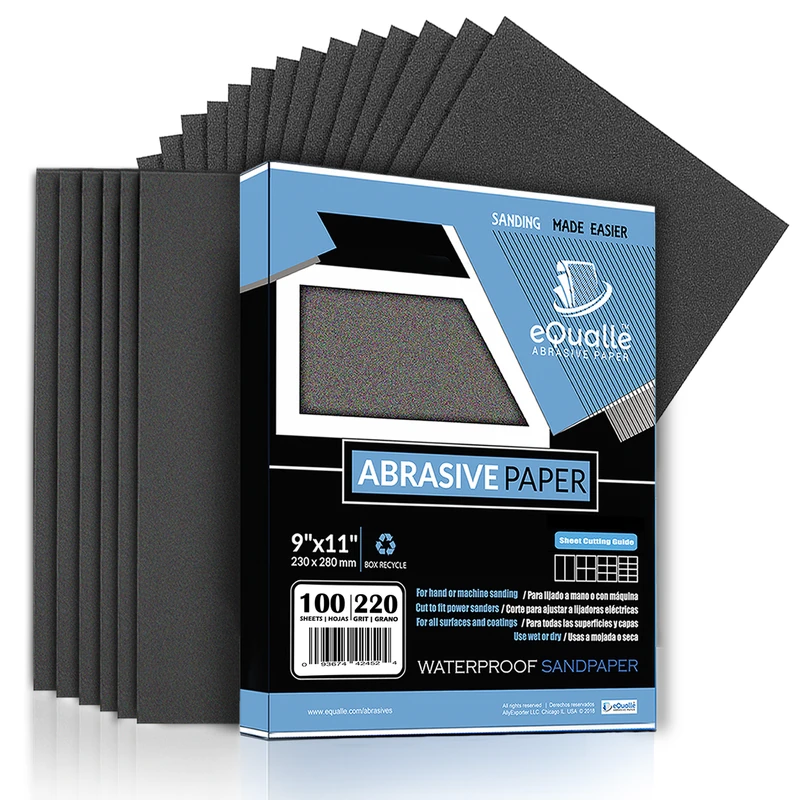
360 Grit Sandpaper Sheets (10-pack) — 9x11 in Silicon Carbide Abrasive for Wet or Dry Use — Ultra-controlled abrasive for gentle refinement and removing faint imperfections before clear coating or buffing. (Professional Grade).
Frequently Asked Questions (FAQ)
Q: How thick should my interface pad be for flat panel work?
A: Use 3–5 mm. Thinner pads (around 3 mm) maintain plane control and transmit suction efficiently. Thicker pads add contour compliance but increase airflow losses unless fully vented.
Q: Do net abrasives remove the need to match hole patterns?
A: No. Net abrasives are permeable, but the substructure ports still define high-flow zones. Align the interface pad and backing pad holes so the net can actually move air where dust is generated.
Q: Can I stack two interface pads for extra softness?
A: It’s not recommended. Stacking raises stand-off height, increases pressure drop, and destabilizes the orbit, often causing heat and pigtails. Choose a single, thicker soft pad with proper perforations instead.
Q: Are multi-hole discs compatible with older 8-hole pads?
A: Yes, but only if the primary pad ports remain open. A multi-hole disc on an 8-hole pad works fine; the surplus holes have no suction unless backed by ports. Avoid the reverse—an 8-hole disc on a multi-jet pad can choke airflow.
Q: What’s the fastest way to verify alignment after a disc change?
A: Use a marked clocking reference on the interface pad and rotate the disc under a backlight until the majority of holes show clear openings. A quick paper strip suction test confirms even draw around the pad.