
Random Orbital Sanding for Flawless Edge Blends
There’s a moment that arrives late in a project when the shop noise fades, and you finally see what the light has been trying to tell you. The tabletop looks great from six feet away. Up close—under a raking beam—the edge tells a different story: a faint halo, a tighter scratch pitch, a subtle flattening where the hand block and machine passes met. You run a fingertip along the border and feel what your eyes already caught: transition, not continuity. Fixing that is where craft separates itself from mere completion. The goal is not to eliminate the edge—wood deserves a boundary—but to make the boundary read as one surface. For most of us, the workhorse is the ROS, and random orbital sanding is the language we speak to coax that boundary into agreement.
Edge blending is not about “chasing the line.” It’s controlled abrasion: choosing the right interface, grit progression, and machine parameters, then executing a repeatable path that resolves geometry while preserving topography. Whether you’re refining an oak floor near baseboards, cleaning up cabinet sides beside rails, or marrying veneer fields to solid lipping, your ability to feather without telegraphing machine marks defines the result. This article breaks down the variables that matter—pad stiffness, orbit diameter, OPM, abrasive construction, dust extraction, and posture—into actionable workflows. You’ll get recipes calibrated for common substrates and coatings, plus troubleshooting for pigtails, burnishing, and “picture framing.” We’ll blend precision with speed so your edges look born there, not added later.
Quick Summary: Master edge blending by pairing the correct pad/interface and grit progression with controlled pressure, consistent OPM, and an overlap pattern that feathers scratches invisibly into the field.
Why Edges Betray Good Finishes
Edges amplify everything: pressure errors, scratch angle changes, dust loading, even the way your wrist articulates. The ROS orbit is designed to randomize the scratch pattern, but near a boundary your motion is no longer symmetrical. Half the pad over open field, half over air changes the effective pressure distribution and the scratch vector density. That’s why “picture framing”—a darker, burnished perimeter or a tighter swirl map—is so common. The cure is understanding how mechanics and abrasives interact at borders.
Pad stiffness governs conformance. A hard pad transmits force efficiently and holds the work flat, but on edges it can dish just inside the border if you let any part of the pad overhang. A soft pad, especially with a foam interface, will “wrap” toward the void and round the edge if you don’t control overhang. Both can work; the difference is setup and touch. Additionally, orbit diameter (e.g., 2.5–3 mm vs 5–6 mm) changes cut aggressiveness and scratch length. Larger orbits remove faster but demand tighter technique to avoid pigtails, particularly when the pad’s contact patch is partial at an edge.
Dust extraction is not optional. Edges concentrate dust because airflow collapses on the open side of the pad. Clogged grains stop cutting and start burnishing, which darkens end grain zones and seals pores before finish, creating haloing after stain. Use discs with proper hole alignment and a vac producing 150–200 CFM at the hose source if possible; even small shop vacs benefit from clean filters and short hoses.
Finally, your body mechanics matter. Locking elbows and swinging from the shoulder drives arcs that tighten around edges. Instead, float the machine from the hips, keep the pad level, and “hinge” at the wrist only to micro-adjust. Let the sander’s weight be the baseline load; add minimal supplemental pressure. The more you push, the less random the randomness becomes.
Dialing in random orbital sanding parameters
Machine choice and settings define the ceiling of what “invisible” can look like. For edge blending, I think in terms of three knobs: orbit, pad/interface, and speed. Together, they dictate cut rate, scratch character, and the likelihood of artifacts.
Orbit: A 5–6 mm orbit ROS is efficient for leveling and initial blend passes, but switch to a 2.5–3 mm orbit or a geared-ROS in free-spinning mode for refinement. Small orbits generate a tighter, more uniform scratch that disappears faster at higher grits. If you have one machine, compensate with pad/interface and grit steps.
Pad/interface: Run a medium pad with a 3–5 mm foam interface for most edge work. The interface increases conformity and buffers pressure spikes as part of the pad overhangs, reducing risk of edge burn and dish-outs. For delicate veneer or stained surfaces, use a soft interface. For stubborn lacquer ridges or epoxy trims where flatness is critical, remove the interface and keep the pad fully on the work.
Speed (OPM): Keep the motor in the mid-high range (e.g., 10–12k OPM) for stock removal, then drop 10–20% for final blending to reduce pigtail risk. Critically, avoid stall. The pad must spin freely; if you see the center logo freeze, you’re pushing too hard or the vac is overdrawing. Slight rotation plus orbit delivers the true random pattern.
Actionable setup tips:
- Mark the pad edge with a Sharpie so you can visually confirm free spin under load.
- Align disc holes precisely; misalignment reduces dust capture and raises heat at edges.
- Pre-condition a fresh disc with two light sweeps on scrap to knock down any high grains.
Within this envelope, discipline your passes. Approach the boundary with 5–10 mm of overhang maximum and keep it consistent. Overlapping 60–70% per pass creates dense, even scratch coverage that blends seamlessly. Pause the machine on the work before start; lift only after it stops to avoid skid marks. Let the machine live in the plane—no rocking to “reach” the edge. The interface pad already did the reaching.
Abrasive selection and disc management
Surface compatibility and disc health decide whether you’re cutting or polishing your mistakes in place. Choose abrasives for the resin system and wood anatomy at hand. Closed-coat aluminum oxide is fine for raw hardwoods; ceramic or ceramic blend helps on exotics or stubborn finishes where heat management is important. Stearate-coated discs reduce loading on paints and soft resins but can interfere with stain on bare wood; be mindful at blending stages prior to coloring.
Grit progression should be tight enough to erase prior scratches without overcutting edges. Typical edge-blend sequences:
- Raw maple tabletop: 120 → 150 → 180 → 220 (stop here if clear-coating; if staining, test at 180 to maintain color uptake parity).
- Oak flooring near baseboards: 80 → 100 → 120 (then screen or 150 depending on system).
- Veneered cabinet side to solid lipping: 150 → 180 → 220 with soft interface; keep pressure ultra-light to avoid telegraphing the core.
Disc management is not optional housekeeping—it’s process control. Abrasives dull faster at edges where pressure concentrates. Rotate your disc position frequently by popping it off and re-indexing to new pad alignment; this distributes wear and reduces heat spots. Replace discs at the first sign of burnishing (color change without dust, glazed look) or if pigtails appear. Many “mystery defects” are simply over-aged discs on hot resin.
Dust extraction and disc hole architecture determine cut stability. Multi-hole patterns with matched pads keep the grain face clear and cool. If your sander and disc patterns don’t align, you can use mesh abrasives to mitigate mismatch, but be aware mesh cuts slightly cooler and can feel less aggressive; adjust grit one step coarser if needed.
According to a article handheld ROS units won’t replace heavy machines for floor leveling—but they excel at final preparation and blending where scratch quality and edge transitions matter. That distinction is key: use the right tool to get flat, then the ROS to make flat look seamless.
H3: Disc troubleshooting
- Pigtails: Usually a trapped chip; stop, vacuum, swap disc, and re-pass one grit coarser before resuming.
- Picture framing: Likely burnished perimeter; drop one grit, add interface, increase overlap, and lighten pressure.
- Stain mismatch at edges: Back up one grit on the whole field to match the edge’s effective sanding depth, or pre-condition edges with the same grit count as the field.
Edge blending workflows that scale
Whether you’re finishing a single table or 600 square feet of floor, repeatability is the asset. Scalable workflows hinge on defined passes, pre-set boundaries, and checkpoints under controlled light. The following patterns keep edges honest without consuming the schedule.
Furniture field-to-edge blend (solid top with eased edge):
- Field level and pre-finish with your standard progression up to one grit below your target.
- Switch to ROS with medium pad plus 3–5 mm interface. Run the same grit one step coarser than your field’s current grit for one pass within 50–70 mm of the edge, overlapping into the field. Keep 5–10 mm pad overhang.
- Step to the field’s current grit and repeat two light passes across the same band, extending 20–30 mm further into the field to feather.
- Move to final grit and cover the whole surface, edges last, with a raking light.
Floor perimeter blend (after drum and edger):
- With the edger or multi-tool marks erased to 100–120 grit, run a 150 mm ROS at 100–120 across a 100–150 mm perimeter band. Keep your passes parallel to the wall; overlap 70%. Avoid pressing into baseboards; let the interface manage the gap.
- Step to 120–150 and widen the band by ~50 mm, maintaining speed and light pressure.
- Finish with a screen or 150–180 on the whole field to unify scratch.
Cabinet carcass edges to face frames:
- Use a 125 mm ROS with a soft interface at 150, two passes on a 40–60 mm band along the frame.
- Step to 180/220 with ultra-light pressure, keeping pad fully supported—no more than 5 mm overhang.
Checkpoints:
- Always verify under a raking LED 300–600 mm off the surface at low angle. Look for density changes in scratch.
- Wipe with mineral spirits or water (on bare wood, with caution) to simulate finish and detect halos.
Actionable workflow tips:
- Scribe a light pencil grid 30–50 mm in from the edge; your blend band should erase it uniformly without crossing the line in a single pass.
- Time your passes: 6–10 seconds per 300 mm is a good start for 150 grit on hardwood; faster risks uneven coverage.
- Keep a “calibration board” nearby with your full progression; compare under the same light before committing to finish.
Defect detection and corrective passes
Even with solid technique, edges are where issues surface after sealer. The cure is fast diagnosis and disciplined correction.
Pigtails present as comma-shaped swirls visible at oblique angles. They almost always originate from a single particle lodged under the disc or a hard grain protrusion on a fresh disc. Correct by isolating the area: mask a soft boundary with painter’s tape 10–15 mm beyond the defect zone, drop one grit, and make two very light ROS passes with a fresh disc and clean pad, then re-level at the previous grit and remove the tape before the final pass. The mask helps avoid expanding the correction zone into a new halo.
Edge burn or polish bands show up darker on raw wood or glossier after sealer. They’re caused by heat and pressure concentrating where the pad overhangs. Fix by reverting one grit, adding or thickening the interface, and deliberately reducing overhang to 3–5 mm. Increase overlap and keep the pad spinning freely. On stained work, test a de-gloss scuff with a non-stearated disc to restore tooth, then recoat. If the band is in finish, scuff-sand the perimeter uniformly to the same sheen before adding another coat to level optics.
Scratch mismatch across a glue line or lipping reveals itself because growth ring density and hardness differ. You can’t make two anatomies react identically, but you can average the optics. Run a micro-progression (e.g., 150 → 180 → 220) on just the denser material’s side within a 30–40 mm band, then a unifying pass across both. Match your dust extraction and OPM to the rest of the panel to preserve scratch pitch parity.
H3: Lighting, marking, and measurement
- Light: Use a dedicated raking light at a fixed height and angle; moving the light mid-process resets your baseline.
- Mark: Use a fine pencil hatch along edges before each grit; consistent erasure equals consistent coverage.
- Measure: A low-cost gloss meter or loupe can quantify sheen and scratch depth if you’re chasing absolute repeatability.
Lastly, know when to stop. Over-sanding edges thins veneer and rounds profiles. If you’re at your target grit and still see a faint shift that vanishes under solvent wipe, it will almost certainly resolve under film builds. The art is in resisting that one more pass.
Quick Tip: Floor — Video Guide
In this short YouTube segment, a pro demonstrates how to smooth floor perimeters with an orbital sander after the heavy machines have done the leveling. The clip focuses on stance, pass spacing, and the subtle wrist control that keeps the pad flat while working close to walls and thresholds.
Video source: Quick Tip: Floor Sanding using an Orbital Sander.
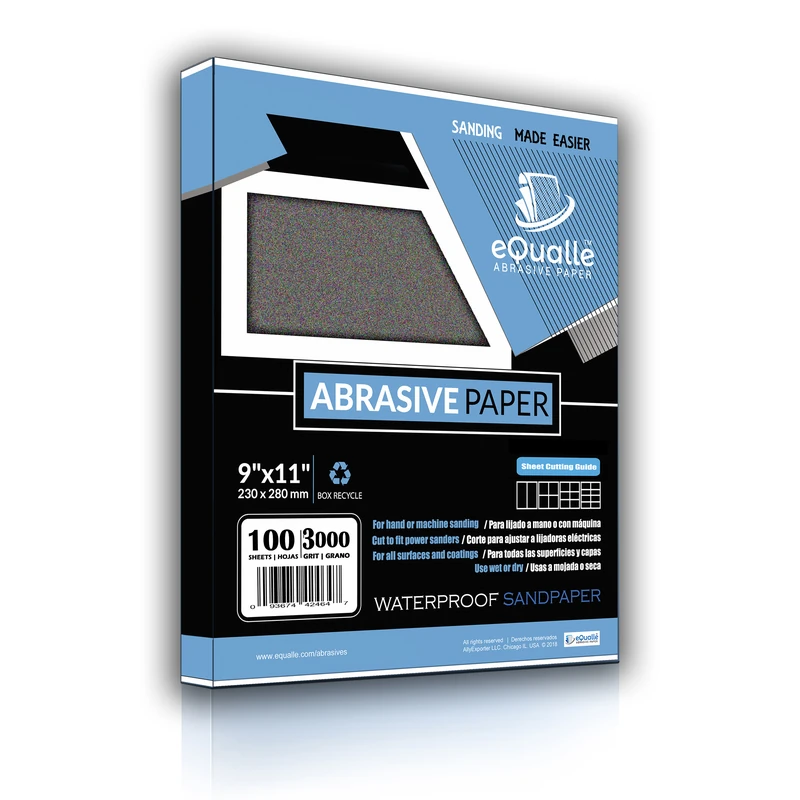
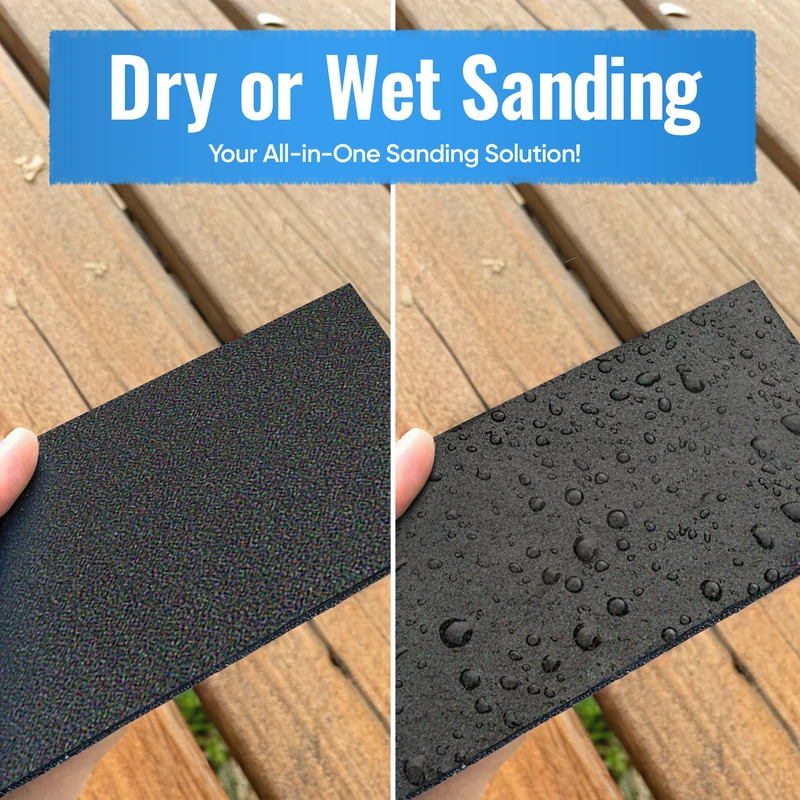
180 Grit Sandpaper Sheets (50-pack) — 9x11 in Silicon Carbide Abrasive for Wet or Dry Use — Reliable grit for producing a uniform texture on wood, metal, or filler layers—often used before varnishing or applying topcoats. (Professional Grade).
Frequently Asked Questions (FAQ)
Q: How much of the pad should overhang the edge when blending?
A: Keep overhang to 5–10 mm. More than that concentrates pressure on the inner pad edge, increasing the risk of burnishing and dish-outs. Use a foam interface to let the abrasive “kiss” the border without wrapping.
Q: What grit should I stop at before staining to avoid edge halos?
A: On most hardwoods, stop at 150–180 across both field and edge. Going finer at the edge can close pores and create a darker halo. Run identical grit counts and pressure at the perimeter to match absorption.
Q: Why do I get pigtails only near edges?
A: Partial pad contact near edges traps debris and stalls pad rotation under added pressure. Improve dust extraction, lighten pressure until the pad spins freely, and swap to a fresh disc. A soft interface helps buffer chip intrusion.
Q: Is a soft or hard pad better for blending veneer edges?
A: Use a soft pad or a medium pad with a 3–5 mm interface for veneer. The compliance reduces the chance of sanding through or rounding the lip. Maintain minimal overhang and very light pressure.
Q: Can I blend edges effectively with a 5" ROS, or do I need 6"?
A: A 5" ROS is perfectly capable for blending. A 6" covers ground faster and can run cooler with better extraction, but the principles—controlled overhang, proper interface, and tight grit progression—matter far more than diameter.