
Clean Pads and a Sander Interface Pad for Better Grip
There’s a certain rhythm to a good sanding session: the soft hum of the motor, the dust extractor’s steady pull, the feel of the tool gliding as the surface levels out under your hands. Then, out of nowhere, the disc slips. You press again, it grabs for a second, and—thwap—the abrasive flies off. Work stops, frustration starts. Odds are you check the disc and blame the abrasive. But the culprit is often closer to home: a clogged or glazed hook-and-loop pad. If you’re running a foam buffer between the tool and the disc, the sander interface pad can be a hero—or the source of a double layer of gunk you didn’t know you had.
I’ve watched this happen in garages and workshops across skill levels—woodworkers smoothing a tabletop, auto refinishers chasing a perfect feather edge, DIYers who’ve borrowed a tool and don’t yet know its quirks. In every case, what looks like a failing adhesive is almost always a maintenance issue. Hook-and-loop relies on tiny plastic hooks to catch fabric loops; when dust, resin, or paint fines pack into those microstructures, the “grab” weakens. If heat joins the party, hooks can soften, flatten, and lose shape. That’s when discs won’t stay on and swirl marks creep in because the abrasive is skating, not cutting.
The good news: you can restore a surprising amount of holding power with a careful clean, a few smart habits, and honest checks about when to replace worn parts. You’ll also protect the softer foam of your sander interface pad—the layer that adds forgiveness over curves but needs its own care to keep loops springy. This guide breaks down why grip fades, how to clean both the tool’s hook plate and your interface pad, and how to prevent the problem from returning. In a couple of minutes and with the right touch, you can get back to that steady, confident rhythm again.
Quick Summary: Clean the interface pad and backing pad with air and a nylon brush, lift residue with alcohol sparingly, test grip, and prevent future clogging with better dust control and heat management.
Why hook-and-loop pads lose their grip
Hook-and-loop systems are deceptively simple. On the sander’s backing pad you’ll find thousands of molded plastic hooks. On your sanding disc—and on one face of any interface pad—you have a felt-like loop fabric. When clean and cool, hooks catch and hold loops remarkably well. The system weakens when anything changes that clean, cool contact.
The most common issue is contamination. Dust from sanding wood, primer, filler, or clear coat rides on static charges and wedges itself into the loops. Oils from your hands, finishing resins, and plasticizers from soft foam pads can smear into the fabric, glazing it. Over time, pressure and heat fuse those fines into a stubborn layer. You can see it as a grayish film on the pad or feel it as a slick surface that refuses to “bite.”
Heat is the other quiet killer. Running too much pressure, high speed, or a clogged abrasive creates friction. Friction softens hook tips. Once hooks “mushroom,” they stop penetrating loops deeply enough to lock. You may also notice uneven wear from misaligned discs, especially if vacuum holes aren’t matched; poor alignment reduces dust pickup and increases heat, accelerating failure.
Diagnosis matters. If your disc’s loop side looks fuzzy with loose fibers or matted flat, the disc is done—even a perfect hook pad can’t save it. If discs from a fresh sleeve fall off quickly, shift your attention to the backing pad (hooks) or to the sander interface pad (its loop face). A simple test helps: apply a new disc, press firmly, then peel a corner back. Healthy grip resists with a crisp, even pull. If it lifts easily or peels unevenly, you’re looking at contamination or wear beneath the disc, not a bad abrasive.
Cleaning a sander interface pad the right way
An interface pad adds a comfort layer between the sander’s hook plate and your disc, helping abrasives conform to curves and softening the cut. It also introduces an extra hook-and-loop connection that needs care. The face that mates to your backing pad typically has loops; the face that holds your disc has hooks. Clean them differently and gently.
Start with air. Remove the interface pad and blow both faces with low to medium compressed air (30–50 psi is plenty). Hold the nozzle at a shallow angle so you lift debris out of the fabric rather than drive it deeper. If you don’t have air, a small vacuum with a brush attachment works.
Next, address the loop fabric (the side that attaches to your sander). Use a stiff nylon brush—think nail brush, not wire—to sweep in one direction, then crossways. The goal is to lift dust and re-stand the loops, not scour them. For stubborn resin or paint smears, lightly dampen a lint-free cloth with 70–91% isopropyl alcohol and blot. Don’t soak foam; alcohol can wick into the pad and soften adhesives if overused. Let it dry fully before reattaching.
For the hook face (the side that grips your disc), avoid aggressive brushing. Instead, use compressed air and a strip of painter’s tape, sticky side down, to lift lint and fibers that may be stuck between hooks. If you see shiny or flattened hooks, cleaning won’t regrow plastic; that’s a sign of heat damage and time for replacement.
Actionable tips:
- Keep two interface pads: one reserved for resinous woods or body filler work, one for clean finishing. Cross-contamination kills grip.
- Label pad thickness (5 mm, 10 mm) and grit range on the edge with a marker to ensure consistent pairing and lower heat.
- Store interface pads flat in a dust-free box; hanging can deform foam and bend hooks over time.
- After any wet cleaning, air-dry the pad completely before sanding to protect adhesives and maintain shape.
A cleaned sander interface pad often brings back that “new disc” snap. If you still feel a weak hold after cleaning, shift focus to the tool’s hook plate next.
Deep-clean and revive the sander’s hook plate
The sander’s backing pad is the backbone of your hook-and-loop system. It carries a carpet of tiny hooks that must stay clean, sharp, and upright. Before cleaning, power down and remove the pad if your tool design allows—it’s easier to work flat and keeps debris out of the sander’s internals.
Begin with compressed air to blow out dust from the hooks and vacuum holes. Keep the nozzle moving and angled so you extract, not embed, contamination. Then take a soft nylon detailing brush and lightly sweep the surface. Avoid wire brushes; they shave hooks flat and permanently weaken grip.
If you find patches of resin, paint, or adhesive transfer, dampen a microfiber with isopropyl alcohol and gently wipe. Rotate to a clean section of cloth often to avoid smearing residue around. Never flood the pad or use hot solvents like acetone—they can craze or dissolve the plastic hooks and backing adhesive. Let the pad dry thoroughly.
Stubborn impacted debris between hooks can be teased out with a wooden toothpick or a dull plastic pick. Work slowly with magnification if needed. If the pad shows melted edges around vacuum holes or uniform shininess where hooks used to stand, cleaning won’t fix it—those hooks are heat-worn. That’s replacement time, not restoration.
According to a article, professional sanding workflows depend on durable equipment that can adapt to changing demands; a clean, intact hook plate is part of that reliability.
Three quick checks after cleaning:
- Peel test: Press a fresh disc on, then peel a corner; you should feel consistent resistance across the pad.
- Spin check: At low speed, watch for edge lift; a disc that “creeps” indicates uneven hooks or contamination remaining.
- Heat habits: If your last session ran hot (heavy pressure, clogged paper), expect faster hook wear; reset technique to protect the new clean surface.
If you replace the backing pad, choose the right firmness for your work (hard for flat stock, medium for all-around, soft for contours) and match hole patterns to your discs to maximize dust collection and reduce heat—the best defense against future hook failure.
Disc choices, dust control, and pad life
Clean pads are half the story; prevention is the other half. The fastest way to ruin freshly restored hooks is to run with poor dust extraction or the wrong abrasive pairing.
Start with disc selection. Net or mesh abrasives excel at dust evacuation, keeping both the work and hooks cleaner. High-quality paper or film discs with well-bonded loop backing shed fewer fibers, which means less fuzz wedging into hooks. Pair the disc type with pad firmness; flexible films on a soft interface pad over-curves can overheat if you push too hard.
Dust control isn’t just about plugging in a vacuum—it’s about alignment. Match the disc’s hole pattern precisely to the backing pad and, if you’re using one, the interface pad. Misalignment starves airflow, builds heat, and drags fines into your hooks. A few seconds aligning holes pays back hours of pad life.
Technique matters. Let the abrasive cut; don’t force it. High RPM plus heavy pressure equals melted hooks and cooked resin. If the tool bogs or the sound changes, the disc is clogged; stop and clean or swap it. Work through grits methodically—jumping too far invites pressure and heat to “make up the difference.”
Storage can extend life, too. Keep discs in a clean sleeve. Don’t leave the tool sitting face-down on dusty benches with a disc attached; that’s an open invitation for contamination to embed into loops and hooks. If you pause your work, hang the sander or set it on its side.
A few preventive habits:
- Use net abrasives for resin-prone tasks and pair them with a clean sander interface pad to minimize fines lodging in loops.
- Align holes every time; use a simple hole-matching template if your pad supports multiple patterns.
- Drop speed a notch when using thick interface pads; foam flex adds friction—counter with lighter pressure and cooling passes.
- Between grits, tap the disc against your palm or blow it out; keeping the abrasive clean reduces heat and hook stress.
Small shifts like these turn your cleaned pad into a lasting improvement rather than a quick fix.
Maintenance habits that stick
The best sanding setups don’t rely on heroic cleanups—they run on light, regular maintenance. Build a short routine around your actual workload so grip issues never surprise you mid-project.
Start with cadence. If you sand daily, plan a quick end-of-day clean: blow the backing pad and interface pad with air, brush loops on the interface pad, and store everything dust-free. Weekend users can do the same at the end of each session. Add a deeper clean with alcohol for resin-heavy tasks—think pine, epoxy, body filler—once per week or after any marathon sanding sprint.
Make inspection easy. Keep a small magnifier or phone clip macro lens in your sanding drawer. A 10-second look at the hook plate reveals flattened hooks, glazed patches, or stray fibers. A light peel test with a new disc at the start of each session is even faster and builds your baseline for “healthy grip.”
Organize by task. Dedicate one interface pad to shaping operations (aggressive grits, heavy stock removal) and another to finishing. Label edges with grit ranges to avoid crossing dirty discs onto a clean pad. For automotive work, keep a pad just for primer and a separate one for clear coat sanding; each material leaves different residues.
Quantify replacement. Hooks don’t last forever. If, after a thorough clean, a fresh disc still peels off with little resistance in multiple spots, or if discs begin to rotate or creep under light lateral pressure, retire the backing pad. Interface pads retire when their foam compresses unevenly, hooks shine, or loop fabric pills.
A simple 5-step routine:
- Blow off and brush after each session.
- Wipe with alcohol sparingly after resinous tasks.
- Align holes religiously; check airflow with the vac running.
- Peel-test with a fresh disc at the start of the day.
- Retire pads on evidence, not hope—cleaning won’t fix melted hooks.
Sanding is about consistency. These habits keep your hook-and-loop interfaces predictable, so your finishes are predictable, too.
New Sanding Setup...New — Video Guide
In a helpful shop walkthrough, a maker puts a new abrasive brand through its paces on a Festool RO 150 while adding a foam interface layer. The combo—SiaSpeed discs from Sia Abrasives paired with a Mirka interface pad—shows how changing just two variables can shift feel, cut rate, and surface quality.
Video source: New Sanding Setup...New sand paper and interface pads for my Festool RO 150
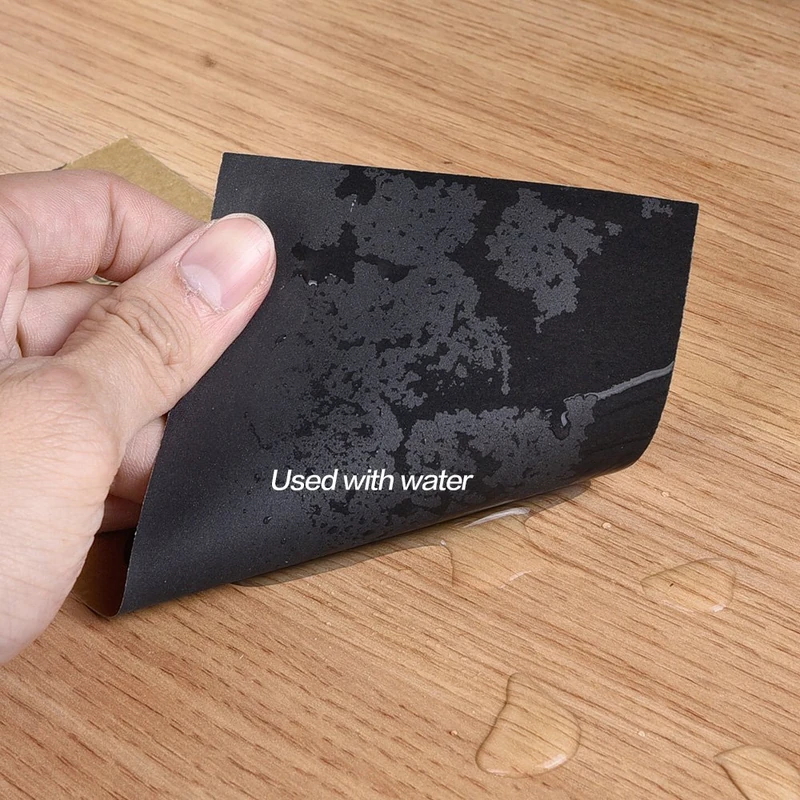
280 Grit Sandpaper Sheets (10-pack) — 9x11 in Silicon Carbide Abrasive for Wet or Dry Use — Fine abrasive for leveling varnish or clear coats with precision. Creates a refined surface before high-gloss finishing. Performs reliably on wood, resin, or painted materials in wet or dry conditions. (Professional Grade).
Frequently Asked Questions (FAQ)
Q: What most often causes hook-and-loop discs to stop sticking?
A: Contamination and heat. Dust, resin, and paint fines clog the loop fabric and settle between hooks. Excess pressure and speed generate heat that softens and flattens hooks. Clean both the interface pad and the sander’s hook plate; if hooks look shiny and mushroomed, replace the backing pad.
Q: How do I safely clean a sander interface pad?
A: Remove it, blow both faces with low-pressure air, brush the loop side gently with a stiff nylon brush, and lift lint from the hook side with tape. For resin spots, blot with a cloth lightly dampened in isopropyl alcohol and let the pad dry completely before reuse.
Q: Is alcohol safe on backing pads and interface pads?
A: Yes, in small amounts. Use 70–91% isopropyl on a lint-free cloth, wipe lightly, and avoid soaking foam or flooding adhesives. Never use hot solvents like acetone—they can damage plastic hooks and pad adhesives.
Q: When should I replace the sander’s backing pad?
A: Replace it when hooks are visibly flattened or shiny, when a fresh disc peels off too easily in multiple areas after cleaning, or if the pad shows heat deformation around vacuum holes. Cleaning can remove debris but cannot restore melted hooks.
Q: Do interface pads reduce swirl marks?
A: Often, yes. A foam interface pad lets the abrasive conform to contours and softens the cut, which can reduce pigtails and edge gouging. Use the right thickness, lower speed slightly, and keep the pad clean to maintain consistent results.