
Ceramic Sanding Discs for Metal, Plastic, and Wood
A quiet Saturday morning, shop lights still warming up, you set a piece of maple next to a brushed aluminum bracket and a sheet of acrylic for a custom shelving project. Three materials. Three personalities. The maple’s grain invites touch but burns easily under pressure; the aluminum cuts fast but loads quickly, leaving streaks and burrs if you’re impatient; the acrylic is pristine one second and a melted, foggy mess the next. This is the kind of mixed-material challenge that makes you slow down, re-check your setup, and reach for the tools that reward craftsmanship over speed.
That’s why the choice of abrasive matters. Switch from a bargain paper disc to ceramic sanding discs and the whole process shifts: cuts stay cool, edges sharpen themselves as you go, and clogging drops off. You feel it in the tool—the sander stops fighting you—and you see it in the surface—fewer swirls, cleaner scratch patterns, less rework. In a world where many projects are hybrids, the right disc becomes more than a consumable. It’s a quiet collaborator that keeps standards high even when your to-do list grows.
You hook up dust extraction, dial in the random orbital to a medium speed, and start with a 120-grit ceramic on the maple. The disc bites with control, leaving crisp, shallow scratches that vanish neatly under the next grit. On the aluminum bracket, you switch to a mesh-backed ceramic to keep the dust moving; the finish goes from dull to even, without that familiar smear that signals heat. The acrylic waits until last, when you drop speed, float the tool, and let the disc skim rather than dig. By afternoon, the three surfaces meet cleanly—wood warm and even, metal satin-bright, plastic clear without haze. You earned it, but your abrasive didn’t hurt.

Quick Summary: Learn how ceramic sanding discs cut cooler and longer across metals, plastics, and hardwoods, with precise grit choices, pressure control, and dust-smart workflows that deliver pro-level results.
From rough stock to mirror-smooth edges
Mixed-material projects tend to go sideways for one predictable reason: we try to sand everything the same way. A better approach is to think in phases and to separate materials mentally and physically as you move. Start with shaping and flattening, move to refinement, and finish with surface prep for coatings or polish. Across those phases, you’ll adjust grit, speed, pressure, and even the type of ceramic disc.
For shaping, use coarser ceramic grits (40–80) when you need to remove mill scale from steel, level hardwood glue lines, or flush a plastic edge to a template. At this stage, control heat by keeping the tool moving and using open-coat or mesh discs to shed waste. If your project mixes materials in one assembly, do your heavy cutting on individual parts before they’re joined; it prevents cross-contamination of metal particles into wood pores or plastic swarf embedding where you don’t want it.
Refinement lives in the 100–180 grit range for most tasks. This is where ceramic shines versus conventional aluminum oxide: the cutting edges stay sharp longer, so scratch patterns are uniform and shallow. On wood, that means less burnishing and better stain uptake. On metal, it means a consistent satin without streaks. On plastic, it means fewer micro-tears that later read as haze.
Surface prep and finishing get subtle. For hardwoods, stepping to 180–220 and stopping there preserves fiber structure while making defects easy to see. For metals, your path may continue through 240–400 depending on the sheen you want. Plastics may top out at 320–400 pre-polish, shifting to foam-backed abrasives or polishing compounds afterward. Don’t skip grits; each step should remove the previous scratches, not try to leap over them. The payoff is cleaner edges, fewer surprises under finish, and a faster overall job because you aren’t chasing mistakes downstream.
How ceramic grains cut and stay cool
Ceramic abrasives are engineered from microcrystalline alumina—tiny, tough crystals fused into a grain that fractures on purpose. Instead of dulling into a rounded pebble, a ceramic grain sheds microscopic chips and reveals fresh cutting points. You feel that as a steady, predictable cut rate even on hard metals or dense hardwoods, and you see it as longer disc life because the abrasive keeps renewing itself.
Heat is the enemy of sanding. It softens plastics, burns wood, and smears aluminum. Ceramic grains address this in three ways. First, their microfracturing action reduces friction per contact point. Second, disc constructions—open coat patterns, stearate load-resistant treatments, and mesh backings—help carry swarf away. Third, ceramic grains tolerate pressure without collapsing, so you can lighten your touch and still get the cut you want.
Backings and hole patterns make a huge difference. Hook-and-loop discs excel for random orbital sanders because you can swap grits fast and run perforations that match your pad for dust extraction. Mesh discs go further, letting air and dust move through the entire surface, which nearly eliminates loading on metals and keeps plastics far from their softening point. PSA (pressure-sensitive adhesive) discs suit flat, uninterrupted sanding where you want maximum contact and minimal chatter—think metalworking on a hard-pad sander.
Finally, remember that “cool” is about the whole system: the disc, the pad hardness, the tool speed, the pressure you apply, and your dust extraction. A ceramic disc can tolerate more, but it can’t rewrite physics. Choose combinations that breathe well, keep passes light, and let the abrasive do the heavy lifting. That’s how you get crisp, repeatable surfaces across very different materials without wasting discs or time.
Choosing ceramic sanding discs by job
Not all ceramic sanding discs behave the same. Matching the disc to the task pays off with better finishes and fewer headaches. Start by identifying the material and the goal—stock removal, blending, or pre-finish prep—then choose grit, backing, and pattern accordingly.
- Grit selection:
- Metals: 40–80 for scale/burr removal, 120–180 for blending, 240–400 for pre-polish.
- Hardwoods: 80–120 for leveling, 150–180 for grain refinement, 220 for pre-finish.
- Plastics: 120–150 for shaping, 180–240 for matte clarity, 320–400 before polishing.
- Backing type:
- Mesh-backed ceramic discs are standouts for metals and plastics because they resist loading and run cooler with extraction.
- Film-backed ceramics deliver a flat, uniform scratch ideal for hardwood finishing grits.
- Paper-backed discs are fine for general woodwork; look for heavy C/D weight for durability.
- Hole patterns and size:
- Match your sander’s pad pattern for best dust capture. If you switch between tools, consider universal mesh to simplify inventory.
- Coatings and open-coat:
- Stearate-treated ceramics reduce loading on resinous woods and plastics. Open-coat designs cut aggressively on softer substrates without clogging.
- Cost-per-cut:
- Ceramics often cost more upfront, but on hard metals and dense woods they outlast conventional discs several times over, especially with dust extraction.
Actionable picks:
- For stainless blending without overheating: 120-grit ceramic mesh, medium pad, moderate speed.
- For maple tabletop prep before stain: 150 then 180-grit ceramic film discs, soft interface pad to follow contours.
- For acrylic edge prep before flame or buff: 220 then 320-grit ceramic mesh, slow speed, feather-light pressure.
According to a article
Dialing in metals, plastics, hardwoods
The same disc can behave very differently from one material to another. Calibrate your approach with small, test passes—then lock in the settings that produce a clean, even scratch.
Metals
- Steel and stainless: Favor 60–120 grit ceramics for fast, controlled stock removal and blending. Keep random orbital speeds mid-high, but use steady, light pressure to avoid streaks and temper color. For angle grinders, flap-style ceramic discs are excellent for edges; keep the contact area small and moving.
- Aluminum: Use open-coat or mesh ceramics and vigorous dust extraction to avoid loading. Work between 80–180 grit for a consistent satin without smear. Lower tool pressure and consider a slightly softer pad to conform without digging.
- Coatings between steps: Wipe with a clean, lint-free cloth and denatured alcohol; avoid introducing water, which can flash-rust bare steel.
Plastics
- Acrylic and polycarbonate: Start finer than you think—150–180 grit—to avoid deep scratches that are hard to remove. Run your sander slower than on wood or metal, and lighten pressure to a glide. Mesh-backed ceramic reduces friction and heat.
- Heat management: If you feel warmth, stop. Let the work cool; a warm plastic edge will smear on the next pass. For routing templates, use a lubricant like a mild soap-and-water spritz or dedicated plastic sanding lube very sparingly.
- Pre-polish: Finish with 320–400 grit ceramic, then switch to foam-backed abrasives or polishing compounds.
Hardwoods
- Dense, burn-prone woods (maple, cherry): Use sharp ceramics with modest pressure—let the microfracturing do the work. Progress 120 → 150 → 180; stop at 180 if you plan to stain for better color penetration.
- Open-grain woods (oak, ash): Similar grit path works, but use dust extraction to keep pores clear. Consider a final 220 pass if topcoating without stain.
- Edge grain and end grain: Slow your passes and take extra steps (e.g., 120 → 150 → 180 → 220) to even out absorption and reduce fuzz.
Five field-tested tips:
- Float, don’t press: With ceramics, extra pressure just adds heat. If the disc stops cutting, change it.
- Keep discs clean: A crepe-rubber stick or quick blast of compressed air restores cut on loaded areas—especially after sanding resinous woods or aluminum.
- Use interface pads: A soft pad between disc and sander smooths curves on hardwoods and reduces chatter on plastics; swap to a hard pad for dead-flat metal blending.
- Step, don’t skip: Remove each scratch pattern fully before moving up. A 120-to-180 jump is fine on wood; on metal or plastic, consider 120 → 150 → 180.
- Control the boundary: If wood meets metal, mask one surface while sanding the other to avoid contamination and stray scratches.
Workflow, dust control, and safety
A pro-grade finish is the result of a system working together: the abrasive, the machine, extraction, lighting, and your process discipline. Ceramic discs thrive in clean air. Use mesh or matched-hole discs with a capable vacuum; on metals and plastics you’ll see the difference in cooler surfaces and clearer scratch definition. If your vacuum allows, set auto-start so extraction comes on with the sander—less fiddling, more consistency.
Set a grit rack and label discs by material to prevent cross-contamination. Keep a “metal only” set and a “wood/plastic” set; even trace steel particles can streak a light hardwood under finish. Calibrate tool speed for each task and write it down. Many random orbital sanders have numbers that mean little; your notes—like “maple 180 at speed 3 with soft pad”—become gold.
Lighting matters. Side lighting at a low angle reveals scratches and swirls early. Between grits, vacuum, wipe with a tack cloth (wood) or lint-free cloth (metal/plastic), and inspect from multiple angles. Small, systematic pauses save you from big do-overs.
Safety basics are non-negotiable:
- Eye and hearing protection, always.
- A P100 or equivalent respirator, especially when sanding hardwoods (silica in dust, natural toxins), metals, or plastics.
- Manage aluminum and steel dust separately; mixed fines can be a fire risk in sweepings.
- Keep sparks from angle grinders away from fine wood dust and solvents.
- On plastics, avoid overheating; fumes from some plastics are hazardous—maintain ventilation.
Troubleshooting in the workflow
- Burn marks on hardwood: You’re pressing or your disc is dull. Drop pressure, switch to a fresh ceramic, and keep passes moving.
- Smear on aluminum: Disc is loading. Swap to mesh ceramic, increase extraction, and lighten pressure.
- Haze on acrylic: Heat buildup and too-coarse grit. Slow tool, refine your grit path (180 → 240 → 320), and pause between passes.
- Random swirls: Overlapping path is too tight or pad is too hard for the surface. Widen passes, consider a softer interface pad, and ensure the disc sits flat.
Norton MeshPower 9" — Video Guide
Earlier this week, Mark Wilson from AMES Taping Tools sat down with Jevaris from Norton Abrasives to unpack how 9-inch MeshPower ceramic discs perform in the real world. They cover why mesh construction improves dust extraction, what “self-sharpening” ceramic grains mean in practice, and where these discs shine on drywall finishing and beyond.
Video source: Norton MeshPower 9" Ceramic Sanding Discs
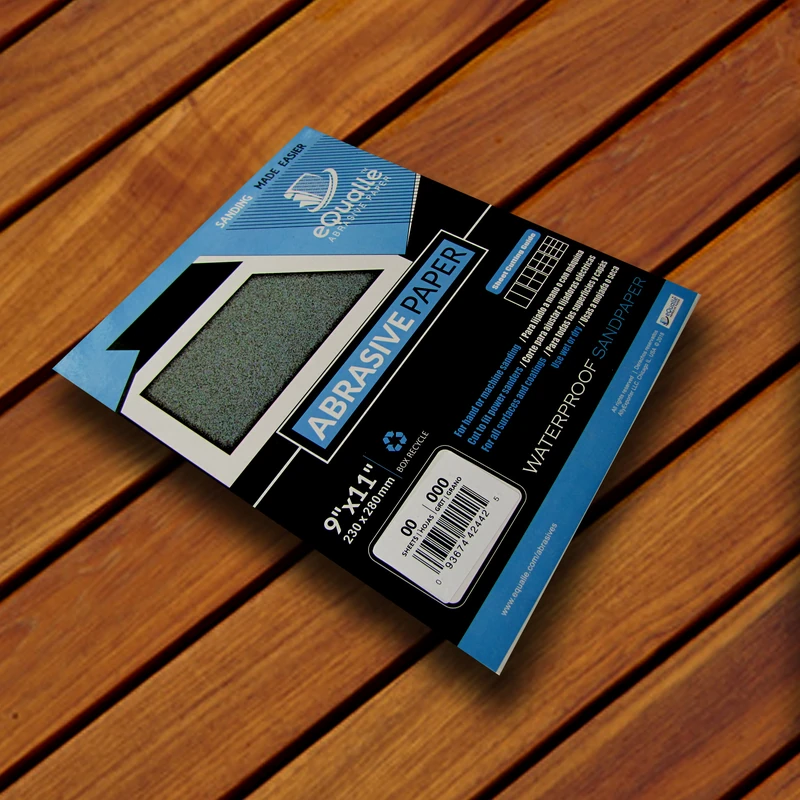
150 Grit Sandpaper Sheets (100-pack) — 9x11 in Silicon Carbide Abrasive for Wet or Dry Use — Versatile medium grit that transitions from shaping to smoothing. Works well between coats of finish or for preparing even surfaces prior to paint. (Professional Grade).
Frequently Asked Questions (FAQ)
Q: Are ceramic sanding discs worth the higher price?
A: Yes when you work on hard metals, dense hardwoods, or heat-sensitive plastics. They cut faster, last longer, and run cooler, which lowers your cost per finished part.
Q: What pad hardness should I use with ceramic discs?
A: Use hard pads for flat metal work and aggressive leveling. Switch to medium for general sanding, and soft interface pads for contours, plastics, and final wood grits.
Q: How do I prevent plastic from melting while sanding?
A: Drop tool speed, use mesh-backed ceramic discs with dust extraction, apply very light pressure, and pause between passes to let the surface cool.
Q: Can one grit sequence work for all materials?
A: No. Metals often run 80–180 for blending; hardwoods prefer 120–180 (maybe 220); plastics benefit from 150–320 with slow speeds. Tune by test passes.
Q: How do I know when to replace a ceramic disc?
A: If pressure creeps up, scratches look fuzzy, or heat rises despite correct settings, the grains have glazed. Replace early—fresh ceramics save time and protect the surface.