
Match Vacuum Holes with Hook and Loop Sanding Discs
It starts with the hum of the extractor and the whir of your sander—then the telltale bloom of dust rolling into the light. I’ve been there, priming a pine bookshelf for my niece’s room, thinking the shop vac would do the heavy lifting. Instead, dust hung in the air like a fog machine gone rogue, nibs rose on the shelf edges, and the disc glazed over before I hit the second shelf. The cleanup took longer than the sanding. The finish? Gritty. My mood? Dusty, too.
The turning point came on a cabin project where the stakes were higher: pre-finished maple panels, tight indoor space, and a hard deadline. No room for airborne dust or scratchy surprises under the topcoat. That’s when I slowed down and asked the right question: do the holes on my pad actually match the holes on my disc? I pulled a used pad and a sleeve of discs onto the bench, laid them down, and realized I’d been off by a mile. Six-hole discs on an eight-hole pad. Two ports fully blocked, others partially covered. I was starving the extractor, building heat, and clogging abrasives—then blaming the wood.
I swapped to discs that matched my pad, aligned the holes deliberately, and cranked the vac. The difference was immediate. Dust disappeared as fast as it formed. The disc stayed cool longer, the pad didn’t gum up, and the finish turned that clean, satin-smooth I chase on every project. Matching vacuum holes with the right hook and loop sanding discs isn’t a small tweak. It’s the lever that lifts your sanding from “good enough” to pro-grade results without drama.
If you’ve ever wondered why your discs load fast, why your sander pad’s hooks keep melting, or why your shop feels like a flour mill, keep reading. We’ll map your pad, choose the right discs, and set up a dust-smart workflow that flat-out works.
Quick Summary: Align the vacuum holes between your sander pad and hook and loop sanding discs, match the pattern, and you’ll sand cleaner, cooler, and with better finishes.
Why Hole Alignment Changes Everything
Airflow is the unsung hero of clean sanding. Your sander’s pad is a perforated plate designed to evacuate dust as the abrasive cuts. When the vacuum holes on the pad and the disc line up, you create a clear path from the cutting zone to your extractor. The result: dust leaves the surface before it can pack into the grit, smear with resins, or ride under the disc to cut scratches.
Misalignment breaks that path. Even a partially blocked hole reduces flow, and reduced flow means more dust remaining on the surface. That dust does three bad things. First, it clogs the abrasive’s valleys, so the disc stops cutting and starts burnishing—especially brutal on softwoods full of pitch. Second, it becomes a rolling contaminant trapped under the disc, which adds random deep scratches you only see after stain or topcoat. Third, it elevates heat, and heat is the silent killer of both discs and pads: hooks soften, foam compresses, and adhesive resins glaze.
You’ll feel the difference in the tool’s behavior. Properly vented discs run smoother, with less bounce and fewer swirl marks. The extractor tone steadies; you can literally hear when the airflow is unrestricted. Static pressure holds the work dust-free, and your disc lasts longer because fresh grit stays exposed instead of buried.
On the health side, good evacuation keeps fine particulates out of your lungs and off your shop surfaces. If you’ve got allergies or you’re sanding finishes and body fillers, this matters even more. It also speeds your workflow: a clean surface shows defects faster, so you spend less time chasing ghosts and more time building a flawless finish.
Bottom line: if your dust collection “isn’t doing much,” check hole alignment first. It’s the cheapest fix you can make for the biggest gain in real-world results.
Choosing Hook and Loop Sanding Discs That Fit
Not all hook and loop sanding discs share the same hole layout. Between 5-inch and 6-inch sizes alone, you’ll find common patterns like 5-, 6-, 8-, and 9-hole, plus multi-hole designs with 15, 17, 27, or even 40+ ports. Some brands use proprietary layouts that push air from the center and edge simultaneously. Others stick to classic, evenly spaced rings. The point is: if you grab any disc off the shelf, odds are it won’t match your pad perfectly.
Here’s how I choose discs that actually fit:
- Start with the sander’s manual or pad specs. Note the diameter and hole count—and, if available, the pattern (center hole yes/no, dual ring, starburst, etc.).
- Cross-reference disc packaging. Reputable discs list their hole count and often depict the layout. Look for exact matches, not “compatible with most.”
- When in doubt, default to multi-hole discs. Modern multi-hole patterns often align “well enough” with a range of pads and allow air to find a path. Still, check alignment visually.
- Consider your material. For resinous woods or paint removal, discs with more holes and open-coat grit reduce loading and heat. For fine finishing, a matched pattern yields the cleanest scratch.
- Beware of interface pads. Adding a soft or hard interface pad can disrupt hole alignment unless the insert mirrors your pad’s pattern.
Brands like Festool, Mirka, and 3M all publish hole configurations for their disc lines. A 9-hole disc might be perfect on one sander and a dud on another. If your pad has a center intake and your disc doesn’t, you’re cutting your airflow at the source. Flip the script: if your disc has a center hole but your pad doesn’t, dust can swirl uselessly under the disc without a direct exit.
Final rule of thumb: a precise match beats a near match. Take thirty seconds at the bench to align and verify before you power up. Your nose and your finish will thank you.
Map Your Sander’s Vacuum Pattern
If you’re not sure what you’ve got, map it. You don’t need calipers or CAD—just a few shop basics and five minutes.
- Quick template: Lay a sheet of thin paper on your pad and trace the circumference. Rub a soft pencil or graphite over the paper while pressing it into the pad face; holes telegraph through. Mark the center, too. Cut the template and store it in your sander case.
- Tape transfer: Cover the pad face with blue tape in a crosshatch. Gently press a blunt dowel into each hole until you feel it bottom out. The tape reveals clean circles you can compare against disc holes.
- Visual verification: Place a disc on the pad without sticking it down. Hold both up to a bright light—misaligned holes show as blacked-out ports. Rotate the disc until the maximum number of holes line up.
- Measure once: If you’ve got multiple sanders, label the pad edge with its hole count and keying mark, so you can quickly grab the right discs.
According to a article a standard 5-inch backup pad with a 6-hole layout is widely used—so if your shop has a mix of pads and discs, it’s easy to end up crossing a 6-hole disc with an 8- or 9-hole pad by mistake.
A note on alignment aids: some third-party alignment jigs or printed templates have pins that drop into common layouts. They’re great if you do production work. For the rest of us, a pencil mark at one pad hole and a matching dot on the disc carrier gets you 90% there.
Once you’ve mapped your pad, keep one sample disc in a zip bag labeled “template.” That sacrificial disc becomes your shop standard for matching new brands and grits on the fly.
Setup Steps for Dust-Smart Sanding
Before you squeeze the trigger, set yourself up for success. This is the pre-flight checklist I use on every sanding job, from face frames to epoxy river tables.
- Match and align
- Confirm disc diameter and hole pattern match your pad.
- Dry-fit the disc, rotating until the maximum number of holes is centered over pad ports.
- Press the disc on gently, then peel and reseat if needed—hook and loop will allow a small correction, but avoid multiple resets that fuzz the hooks.
- Optimize extraction
- Use the shortest, largest-diameter hose your extractor allows; 27–36 mm keeps static losses low.
- Empty the bag or drum, and clean or replace filters. A clogged extractor kills airflow.
- Dial suction so the sander still orbits freely. Too much vacuum can stall a random orbit sander, creating chatter and swirls.
- Add the right interface
- For curves or veneers, snap in a soft interface pad that mirrors your hole pattern.
- For flat tabletops, remove the interface for better control and flatter scratch.
- Choose the right grit and disc type
- Start coarse enough to remove defects fast (80–120), then step through grits without skipping more than one stage (80-120-150-180-220).
- For resinous woods or painted surfaces, use stearate-coated, open-coat discs to reduce loading.
- Test pass
- Make a 10–15 second light pass on scrap with suction on and inspect the disc. If you see paste forming between grits or a hot smell, stop and re-check alignment and vacuum settings.
Pro tip: Put a sharpie dot on one pad hole and a matching dot on the disc at install. If you pull the disc to check the hook surface, you’ll know exactly how to reseat it in the same alignment.
Pro Tips to Extend Pad and Disc Life
A clean setup is half the battle; smart technique keeps your gear working longer and your finish crisper.
- Float the tool, don’t lean. Let the sander’s weight and orbit do the work. Downward pressure compresses foam, overheats hooks, and grinds dust into a paste that glazes the disc.
- Keep it moving. Parked sanders make heat. Maintain a steady pace—roughly one inch per second—overlapping passes by 50%. If your extractor is tuned and holes are aligned, you’ll see a clean track with minimal dust left behind.
- Use the full disc, edge to edge. Riding only the outer ring overheats the perimeter and prematurely rounds over edges. On tabletops, make pass patterns that alternate directions to even out wear.
- Clean between grits. A quick blast of compressed air through the holes (from the abrasive side out) or a dedicated rubber cleaning stick knocks loose fines. Don’t soak discs; moisture changes paper stiffness and hook engagement.
- Rotate your disc clocking. If your pad has a keying notch or you marked a “12 o’clock” hole, rotate each new disc 60–90 degrees from the last install. This evens out wear on the hooks and foam.
Watch for telltales of trouble. If discs start flying off mid-pass, the hooks might be glazed or partly melted—often from heat caused by poor evacuation or too much pressure. If you see “smiles” (curved half-moon swirls), your suction might be too high or your technique too heavy-handed. Back off, re-align, and let the extractor do its job.
When you’re done, peel discs gently and store partially used ones flat in a zip bag by grit. Hook and loop lasts longer if it’s not crushed under a pile of offcuts or tossed into a dusty drawer.
Stop Melting Your — Video Guide
There’s a great visual explainer out there that puts your pad under a microscope to show what really kills hooks and why discs sometimes eject mid-pass. The short version: heat softens the hook material, dust packs into the fibers, and misaligned holes magnify both problems by choking airflow.
Video source: Stop Melting Your Hooks (why sanding discs fly off your sander)
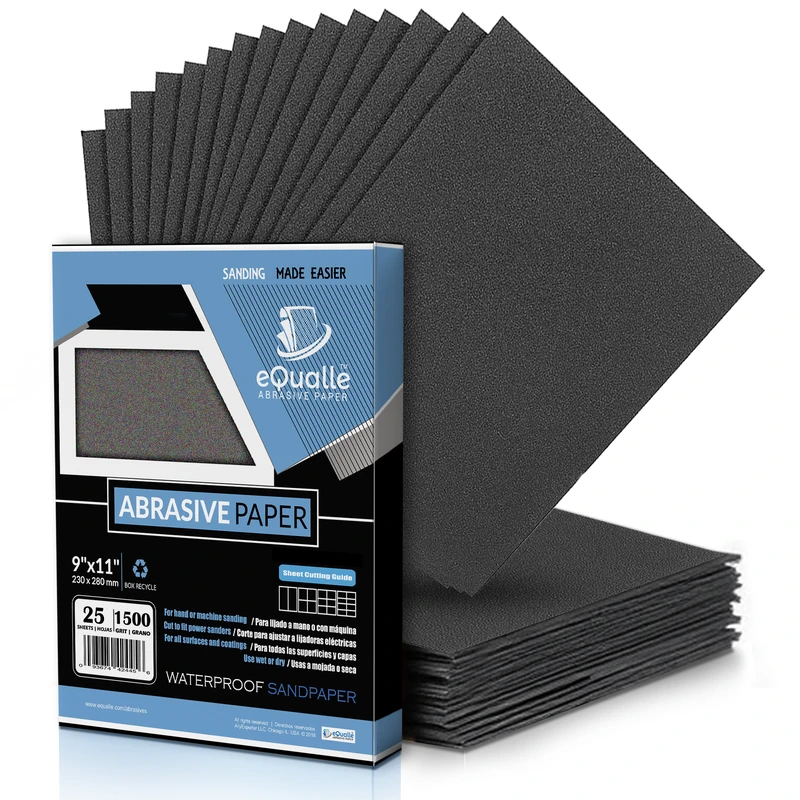
240 Grit Sandpaper Sheets (100-pack) — 9x11 in Silicon Carbide Abrasive for Wet or Dry Use — Light refinement grit that blends sanding marks and smooths primer layers. Perfect for wood, resin, or plastic before lacquer application. Produces consistent scratch patterns and controlled results when used wet or dry. (Professional Grade).
Frequently Asked Questions (FAQ)
Q: Do mismatched vacuum holes really make that much difference?
A: Yes. Even partial blockage reduces airflow, which increases dust loading and heat. That leads to faster disc wear, more swirl marks, and a dirtier shop. Properly aligned holes keep the abrasive cutting clean and the pad running cool.
Q: Can I punch my own holes to match my pad?
A: You can, but results vary. Use a dedicated disc punch with sharp dies and a template. Misplaced or ragged holes can weaken the disc and throw balance off. When possible, buy discs with the exact pattern, or use quality multi-hole discs that align with most pads.
Q: How tight should the extractor suction be when sanding?
A: Strong, but not so strong that it stalls the pad. If the sander feels “stuck” or leaves chatter, back off the suction or open a bleed valve. The goal is steady extraction with a free-spinning orbit.
Q: My discs keep flying off—what’s the fix?
A: Check three things: hole alignment (for cooling), technique (reduce pressure), and pad condition (hooks clean and intact). Clean the pad with a nylon brush, replace it if hooks are melted or matted, and ensure your disc’s loop surface is clean and not clogged with finish or dust.
Q: What’s the best hole pattern for general woodworking?
A: For 5-inch sanders, 8- or 9-hole patterns work well when matched to the pad. Multi-hole discs are versatile across mixed tools. The “best” is the one that aligns precisely with your pad and keeps dust moving on your material and finish type.